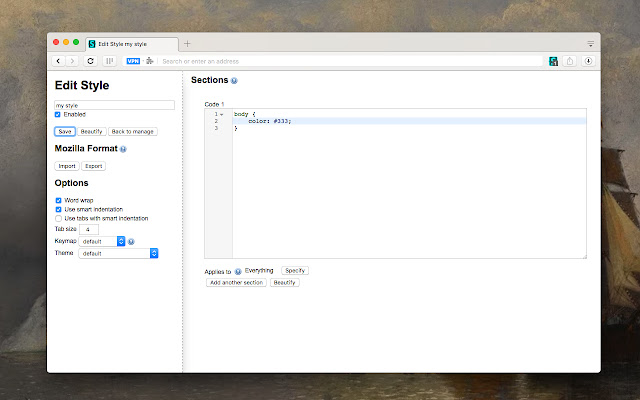
The latest release of Stylus version 2.3.24 for Chrome, Firefox, and Opera enhances the user experience by allowing seamless installation of themes and skins for a variety of popular websites. Stylus serves as a user styles manager that fosters community engagement and active development, enabling users to revamp their favorite web pages effortlessly.
Key features of Stylus include:
- Versatile Theme Installation: Users can install themes from well-known online repositories or directly from URLs that point to .user.CSS files, providing flexibility in customization.
- Backup Functionality: The extension offers a backup feature for users to safeguard their database of installed styles, ensuring compatibility with other user style managers.
- Automatic Updates: An intuitive update function ensures that installed styles remain current without manual intervention.
- Customizable Interface: Users can personalize the UI with various themes, layouts, icon styles, and color choices for an enhanced visual experience.
- Code Validation: Stylus includes two optional code validators, allowing users to set rules to ensure their custom styles meet specific coding standards.
In addition to these features, future updates could potentially introduce more robust community features, such as user forums for sharing styles, enhanced collaboration tools for CSS development, and improved performance metrics for style loading times. This would further solidify Stylus as a leading tool for web customization, catering to both casual users and developers alike
Key features of Stylus include:
- Versatile Theme Installation: Users can install themes from well-known online repositories or directly from URLs that point to .user.CSS files, providing flexibility in customization.
- Backup Functionality: The extension offers a backup feature for users to safeguard their database of installed styles, ensuring compatibility with other user style managers.
- Automatic Updates: An intuitive update function ensures that installed styles remain current without manual intervention.
- Customizable Interface: Users can personalize the UI with various themes, layouts, icon styles, and color choices for an enhanced visual experience.
- Code Validation: Stylus includes two optional code validators, allowing users to set rules to ensure their custom styles meet specific coding standards.
In addition to these features, future updates could potentially introduce more robust community features, such as user forums for sharing styles, enhanced collaboration tools for CSS development, and improved performance metrics for style loading times. This would further solidify Stylus as a leading tool for web customization, catering to both casual users and developers alike
Stylus for Chrome, Firefox, and Opera 2.3.24 released
Stylus for Chrome, Firefox, and Opera allows you to install themes and skins for many popular sites easily.
Stylus for Chrome, Firefox, and Opera 2.3.24 released @ MajorGeeks