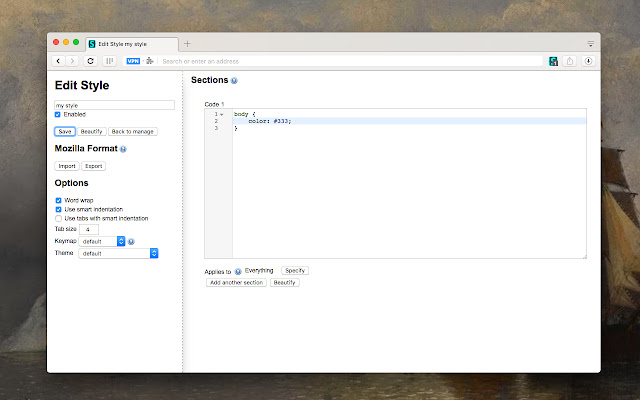
Stylus has released version 2.3.22 for Chrome, Firefox, and Opera, enhancing the user experience for installing themes and skins on various popular websites. This actively developed and community-supported user styles manager allows users to easily redecorate their favorite sites, either by downloading custom themes from well-known online repositories or by creating, editing, and managing their own CSS stylesheets.
Key features of Stylus include:
- Versatile Theme Installation: Users can install themes from widely-used online repositories, and they also have the option to install styles via .user.CSS or .user.Styl URLs, as detailed in the Usercss format documentation on GitHub.
- Backup Functionality: Stylus offers a backup feature for the entire database of installed styles, ensuring compatibility with other user style managers.
- Automatic Updates: The extension includes an intuitive and configurable automatic update feature for installed styles, helping users stay current with the latest design trends.
- Customizable User Interface: Users can personalize their experience with a highly customizable UI, which includes theme options, layout choices, icon and badge color selections, and various other tweaks.
- Code Validation: Stylus provides two optional code validators with user-configurable rules, allowing users to maintain high-quality CSS code.
With these features, Stylus continues to empower users to fully customize their web experience, making it a valuable tool for anyone looking to enhance the aesthetics and functionality of their favorite websites. In future updates, users can anticipate further enhancements, possibly including more robust community features, additional theme repositories, and improved performance optimizations
Key features of Stylus include:
- Versatile Theme Installation: Users can install themes from widely-used online repositories, and they also have the option to install styles via .user.CSS or .user.Styl URLs, as detailed in the Usercss format documentation on GitHub.
- Backup Functionality: Stylus offers a backup feature for the entire database of installed styles, ensuring compatibility with other user style managers.
- Automatic Updates: The extension includes an intuitive and configurable automatic update feature for installed styles, helping users stay current with the latest design trends.
- Customizable User Interface: Users can personalize their experience with a highly customizable UI, which includes theme options, layout choices, icon and badge color selections, and various other tweaks.
- Code Validation: Stylus provides two optional code validators with user-configurable rules, allowing users to maintain high-quality CSS code.
With these features, Stylus continues to empower users to fully customize their web experience, making it a valuable tool for anyone looking to enhance the aesthetics and functionality of their favorite websites. In future updates, users can anticipate further enhancements, possibly including more robust community features, additional theme repositories, and improved performance optimizations
Stylus for Chrome, Firefox, and Opera 2.3.22 released
Stylus for Chrome, Firefox, and Opera allows you to install themes and skins for many popular sites easily.
Stylus for Chrome, Firefox, and Opera 2.3.22 released @ MajorGeeks