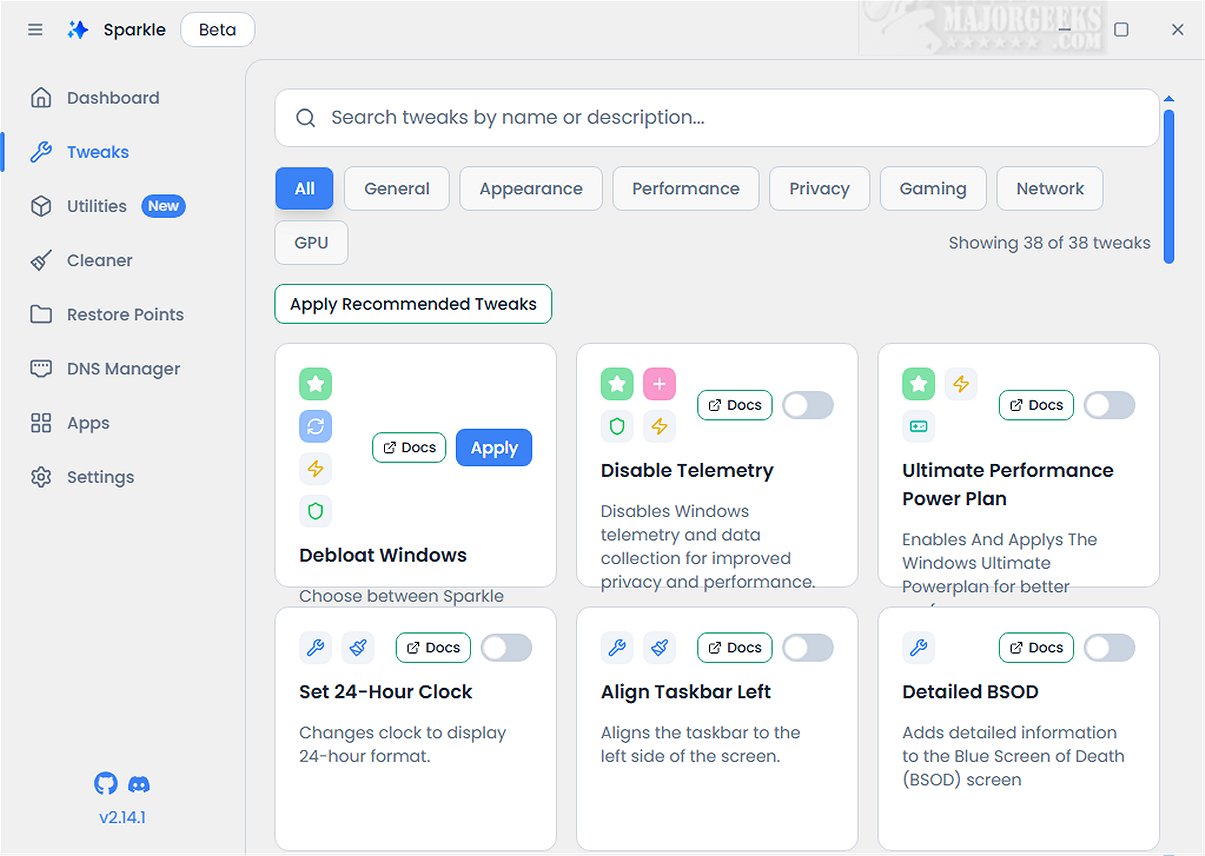
The latest version of Sparkle, 2.23.0 Beta, offers a powerful solution for Windows users looking to optimize their system's performance. This application effectively removes unnecessary Microsoft bloatware and applies various tweaks to enhance functionality.
Key Features of Sparkle
With Sparkle, users can take control of their Windows environment by disabling telemetry features that track user activities and turning off Copilot for a smoother workflow. It also includes specialized optimizations for NVIDIA graphics cards, catering specifically to gamers. Additionally, Sparkle simplifies the uninstallation of OneDrive, allowing users to manage their installed applications more effectively.
App Installer Integration
One of the standout features of Sparkle is its integration with robust app installers. It comes equipped with built-in Winget and Chocolatey installers, enabling users to access the latest applications effortlessly. Regular updates ensure that users can keep their software toolkit current without the need for manual downloads.
User-Friendly Interface
Sparkle's interface is designed for ease of use, featuring a dedicated Utilities page that facilitates essential maintenance tasks. Users can perform actions such as running Disk Cleanup to recover storage space, viewing detailed system information for performance monitoring, and quickly restarting graphics drivers to fix display issues.
Creating a Restore Point
Before running Sparkle, it is advisable to create a system restore point. This precaution ensures users can revert their system to a previous state if any issues arise during or after the application’s operation. Keeping a current backup is also recommended.
Conclusion: The Geek Verdict
In summary, Sparkle is a comprehensive tool that merges essential features into a seamless experience for Windows users. With the intuitive Winget App Installer, versatile Chocolatey App Installer, effective Windows Debloat Tool, efficient temporary file cleaner, and dynamic DNS Changer, Sparkle stands out as a premier solution for optimizing and personalizing your Windows experience.
Future Directions
As Sparkle continues to evolve, users can anticipate further enhancements and new features aimed at improving system performance and user control. Upcoming versions may also focus on integrating more app management options and advanced customization features, making it an even more indispensable tool for Windows users looking to streamline and personalize their computing environment
Key Features of Sparkle
With Sparkle, users can take control of their Windows environment by disabling telemetry features that track user activities and turning off Copilot for a smoother workflow. It also includes specialized optimizations for NVIDIA graphics cards, catering specifically to gamers. Additionally, Sparkle simplifies the uninstallation of OneDrive, allowing users to manage their installed applications more effectively.
App Installer Integration
One of the standout features of Sparkle is its integration with robust app installers. It comes equipped with built-in Winget and Chocolatey installers, enabling users to access the latest applications effortlessly. Regular updates ensure that users can keep their software toolkit current without the need for manual downloads.
User-Friendly Interface
Sparkle's interface is designed for ease of use, featuring a dedicated Utilities page that facilitates essential maintenance tasks. Users can perform actions such as running Disk Cleanup to recover storage space, viewing detailed system information for performance monitoring, and quickly restarting graphics drivers to fix display issues.
Creating a Restore Point
Before running Sparkle, it is advisable to create a system restore point. This precaution ensures users can revert their system to a previous state if any issues arise during or after the application’s operation. Keeping a current backup is also recommended.
Conclusion: The Geek Verdict
In summary, Sparkle is a comprehensive tool that merges essential features into a seamless experience for Windows users. With the intuitive Winget App Installer, versatile Chocolatey App Installer, effective Windows Debloat Tool, efficient temporary file cleaner, and dynamic DNS Changer, Sparkle stands out as a premier solution for optimizing and personalizing your Windows experience.
Future Directions
As Sparkle continues to evolve, users can anticipate further enhancements and new features aimed at improving system performance and user control. Upcoming versions may also focus on integrating more app management options and advanced customization features, making it an even more indispensable tool for Windows users looking to streamline and personalize their computing environment
Sparkle 2.23.0 Beta released
Sparkle is a versatile Windows application designed to enhance your system's performance by effectively removing unnecessary Microsoft bloatware and applying various customization tweaks.