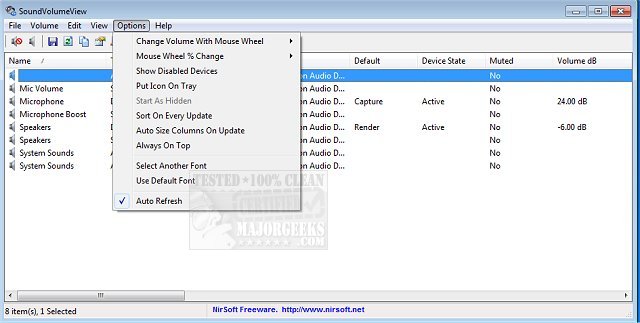
The release of SoundVolumeView version 2.52 brings enhanced functionality for managing audio settings on your PC. This tool provides a quick overview of your system's audio information, showcasing the current volume levels for all active sound components. A key feature of SoundVolumeView is its ability to save sound profiles into a file, capturing the current volume levels and the mute/unmute states of all sound components, as well as identifying default sound devices. Users can easily restore these settings later by loading the saved file.
Additionally, the software offers robust command-line support that enables users to save or load profiles, adjust the volume of all sound components, and mute or unmute them without needing to interact with the graphical user interface. This feature is particularly useful for advanced users and those looking to automate their audio settings.
The update also highlights related topics, such as enabling Windows Sonic Surround Sound, toggling key sounds on and off, renaming sound input or output devices, addressing low sound volume issues, and troubleshooting common sound problems in Windows operating systems.
In conclusion, SoundVolumeView 2.52 is a valuable tool for users seeking to efficiently manage and customize their audio settings, providing both ease of use and advanced features for sound management on Windows systems
Additionally, the software offers robust command-line support that enables users to save or load profiles, adjust the volume of all sound components, and mute or unmute them without needing to interact with the graphical user interface. This feature is particularly useful for advanced users and those looking to automate their audio settings.
The update also highlights related topics, such as enabling Windows Sonic Surround Sound, toggling key sounds on and off, renaming sound input or output devices, addressing low sound volume issues, and troubleshooting common sound problems in Windows operating systems.
In conclusion, SoundVolumeView 2.52 is a valuable tool for users seeking to efficiently manage and customize their audio settings, providing both ease of use and advanced features for sound management on Windows systems
SoundVolumeView 2.52 released
SoundVolumeView will quickly display your PC's general audio information, including current volume levels for all active sound components.