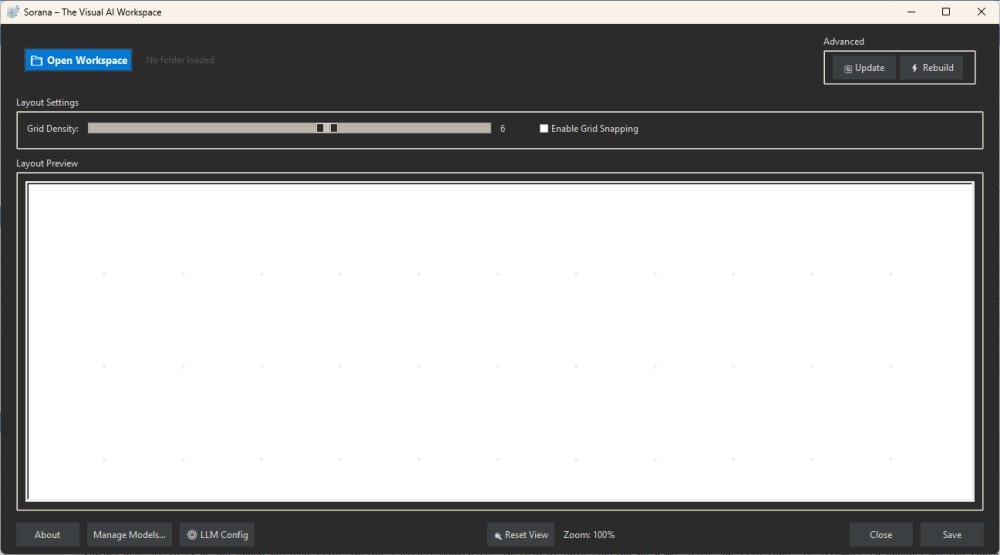
Sorana is a free, AI-powered visual workspace specifically designed for Windows users, aimed at revolutionizing the way files, documents, and AI workflows are organized. This innovative tool is particularly beneficial for researchers, developers, and creative professionals who manage extensive collections of documents, coding projects, and creative files that can often become cumbersome in traditional file managers like File Explorer.
Key Features of Sorana:
Sorana offers a unique visual canvas that allows users to drag and drop files, create groups, and organize projects intuitively. It utilizes AI to scan and group related files not just by name, date, or type, but by understanding their content and context. This results in a more meaningful organization of documents, making it easier for users to find and manage their work.
The application supports several advanced features, including:
- AI-Powered Document Interaction: Users can query scanned files through OCR technology, extracting text from PDFs and other document-heavy content without manual searches.
- No-Code AI Workflow Pipelines: Users can create interconnected workflows where AI steps perform various tasks, like analyzing, summarizing, and acting on documents, without needing to write code.
- Local and Cloud AI Support: Sorana can operate with local AI backends such as Ollama and LM Studio, as well as cloud services like OpenAI and Mistral, catering to users with different privacy preferences.
Usability and Learning Curve:
To get started, users are advised to add a project folder or a small collection of files rather than their entire Downloads folder. The AI will then scan these files and suggest visual groups based on their relationships. While the AI can identify connections, users are encouraged to manually adjust the layout to best suit their needs. The application does require some time for users to acclimate, especially those looking for straightforward folder management tools.
Limitations:
Despite its innovative features, Sorana is not intended to replace traditional file explorers for everyday browsing. The learning curve may deter casual users who simply seek a basic file organization tool. Additionally, some aspects of the application may still feel experimental, suggesting that while it holds promise, it may require further refinement.
Conclusion:
In summary, Sorana stands out as a unique solution for individuals who regularly handle complex projects and need a more intuitive way to organize their files. Its combination of a visual workspace, AI document interaction, and workflow capabilities positions it as a powerful tool for researchers, developers, and creative professionals. While it may not be suitable for everyone, particularly those seeking a simple file management system, users willing to invest the time to learn its features may find Sorana to be a game-changer in data organization. As the application continues to evolve, its potential to streamline workflows and enhance productivity is promising
Key Features of Sorana:
Sorana offers a unique visual canvas that allows users to drag and drop files, create groups, and organize projects intuitively. It utilizes AI to scan and group related files not just by name, date, or type, but by understanding their content and context. This results in a more meaningful organization of documents, making it easier for users to find and manage their work.
The application supports several advanced features, including:
- AI-Powered Document Interaction: Users can query scanned files through OCR technology, extracting text from PDFs and other document-heavy content without manual searches.
- No-Code AI Workflow Pipelines: Users can create interconnected workflows where AI steps perform various tasks, like analyzing, summarizing, and acting on documents, without needing to write code.
- Local and Cloud AI Support: Sorana can operate with local AI backends such as Ollama and LM Studio, as well as cloud services like OpenAI and Mistral, catering to users with different privacy preferences.
Usability and Learning Curve:
To get started, users are advised to add a project folder or a small collection of files rather than their entire Downloads folder. The AI will then scan these files and suggest visual groups based on their relationships. While the AI can identify connections, users are encouraged to manually adjust the layout to best suit their needs. The application does require some time for users to acclimate, especially those looking for straightforward folder management tools.
Limitations:
Despite its innovative features, Sorana is not intended to replace traditional file explorers for everyday browsing. The learning curve may deter casual users who simply seek a basic file organization tool. Additionally, some aspects of the application may still feel experimental, suggesting that while it holds promise, it may require further refinement.
Conclusion:
In summary, Sorana stands out as a unique solution for individuals who regularly handle complex projects and need a more intuitive way to organize their files. Its combination of a visual workspace, AI document interaction, and workflow capabilities positions it as a powerful tool for researchers, developers, and creative professionals. While it may not be suitable for everyone, particularly those seeking a simple file management system, users willing to invest the time to learn its features may find Sorana to be a game-changer in data organization. As the application continues to evolve, its potential to streamline workflows and enhance productivity is promising
Sorana 1.0.89.0 released
Sorana is a free AI-powered visual workspace for Windows that rethinks how you organize files, documents, and AI workflows.