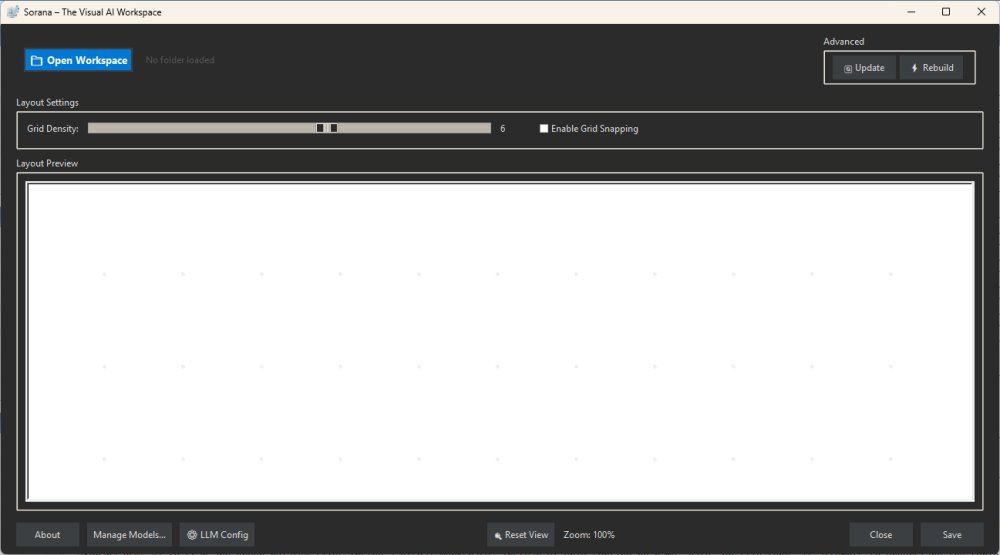
Sorana is an innovative, free AI-powered visual workspace designed for Windows, aimed at redefining file organization and enhancing productivity for users dealing with extensive documents, files, and projects. With its release at version 1.0.54, Sorana offers a fresh approach to managing files beyond traditional methods like File Explorer.
Functionality and Features
Sorana enables users to organize files, documents, PDFs, notes, and project folders dynamically on a visual canvas. It caters to a diverse audience, including researchers, developers, and creative professionals who grapple with vast amounts of data and require a more intuitive organizational system. By leveraging AI, Sorana scans and intelligently groups related documents based on content and context rather than solely relying on conventional sorting metrics such as name or date.
Key features of Sorana include:
- Visual Canvas: Users can drag and drop files, create groups, and rename sections, facilitating a more intuitive project management experience.
- AI Document Interaction: The application supports Optical Character Recognition (OCR) and text extraction, enabling users to query documents directly without manual searching.
- No-Code AI Workflow Pipelines: It allows users to create interconnected workflows, enabling tasks such as file analysis and summarization without needing coding skills.
- Local and Cloud AI Support: Sorana works with local AI backends like Ollama and LM Studio, as well as cloud services such as OpenAI and Mistral, ensuring flexibility and privacy.
Practical Usage
To effectively utilize Sorana, users are encouraged to begin with a specific project folder rather than overwhelming themselves with a large collection of files. The AI's scanning process will create visual groupings, which users can then manually adjust. Those handling document-heavy tasks can benefit from features like document chat to extract important information quickly.
Limitations and Considerations
While Sorana presents a compelling alternative to traditional file management systems, it is not a direct replacement for File Explorer. Its learning curve may deter casual users seeking simple file organization solutions, as the interface can feel experimental and overwhelming for those unfamiliar with advanced AI tools. Users should approach Sorana with an understanding of its capabilities and limitations, especially given the potential slowness when using its included models.
Conclusion and Future Potential
Sorana stands out as a unique and promising tool for file organization, especially for power users, researchers, and developers who require a more sophisticated method of managing their work. While the app has areas that need improvement—such as user experience and performance—its innovative features signal significant potential for enhancing productivity in data organization. With ongoing development, Sorana could evolve into an essential resource for those needing a robust solution for managing complex information workflows
Functionality and Features
Sorana enables users to organize files, documents, PDFs, notes, and project folders dynamically on a visual canvas. It caters to a diverse audience, including researchers, developers, and creative professionals who grapple with vast amounts of data and require a more intuitive organizational system. By leveraging AI, Sorana scans and intelligently groups related documents based on content and context rather than solely relying on conventional sorting metrics such as name or date.
Key features of Sorana include:
- Visual Canvas: Users can drag and drop files, create groups, and rename sections, facilitating a more intuitive project management experience.
- AI Document Interaction: The application supports Optical Character Recognition (OCR) and text extraction, enabling users to query documents directly without manual searching.
- No-Code AI Workflow Pipelines: It allows users to create interconnected workflows, enabling tasks such as file analysis and summarization without needing coding skills.
- Local and Cloud AI Support: Sorana works with local AI backends like Ollama and LM Studio, as well as cloud services such as OpenAI and Mistral, ensuring flexibility and privacy.
Practical Usage
To effectively utilize Sorana, users are encouraged to begin with a specific project folder rather than overwhelming themselves with a large collection of files. The AI's scanning process will create visual groupings, which users can then manually adjust. Those handling document-heavy tasks can benefit from features like document chat to extract important information quickly.
Limitations and Considerations
While Sorana presents a compelling alternative to traditional file management systems, it is not a direct replacement for File Explorer. Its learning curve may deter casual users seeking simple file organization solutions, as the interface can feel experimental and overwhelming for those unfamiliar with advanced AI tools. Users should approach Sorana with an understanding of its capabilities and limitations, especially given the potential slowness when using its included models.
Conclusion and Future Potential
Sorana stands out as a unique and promising tool for file organization, especially for power users, researchers, and developers who require a more sophisticated method of managing their work. While the app has areas that need improvement—such as user experience and performance—its innovative features signal significant potential for enhancing productivity in data organization. With ongoing development, Sorana could evolve into an essential resource for those needing a robust solution for managing complex information workflows
Sorana 1.0.54 released
Sorana is a free AI-powered visual workspace for Windows that rethinks how you organize files, documents, and AI workflows.