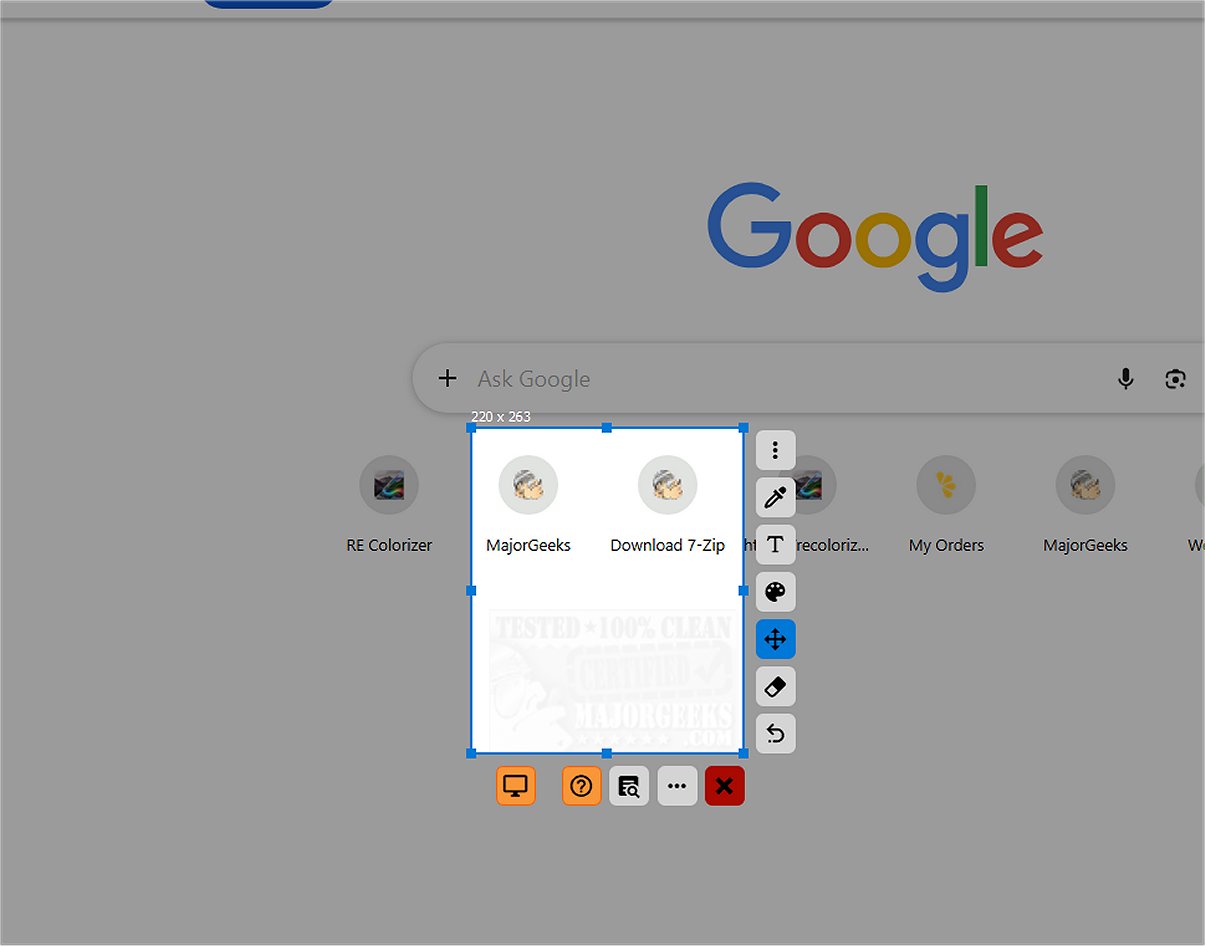
SnipFor is a powerful and user-friendly tool designed for capturing and saving specific screen content. With its intuitive interface, users can easily select and snapshot parts of their display. The application features convenient tools for drawing, text insertion, and markup directly on the captured images, although it does not support text overlays. SnipFor allows for precise capture adjustments down to the pixel, making it ideal for users who need to focus on specific content without extraneous details.
One of the key highlights of SnipFor is its advanced Optical Character Recognition (OCR) engine, which enables users to extract and convert text from screenshots. This feature is particularly beneficial during meetings, videos, remote desktop sessions, and when dealing with non-copyable PDFs. Importantly, the OCR processes data locally on the user's device, prioritizing privacy and security by preventing any data transmission to external servers.
Overall, SnipFor provides an efficient solution for screen capturing and text extraction, allowing users to annotate and pin snippets for easy access. The only minor issue noted is occasional translation inconsistencies during installation, which seem to resolve upon launching the app.
Extension: Features and Future Prospects
In addition to its existing functionalities, SnipFor could enhance its offering by introducing features such as cloud integration for users who prefer to store their screenshots online for easy access across devices. An option for customizable keyboard shortcuts would also streamline the user experience, enabling faster captures and annotations. Furthermore, collaboration tools could be incorporated, allowing users to share their snippets directly with colleagues or friends for feedback and discussion.
As technology evolves, SnipFor might consider integrating machine learning capabilities to improve its OCR accuracy over time, adapting to various fonts and languages more effectively. Additionally, expanding support for multiple languages within the app could broaden its user base, making it more accessible to non-English speakers.
Overall, SnipFor 2.2.2 stands as a robust tool in the realm of screen capturing, with potential for further enhancements that could solidify its position as a leader in the market
One of the key highlights of SnipFor is its advanced Optical Character Recognition (OCR) engine, which enables users to extract and convert text from screenshots. This feature is particularly beneficial during meetings, videos, remote desktop sessions, and when dealing with non-copyable PDFs. Importantly, the OCR processes data locally on the user's device, prioritizing privacy and security by preventing any data transmission to external servers.
Overall, SnipFor provides an efficient solution for screen capturing and text extraction, allowing users to annotate and pin snippets for easy access. The only minor issue noted is occasional translation inconsistencies during installation, which seem to resolve upon launching the app.
Extension: Features and Future Prospects
In addition to its existing functionalities, SnipFor could enhance its offering by introducing features such as cloud integration for users who prefer to store their screenshots online for easy access across devices. An option for customizable keyboard shortcuts would also streamline the user experience, enabling faster captures and annotations. Furthermore, collaboration tools could be incorporated, allowing users to share their snippets directly with colleagues or friends for feedback and discussion.
As technology evolves, SnipFor might consider integrating machine learning capabilities to improve its OCR accuracy over time, adapting to various fonts and languages more effectively. Additionally, expanding support for multiple languages within the app could broaden its user base, making it more accessible to non-English speakers.
Overall, SnipFor 2.2.2 stands as a robust tool in the realm of screen capturing, with potential for further enhancements that could solidify its position as a leader in the market
SnipFor 2.2.2 released
SnipFor is a sophisticated tool for capturing and saving specific screen content. You can select a portion of the display, take a snapshot, and the application will store it for immediate or future use.