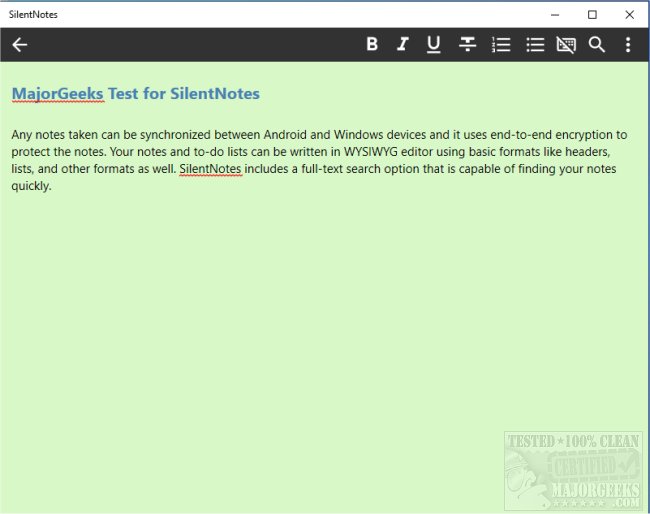
SilentNotes has officially released version 8.8.4 of its note-taking app, which prioritizes user privacy. This app allows users to synchronize their notes seamlessly between Android and Windows devices, utilizing advanced end-to-end encryption methods such as XChaCha20-Poly1305, AES256-GCM, and Twofish256-GCM to ensure that notes remain secure.
The app features a user-friendly WYSIWYG (What You See Is What You Get) editor that supports various formatting options, including headers and lists, making it easy to organize thoughts and ideas. Additionally, SilentNotes includes a robust full-text search function that enables users to quickly locate specific notes by typing just a few letters. Users can also protect individual notes with a password of their choice, adding an extra layer of security.
SilentNotes supports various online storage options for note synchronization, including FTP, WebDav, Dropbox, Google Drive, and OneDrive, allowing for convenient backups and device syncing without compromising privacy. Notably, notes remain encrypted on devices and are only accessible through the app, ensuring that user data is never exposed.
Other features include a recycle bin to recover accidentally deleted notes, an absence of data collection or unnecessary app privileges, a dark theme for comfortable use in low-light settings, and the ability to create to-do lists for tracking tasks.
For those looking for a comprehensive and secure note-taking solution, SilentNotes stands out with its extensive features and commitment to privacy.
Extension: In addition to the current features, future updates to SilentNotes could introduce collaborative options for sharing notes with trusted users while maintaining security protocols. The app could also benefit from integration with productivity tools like calendars and task management apps, allowing for a more holistic approach to organization. Enhanced customization options for the user interface and additional formatting tools could further improve the user experience, making SilentNotes a leading choice in the note-taking app market
The app features a user-friendly WYSIWYG (What You See Is What You Get) editor that supports various formatting options, including headers and lists, making it easy to organize thoughts and ideas. Additionally, SilentNotes includes a robust full-text search function that enables users to quickly locate specific notes by typing just a few letters. Users can also protect individual notes with a password of their choice, adding an extra layer of security.
SilentNotes supports various online storage options for note synchronization, including FTP, WebDav, Dropbox, Google Drive, and OneDrive, allowing for convenient backups and device syncing without compromising privacy. Notably, notes remain encrypted on devices and are only accessible through the app, ensuring that user data is never exposed.
Other features include a recycle bin to recover accidentally deleted notes, an absence of data collection or unnecessary app privileges, a dark theme for comfortable use in low-light settings, and the ability to create to-do lists for tracking tasks.
For those looking for a comprehensive and secure note-taking solution, SilentNotes stands out with its extensive features and commitment to privacy.
Extension: In addition to the current features, future updates to SilentNotes could introduce collaborative options for sharing notes with trusted users while maintaining security protocols. The app could also benefit from integration with productivity tools like calendars and task management apps, allowing for a more holistic approach to organization. Enhanced customization options for the user interface and additional formatting tools could further improve the user experience, making SilentNotes a leading choice in the note-taking app market
SilentNotes 8.8.4 released
SilentNotes is a note-taking app designed with privacy in mind.