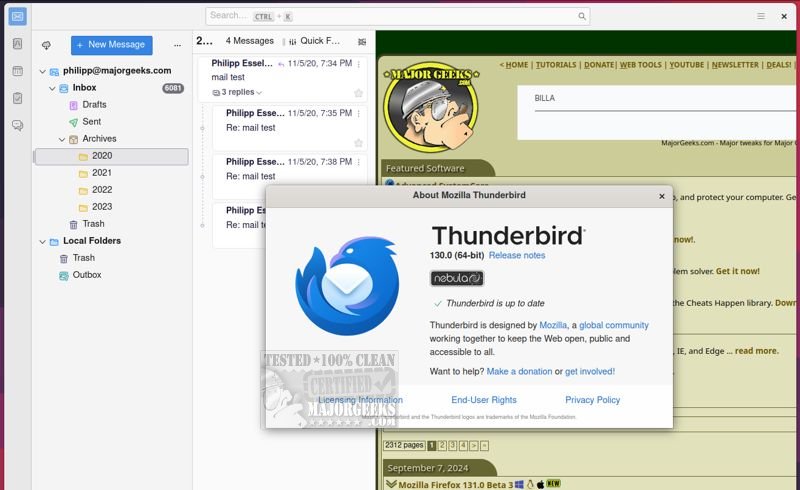
Mozilla Thunderbird Eclipse 153.0.3 has recently been released, enhancing the email client known for its emphasis on safety, speed, and user-friendliness. This version continues to provide a rich array of built-in features such as an intuitive message search, customizable views, and support for both IMAP/POP and RSS feeds. In addition, users can access both the latest beta and a portable version of the application.
The new release introduces a dynamic toolbar that adapts based on the current tab or workspace, presenting users with frequently used and contextual options for improved usability. The graphical user interface (GUI) has undergone a complete redesign, enhancing navigation and visual appeal. Thunderbird Eclipse remains a robust option for email management, particularly for organizations, by incorporating several safety features such as an efficient junk mail filter that detects and manages spam. Users can also manually review and select any emails that might bypass the filter.
High-level security measures are integral to Thunderbird Eclipse, including digital signing, message encryption, S/MIME support, and certificate support, making it suitable for enterprises and government agencies. The platform also supports a wide variety of Mozilla Add-Ons, enabling users to customize their email client extensively to meet specific needs.
For users interested in longer-term support, the latest Extended Support Release (ESR) version of Thunderbird Nebula is also available. Overall, Mozilla Thunderbird Eclipse continues to evolve as a reliable and secure email solution, making it a strong choice for both personal and professional use.
As the software landscape continues to evolve, future updates may further enhance its capabilities, potentially incorporating AI-driven features for smarter email management, integration with other productivity tools, and improved collaboration functionalities
The new release introduces a dynamic toolbar that adapts based on the current tab or workspace, presenting users with frequently used and contextual options for improved usability. The graphical user interface (GUI) has undergone a complete redesign, enhancing navigation and visual appeal. Thunderbird Eclipse remains a robust option for email management, particularly for organizations, by incorporating several safety features such as an efficient junk mail filter that detects and manages spam. Users can also manually review and select any emails that might bypass the filter.
High-level security measures are integral to Thunderbird Eclipse, including digital signing, message encryption, S/MIME support, and certificate support, making it suitable for enterprises and government agencies. The platform also supports a wide variety of Mozilla Add-Ons, enabling users to customize their email client extensively to meet specific needs.
For users interested in longer-term support, the latest Extended Support Release (ESR) version of Thunderbird Nebula is also available. Overall, Mozilla Thunderbird Eclipse continues to evolve as a reliable and secure email solution, making it a strong choice for both personal and professional use.
As the software landscape continues to evolve, future updates may further enhance its capabilities, potentially incorporating AI-driven features for smarter email management, integration with other productivity tools, and improved collaboration functionalities
Mozilla Thunderbird Eclipse 153.0.3 released
Mozilla Thunderbird Eclipse is an email client prioritizing safety, speed, and user-friendliness. It offers a wide range of built-in features, including a user-friendly message search, customizable views, and support for IMAP/POP and RSS. The latest beta and a portable version are also available.