ShareX has recently released its Pre-Release version 20.0.2 alongside version 19.0.2. This Open Source application is widely recognized for its capabilities in capturing screenshots and screencasts, allowing users to upload their media and automatically copy the URL to their clipboard with a simple hotkey.
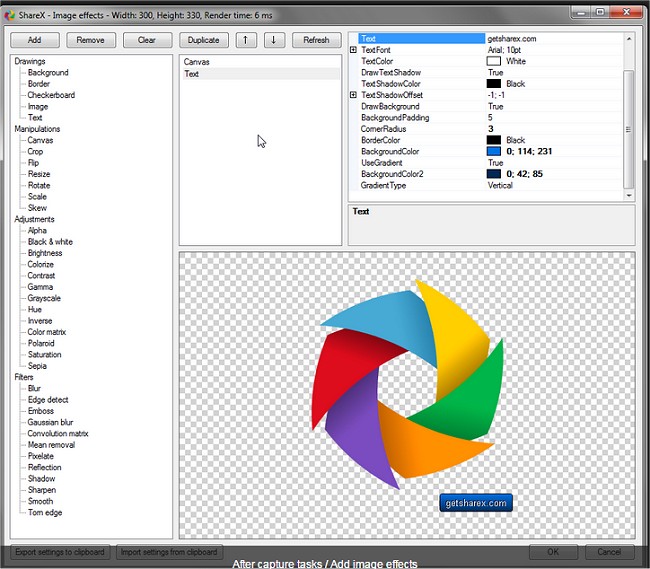
Key features of ShareX include an advanced screenshot tool and screen recorder, the ability to upload files directly through Windows Explorer, and customizable after-capture tasks such as annotation, effects, watermarking, and more. Users can effortlessly upload captured media to a variety of hosting services, including Imgur, FTP, Dropbox, and Mega, and can configure specific workflows with personalized hotkey settings.
Additionally, ShareX supports various image formats and GIF animation generation, making it a versatile tool for capturing and editing visual content. With continuous updates and features, ShareX remains a powerful resource for users looking to enhance their screen capture and sharing process.
As technology evolves, future versions may introduce even more features, such as enhanced editing tools, improved user interface, and expanded support for additional hosting services, thereby solidifying ShareX's position as a leading choice for screenshot and screen recording solutions.
For users interested in learning more, there are also helpful guides available on topics like taking screenshots in Windows 10 & 11, creating screen snip shortcuts, and managing screenshot index counters
Key features of ShareX include an advanced screenshot tool and screen recorder, the ability to upload files directly through Windows Explorer, and customizable after-capture tasks such as annotation, effects, watermarking, and more. Users can effortlessly upload captured media to a variety of hosting services, including Imgur, FTP, Dropbox, and Mega, and can configure specific workflows with personalized hotkey settings.
Additionally, ShareX supports various image formats and GIF animation generation, making it a versatile tool for capturing and editing visual content. With continuous updates and features, ShareX remains a powerful resource for users looking to enhance their screen capture and sharing process.
As technology evolves, future versions may introduce even more features, such as enhanced editing tools, improved user interface, and expanded support for additional hosting services, thereby solidifying ShareX's position as a leading choice for screenshot and screen recording solutions.
For users interested in learning more, there are also helpful guides available on topics like taking screenshots in Windows 10 & 11, creating screen snip shortcuts, and managing screenshot index counters
ShareX 20.0.2 Pre-Release / 19.0.2 released
ShareX is an Open Source app that can take a screenshot or a screencast, upload it, and get the URL copied to your clipboard with a single hotkey.