JetBrains Rider is an advanced cross-platform Integrated Development Environment (IDE) specifically designed for .NET developers who seek high performance, deep code insights, and seamless integration with both modern and legacy tools. Released as version 2026.2.4, Rider appeals to developers who find Visual Studio occasionally sluggish or prefer a more streamlined, customizable environment.
Rider is built on the same framework as JetBrains' other popular IDEs, such as IntelliJ IDEA and PyCharm, making it familiar to users of those platforms. It supports a wide array of technologies, including:
- Frameworks and Environments: .NET Framework, .NET Core, Mono, Xamarin, ASP.NET, and Unity.
- Front-end Development: Tools for JavaScript, TypeScript, and React.
- Database and Container Support: SQL databases and Docker integration.
Out-of-the-Box Benefits:
- Code Analysis and Refactoring: With over 2,200 code inspections and more than 1,000 context actions, Rider helps developers identify bugs and optimize code.
- Performance: Rider is optimized for speed, particularly on large projects, avoiding the bloat often associated with Visual Studio and its ReSharper component.
- Debugger and Test Runner: Full support for a variety of testing frameworks.
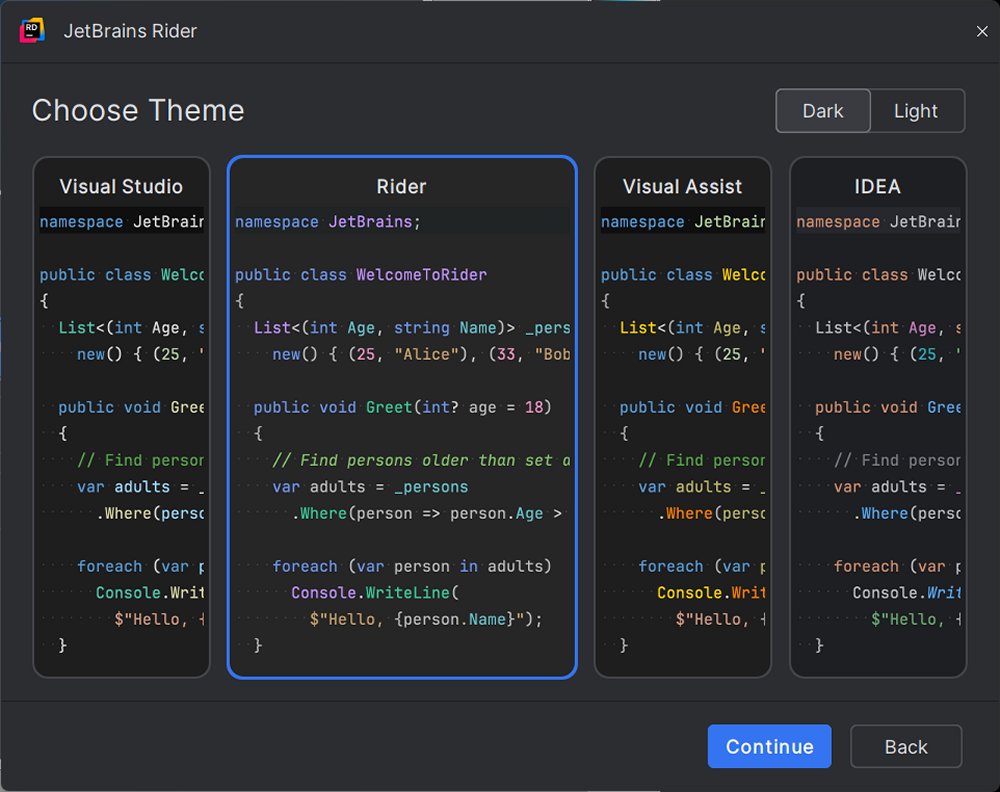
- User Interface: Offers intelligent code suggestions, customizable layouts, and themes—including a dark mode.
Rider's extensive toolset caters to diverse development needs:
- Game Development: Unity developers benefit from deep integration and efficient navigation.
- Web Development: ASP.NET developers can work seamlessly across both frontend and backend code.
- Enterprise Development: Ideal for developers managing microservices, containers, or SQL databases, with integrated Docker and database tools.
For developers considering a switch from Visual Studio, Rider offers a smooth transition. It supports direct opening of existing solution (.sln) and project (.csproj) files and recognizes most settings automatically. Although some adjustments may be necessary, such as keybindings, Rider includes a Visual Studio keymap to facilitate the adjustment. For current ReSharper users, Rider’s built-in functionality will feel quite familiar.
JetBrains Rider is compatible with Windows, macOS, and Linux. It supports .NET Framework 4.6.1 or later, .NET Core, and Mono. The IDE is free for non-commercial use—ideal for educational or open-source projects. A commercial version is available, starting at $149 per year, with a 30-day free trial.
Pros:
- Fast and responsive, even for large projects.
- Integrated ReSharper functionality without additional installations.
- Strong support for various frameworks and tools.
- Consistent features across all supported platforms.
- Robust version control, Docker, and database capabilities.
Cons:
- Initial indexing can be time-consuming for large solutions.
- Requires some adjustment for users transitioning from Visual Studio.
In summary, JetBrains Rider stands out as an IDE for developers who prioritize speed, efficiency, and a controlled development environment. Its modern, customizable interface is designed to enhance productivity while minimizing distractions. Whether working on large .NET solutions, game development in Unity, or developing web applications, Rider is a powerful tool that helps streamline the software development process. As it continues to evolve, Rider remains a compelling option for developers looking to elevate their coding experience
Key Features
Rider is built on the same framework as JetBrains' other popular IDEs, such as IntelliJ IDEA and PyCharm, making it familiar to users of those platforms. It supports a wide array of technologies, including:
- Frameworks and Environments: .NET Framework, .NET Core, Mono, Xamarin, ASP.NET, and Unity.
- Front-end Development: Tools for JavaScript, TypeScript, and React.
- Database and Container Support: SQL databases and Docker integration.
Out-of-the-Box Benefits:
- Code Analysis and Refactoring: With over 2,200 code inspections and more than 1,000 context actions, Rider helps developers identify bugs and optimize code.
- Performance: Rider is optimized for speed, particularly on large projects, avoiding the bloat often associated with Visual Studio and its ReSharper component.
- Debugger and Test Runner: Full support for a variety of testing frameworks.
- User Interface: Offers intelligent code suggestions, customizable layouts, and themes—including a dark mode.
Real-World Applications
Rider's extensive toolset caters to diverse development needs:
- Game Development: Unity developers benefit from deep integration and efficient navigation.
- Web Development: ASP.NET developers can work seamlessly across both frontend and backend code.
- Enterprise Development: Ideal for developers managing microservices, containers, or SQL databases, with integrated Docker and database tools.
Transitioning from Visual Studio
For developers considering a switch from Visual Studio, Rider offers a smooth transition. It supports direct opening of existing solution (.sln) and project (.csproj) files and recognizes most settings automatically. Although some adjustments may be necessary, such as keybindings, Rider includes a Visual Studio keymap to facilitate the adjustment. For current ReSharper users, Rider’s built-in functionality will feel quite familiar.
System Requirements and Licensing
JetBrains Rider is compatible with Windows, macOS, and Linux. It supports .NET Framework 4.6.1 or later, .NET Core, and Mono. The IDE is free for non-commercial use—ideal for educational or open-source projects. A commercial version is available, starting at $149 per year, with a 30-day free trial.
Pros and Cons
Pros:
- Fast and responsive, even for large projects.
- Integrated ReSharper functionality without additional installations.
- Strong support for various frameworks and tools.
- Consistent features across all supported platforms.
- Robust version control, Docker, and database capabilities.
Cons:
- Initial indexing can be time-consuming for large solutions.
- Requires some adjustment for users transitioning from Visual Studio.
Conclusion
In summary, JetBrains Rider stands out as an IDE for developers who prioritize speed, efficiency, and a controlled development environment. Its modern, customizable interface is designed to enhance productivity while minimizing distractions. Whether working on large .NET solutions, game development in Unity, or developing web applications, Rider is a powerful tool that helps streamline the software development process. As it continues to evolve, Rider remains a compelling option for developers looking to elevate their coding experience
Rider 2026.2.4 released
JetBrains Rider is a cross-platform .NET IDE built for serious developers who want deep code insight, fast performance, and smooth integration tailored for .NET and C#.