JetBrains has released version 2026.2.3 of Rider, a powerful cross-platform Integrated Development Environment (IDE) specifically designed for .NET developers. Rider is optimized for those seeking in-depth code analysis, high performance, and seamless integration with both modern and legacy tools. If you are familiar with JetBrains' other products like IntelliJ IDEA, PyCharm, or WebStorm, you will find Rider’s interface intuitive as it is built on the same foundation, yet specifically tailored for .NET and C# development.
Key Features and Benefits
Rider addresses the frustrations many developers face with Visual Studio, particularly regarding performance and customization. It is especially beneficial for freelancers and solo developers, offering features such as a built-in terminal, templates, version control, and live code snippets, all designed to enhance productivity.
Out of the box, Rider supports a wide range of technologies including .NET Framework, .NET Core, Mono, Xamarin, ASP.NET, Unity, and front-end frameworks like JavaScript and TypeScript. It also integrates tools for SQL, Docker, and Git, streamlining the development process.
Some notable highlights include:
- Advanced Code Analysis & Refactoring: With over 2200 code inspections and 1000+ context actions, Rider helps identify issues and improve code quality pre-build.
- Performance Optimizations: Unlike Visual Studio with ReSharper, Rider maintains speed even with large projects.
- Comprehensive Debugging & Testing Support: Full compatibility with .NET, Mono, Unity, NUnit, xUnit, and MSTest.
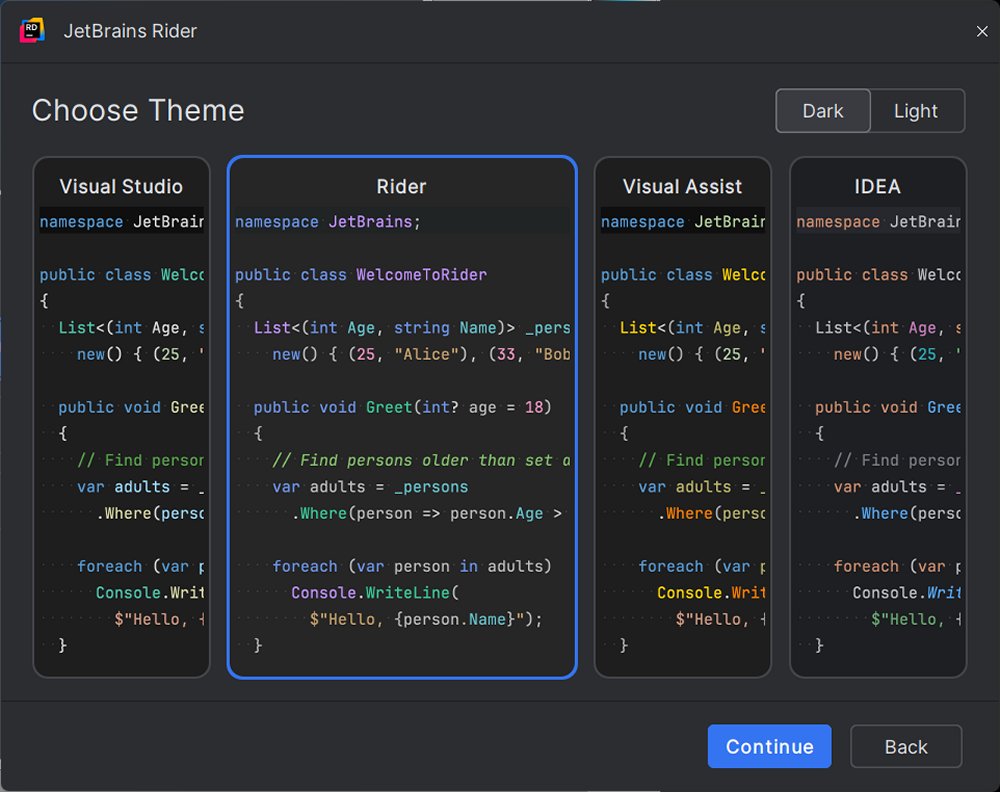
- Customizable User Interface: Offers smart code suggestions, flexible layouts, and themes, including an effective dark mode.
Real-World Applications
Rider’s robust toolset is applicable across various domains:
- Game Development: Unity developers appreciate Rider's deep integration, allowing for efficient navigation through game assets and events.
- Web Development: ASP.NET developers can manage both frontend and backend code seamlessly within a single environment.
- Enterprise Development: Those working with microservices, containers, or databases benefit from integrated Docker and database management tools.
Transitioning from Visual Studio
Switching from Visual Studio to Rider is a straightforward process. Rider can directly open existing solution (.sln) and project (.csproj) files, meaning developers do not need to restructure their projects. Most settings carry over, although some adjustments may be needed for preferences like keybindings or UI layouts. Rider includes a Visual Studio keymap to facilitate this transition. For users of ReSharper, the familiarity will ease the adjustment, as it is integrated within Rider.
System Requirements and Licensing
Rider is compatible with Windows, macOS, and Linux, requiring .NET Framework 4.6.1 or later, .NET Core, or Mono. It is free for non-commercial use, making it accessible for educational, open-source, and creative projects. For commercial use, a 30-day free trial is available, with pricing starting at $149 per year.
Pros and Cons
Pros:
- Fast and responsive, even with large projects.
- Integrated ReSharper without additional installation.
- Strong support for Unity, ASP.NET Core, and Xamarin.
- Consistent features across all platforms.
- Excellent tools for version control, Docker, and databases.
Cons:
- Initial indexing may take time for large solutions.
- Some adjustment needed for Visual Studio users, though the benefits outweigh this learning curve.
Conclusion
JetBrains Rider is the ideal choice for developers seeking speed, control, and a decluttered working environment. Whether handling large .NET solutions, developing in Unity, or simply wanting a more efficient development experience, Rider is designed to enhance productivity, providing a modern and customizable development platform that lets you focus on building quality software.
Future Outlook
As the IDE continues to evolve, future updates are likely to enhance existing functionalities while introducing new features that cater to the changing needs of developers in the fast-paced tech landscape. Continuous integration of user feedback will ensure that Rider remains a top choice among .NET developers
Key Features and Benefits
Rider addresses the frustrations many developers face with Visual Studio, particularly regarding performance and customization. It is especially beneficial for freelancers and solo developers, offering features such as a built-in terminal, templates, version control, and live code snippets, all designed to enhance productivity.
Out of the box, Rider supports a wide range of technologies including .NET Framework, .NET Core, Mono, Xamarin, ASP.NET, Unity, and front-end frameworks like JavaScript and TypeScript. It also integrates tools for SQL, Docker, and Git, streamlining the development process.
Some notable highlights include:
- Advanced Code Analysis & Refactoring: With over 2200 code inspections and 1000+ context actions, Rider helps identify issues and improve code quality pre-build.
- Performance Optimizations: Unlike Visual Studio with ReSharper, Rider maintains speed even with large projects.
- Comprehensive Debugging & Testing Support: Full compatibility with .NET, Mono, Unity, NUnit, xUnit, and MSTest.
- Customizable User Interface: Offers smart code suggestions, flexible layouts, and themes, including an effective dark mode.
Real-World Applications
Rider’s robust toolset is applicable across various domains:
- Game Development: Unity developers appreciate Rider's deep integration, allowing for efficient navigation through game assets and events.
- Web Development: ASP.NET developers can manage both frontend and backend code seamlessly within a single environment.
- Enterprise Development: Those working with microservices, containers, or databases benefit from integrated Docker and database management tools.
Transitioning from Visual Studio
Switching from Visual Studio to Rider is a straightforward process. Rider can directly open existing solution (.sln) and project (.csproj) files, meaning developers do not need to restructure their projects. Most settings carry over, although some adjustments may be needed for preferences like keybindings or UI layouts. Rider includes a Visual Studio keymap to facilitate this transition. For users of ReSharper, the familiarity will ease the adjustment, as it is integrated within Rider.
System Requirements and Licensing
Rider is compatible with Windows, macOS, and Linux, requiring .NET Framework 4.6.1 or later, .NET Core, or Mono. It is free for non-commercial use, making it accessible for educational, open-source, and creative projects. For commercial use, a 30-day free trial is available, with pricing starting at $149 per year.
Pros and Cons
Pros:
- Fast and responsive, even with large projects.
- Integrated ReSharper without additional installation.
- Strong support for Unity, ASP.NET Core, and Xamarin.
- Consistent features across all platforms.
- Excellent tools for version control, Docker, and databases.
Cons:
- Initial indexing may take time for large solutions.
- Some adjustment needed for Visual Studio users, though the benefits outweigh this learning curve.
Conclusion
JetBrains Rider is the ideal choice for developers seeking speed, control, and a decluttered working environment. Whether handling large .NET solutions, developing in Unity, or simply wanting a more efficient development experience, Rider is designed to enhance productivity, providing a modern and customizable development platform that lets you focus on building quality software.
Future Outlook
As the IDE continues to evolve, future updates are likely to enhance existing functionalities while introducing new features that cater to the changing needs of developers in the fast-paced tech landscape. Continuous integration of user feedback will ensure that Rider remains a top choice among .NET developers
Rider 2026.2.3 released
JetBrains Rider is a cross-platform .NET IDE built for serious developers who want deep code insight, fast performance, and smooth integration tailored for .NET and C#.