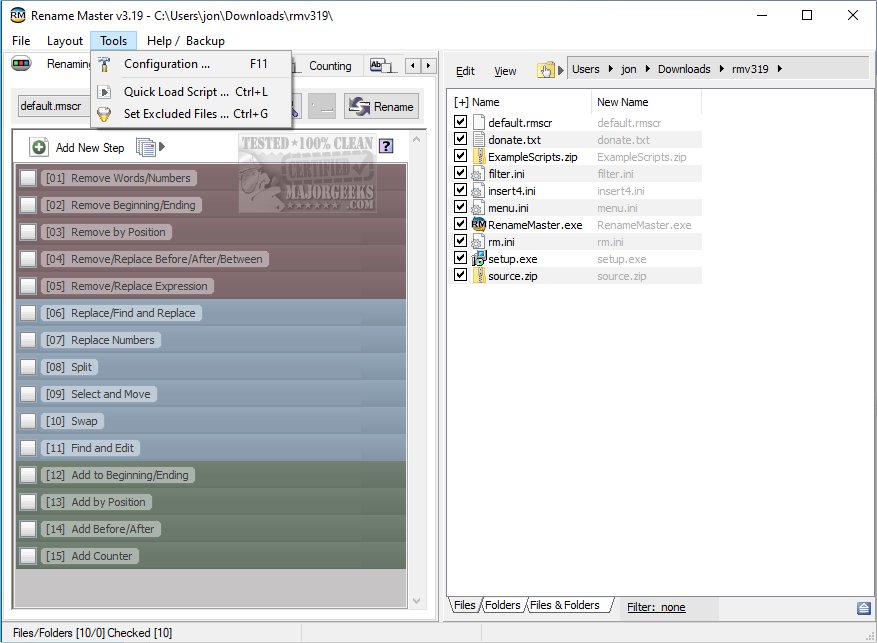
Rename Master is a free utility that simplifies the process of renaming multiple files quickly and efficiently. It's an ideal tool for users managing large collections of files such as websites, music, videos, or photos who often find themselves spending excessive time on renaming tasks. This software significantly streamlines that process.
With Rename Master, users can easily add, remove, or replace specific parts of file names. The utility offers robust functionality, allowing renaming based on various file properties, including MP3 tags and JPEG/JFIF/EXIF tags, as well as text files. It combines simplicity with powerful batch renaming capabilities.
Key Features of Rename Master:
- Intelligent number sorting
- Renaming for both files and folders
- Customizable file list columns
- Auto-preview functionality
- Subfolder scanning for renaming files across multiple directories
- Use of renaming variables for JPEG and MP3 tags, file properties, and counters
- Script functionality to save frequently used renaming settings
- Support for wildcard commands and full Regular Expressions
- Optional integration with Windows Explorer for easy right-click renaming
- Case changing features and text file importing
This latest version enhances the overall user experience and further assists in managing file organization effortlessly. It provides a powerful solution for anyone looking to optimize their file renaming process.
In addition to Rename Master, users may find value in exploring similar utilities or guides, including how to reset and clear frequent places in Windows 10 & 11, adjust folder view settings, or manage file name extensions in the File Explorer context menu
With Rename Master, users can easily add, remove, or replace specific parts of file names. The utility offers robust functionality, allowing renaming based on various file properties, including MP3 tags and JPEG/JFIF/EXIF tags, as well as text files. It combines simplicity with powerful batch renaming capabilities.
Key Features of Rename Master:
- Intelligent number sorting
- Renaming for both files and folders
- Customizable file list columns
- Auto-preview functionality
- Subfolder scanning for renaming files across multiple directories
- Use of renaming variables for JPEG and MP3 tags, file properties, and counters
- Script functionality to save frequently used renaming settings
- Support for wildcard commands and full Regular Expressions
- Optional integration with Windows Explorer for easy right-click renaming
- Case changing features and text file importing
This latest version enhances the overall user experience and further assists in managing file organization effortlessly. It provides a powerful solution for anyone looking to optimize their file renaming process.
In addition to Rename Master, users may find value in exploring similar utilities or guides, including how to reset and clear frequent places in Windows 10 & 11, adjust folder view settings, or manage file name extensions in the File Explorer context menu
Rename Master 4.05 released
Rename Master is a freeware utility designed to rename multiple files with just a few clicks.