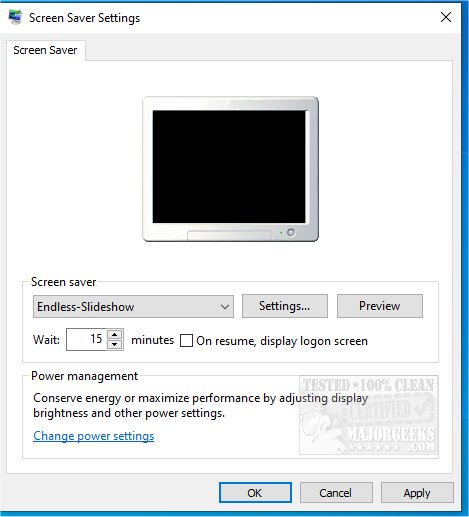
Endless Slideshow Screensaver version 2.4.2.0 has been released, offering a versatile solution for displaying photos in a slideshow format. This software allows users to showcase images from both local and network folders, enhancing the traditional screensaver experience with a variety of features.
In slideshow mode, the application provides stunning transition effects, customizable delays between images, adjustable transition durations, and automatic photo resizing, ensuring that photos are displayed at their best quality. One of the standout features is its ability to automatically download desktop wallpapers from the internet, allowing users to select from over 20 categories such as Nature, Animals, Anime, Cars, and more, ensuring a fresh visual experience each time the screensaver activates. Users can also opt to rely solely on local photos if preferred.
Key features of the Endless Slideshow Screensaver include:
- Compatibility with all major image formats (JPG, PNG, GIF, BMP) and several RAW camera formats (CR2, NEF, etc.)
- The ability to display up to 20 pictures simultaneously on multiple monitors
- An unlimited number of photos can be included in the slideshow
- Over 200 beautiful transition effects to choose from
- Customizable settings for delays and transition durations
- Option for a custom background color or image
- Automatic scaling of photos to fit screens without losing quality
- User-friendly navigation for pausing, resuming, and moving through the slideshow
- One-key functionality to set any displayed image as the desktop wallpaper
- Automatic rotation of images based on EXIF data or user-defined angles
For users looking to customize their screensavers, there are additional resources available, including guides on how to open, customize, download, and install screensavers, as well as instructions on how to disable them on Windows 10 and 11.
In summary, Endless Slideshow Screensaver 2.4.2.0 not only enhances the aesthetic appeal of your computer screen but also offers a seamless user experience with a rich set of features, making it a compelling choice for anyone looking to personalize their digital workspace
In slideshow mode, the application provides stunning transition effects, customizable delays between images, adjustable transition durations, and automatic photo resizing, ensuring that photos are displayed at their best quality. One of the standout features is its ability to automatically download desktop wallpapers from the internet, allowing users to select from over 20 categories such as Nature, Animals, Anime, Cars, and more, ensuring a fresh visual experience each time the screensaver activates. Users can also opt to rely solely on local photos if preferred.
Key features of the Endless Slideshow Screensaver include:
- Compatibility with all major image formats (JPG, PNG, GIF, BMP) and several RAW camera formats (CR2, NEF, etc.)
- The ability to display up to 20 pictures simultaneously on multiple monitors
- An unlimited number of photos can be included in the slideshow
- Over 200 beautiful transition effects to choose from
- Customizable settings for delays and transition durations
- Option for a custom background color or image
- Automatic scaling of photos to fit screens without losing quality
- User-friendly navigation for pausing, resuming, and moving through the slideshow
- One-key functionality to set any displayed image as the desktop wallpaper
- Automatic rotation of images based on EXIF data or user-defined angles
For users looking to customize their screensavers, there are additional resources available, including guides on how to open, customize, download, and install screensavers, as well as instructions on how to disable them on Windows 10 and 11.
In summary, Endless Slideshow Screensaver 2.4.2.0 not only enhances the aesthetic appeal of your computer screen but also offers a seamless user experience with a rich set of features, making it a compelling choice for anyone looking to personalize their digital workspace
Endless Slideshow Screensaver 2.4.2.0 released
Endless Slideshow Screensaver can run local or network folder pictures in slideshow mode and more.