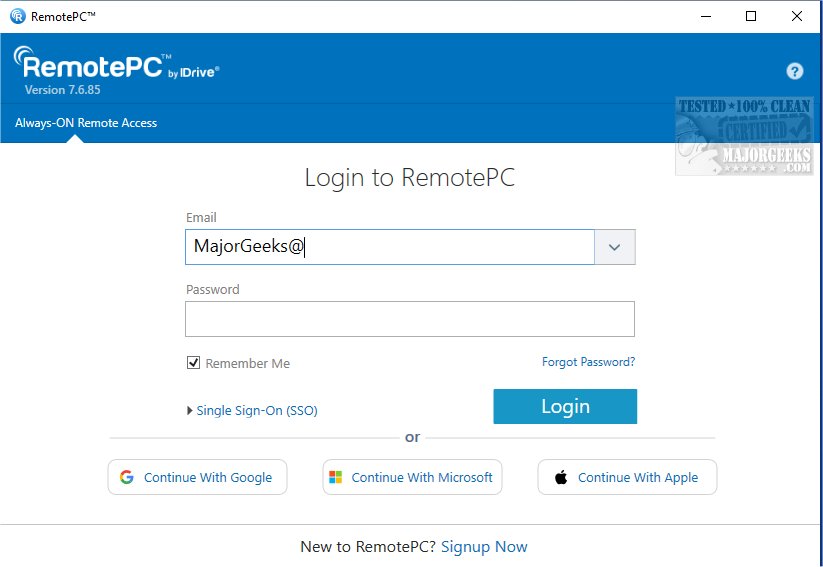
RemotePC has announced the release of version 7.7.15.0, continuing to provide users with secure remote desktop access that allows them to connect to their computers from virtually anywhere, at any time. This feature is particularly beneficial for those embracing flexible work arrangements, as it enables seamless productivity with reliable access to remote devices.
What is RemotePC?
RemotePC is a robust tool that facilitates real-time connections to any remote computer with an active internet connection and the RemotePC application installed. It empowers users to operate efficiently from various locations—whether at home, a coffee shop, or while traveling.
Key Features and Functionalities
1. Always-ON Remote Access: Users can access their PCs remotely to work on documents, emails, and applications anytime. A session code can be shared for secure and instant access.
2. Management of Locked or Logged Off PCs: Users can manage their remote computers even if they are logged off or locked, allowing for urgent task handling and system monitoring on the go. Connection settings can be adjusted to optimize visual quality or response speed based on internet capabilities.
3. Collaboration Tools: RemotePC enhances teamwork by allowing users to invite colleagues or friends for collaborative work on presentations or documents. Features like a Whiteboard for drawing and annotating directly on the remote screen make brainstorming sessions more engaging, while the ability to turn off the host computer's display ensures privacy.
4. Adaptable Workflows: Users can modify screen resolution remotely, print documents using local printers, and communicate in real-time, promoting efficient file management and clearer communication.
5. Security Features: The 'Trusted Devices' option enhances account security by restricting access to recognized devices. Users can also restart their online computers remotely, which aids in troubleshooting and maintenance.
6. File Transfer Capabilities: RemotePC excels in file transfer, making it easy to move files between mobile devices and remote computers, which significantly improves data sharing and collaboration.
Conclusion
With its comprehensive features designed for remote work and collaboration, RemotePC stands out as a reliable solution for users looking to enhance productivity and maintain security while working from different locations. The latest version, 7.7.15.0, reinforces RemotePC’s commitment to providing exceptional tools for effective teamwork and remote access. Whether for personal or professional use, RemotePC continues to be a preferred choice for those seeking efficient and secure remote desktop solutions.
Future Prospects
As remote work continues to evolve, RemotePC is likely to introduce additional features that cater to emerging needs, such as enhanced integration with other productivity tools, advanced security protocols, and improved user interfaces to streamline the remote access experience further
What is RemotePC?
RemotePC is a robust tool that facilitates real-time connections to any remote computer with an active internet connection and the RemotePC application installed. It empowers users to operate efficiently from various locations—whether at home, a coffee shop, or while traveling.
Key Features and Functionalities
1. Always-ON Remote Access: Users can access their PCs remotely to work on documents, emails, and applications anytime. A session code can be shared for secure and instant access.
2. Management of Locked or Logged Off PCs: Users can manage their remote computers even if they are logged off or locked, allowing for urgent task handling and system monitoring on the go. Connection settings can be adjusted to optimize visual quality or response speed based on internet capabilities.
3. Collaboration Tools: RemotePC enhances teamwork by allowing users to invite colleagues or friends for collaborative work on presentations or documents. Features like a Whiteboard for drawing and annotating directly on the remote screen make brainstorming sessions more engaging, while the ability to turn off the host computer's display ensures privacy.
4. Adaptable Workflows: Users can modify screen resolution remotely, print documents using local printers, and communicate in real-time, promoting efficient file management and clearer communication.
5. Security Features: The 'Trusted Devices' option enhances account security by restricting access to recognized devices. Users can also restart their online computers remotely, which aids in troubleshooting and maintenance.
6. File Transfer Capabilities: RemotePC excels in file transfer, making it easy to move files between mobile devices and remote computers, which significantly improves data sharing and collaboration.
Conclusion
With its comprehensive features designed for remote work and collaboration, RemotePC stands out as a reliable solution for users looking to enhance productivity and maintain security while working from different locations. The latest version, 7.7.15.0, reinforces RemotePC’s commitment to providing exceptional tools for effective teamwork and remote access. Whether for personal or professional use, RemotePC continues to be a preferred choice for those seeking efficient and secure remote desktop solutions.
Future Prospects
As remote work continues to evolve, RemotePC is likely to introduce additional features that cater to emerging needs, such as enhanced integration with other productivity tools, advanced security protocols, and improved user interfaces to streamline the remote access experience further
RemotePC 7.7.15.0 released
RemotePC offers secure remote desktop access, enabling users to connect to their computers anytime, anywhere, day or night. It allows for flexible work arrangements and enhances productivity by providing reliable access to your remote devices.