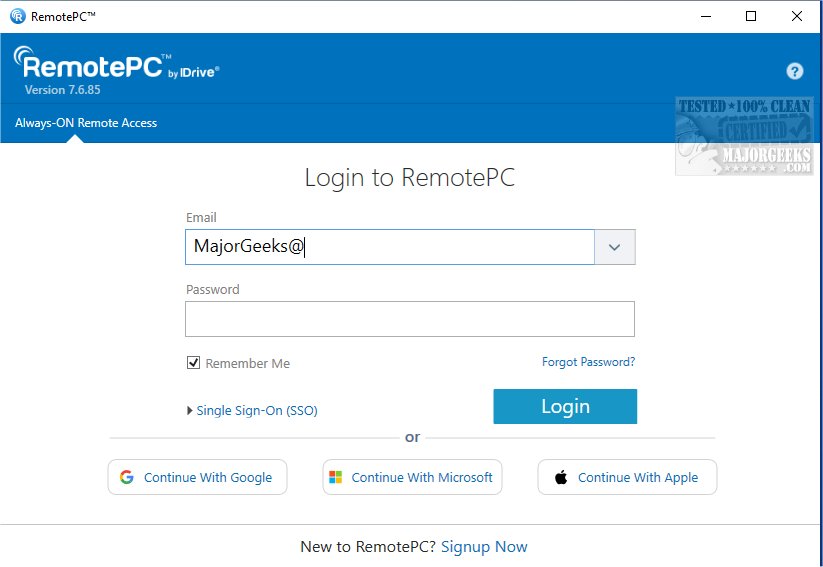
RemotePC has recently released version 7.7.14.8, enhancing its capabilities for secure remote desktop access that allows users to connect to their computers from any location at any time. This functionality supports flexible work arrangements, ultimately boosting productivity by providing reliable access to remote devices.
RemotePC is an effective tool for real-time connections to any remote computer that has an active Internet connection and the RemotePC application installed. This means users can efficiently work from various locations, whether at home, in a cafe, or while traveling. The Always-ON Remote Access feature enables users to work on documents, emails, and applications remotely, and it also offers a simple session code for secure access.
One of the standout features of RemotePC is its ability to manage locked or logged-off PCs. This flexibility is crucial for addressing urgent tasks or monitoring systems while away from the physical location of the computer. Users can adjust their connection settings to prioritize either visual quality or response speed based on their current Internet speed and needs.
RemotePC is also designed for collaboration, allowing users to invite colleagues or friends to access their computers. This capability is beneficial for working on joint projects, presentations, or sharing files. The mobile user experience has been enhanced with an extended keyboard feature, making it easier to control remote PCs from smartphones or tablets. Security measures, such as remotely locking the computer after a session, provide additional peace of mind.
The introduction of the Whiteboard feature takes collaboration further by enabling users to draw and annotate directly on the remote screen, which can significantly enhance brainstorming sessions. Privacy is also prioritized, as users can disable the host computer's display for confidential tasks.
RemotePC is adaptable to various workflows, enabling users to change the screen resolution from their mobile devices. File management is simplified through the ability to print documents stored on the remote computer using local printers. Real-time messaging capabilities also facilitate effective communication during remote collaborations.
For enhanced security, the 'Trusted Devices' feature ensures that only recognized devices can access remote computers. Users can also remotely restart their online computers, which is particularly useful for troubleshooting, and can even boot remote Windows computers in safe mode.
In conclusion, RemotePC stands out for its exceptional file transfer capabilities, allowing seamless movement of files between mobile devices and remote computers. With its array of powerful features, RemotePC is an excellent choice for those seeking a reliable solution for remote work and team collaboration.
Furthermore, as remote work continues to evolve, tools like RemotePC are likely to integrate even more advanced features, such as AI-driven assistance for troubleshooting, enhanced encryption protocols for data security, and improved user interfaces that further streamline the remote working experience. As the need for flexible working solutions grows, RemotePC will likely remain at the forefront of the remote access market
RemotePC is an effective tool for real-time connections to any remote computer that has an active Internet connection and the RemotePC application installed. This means users can efficiently work from various locations, whether at home, in a cafe, or while traveling. The Always-ON Remote Access feature enables users to work on documents, emails, and applications remotely, and it also offers a simple session code for secure access.
One of the standout features of RemotePC is its ability to manage locked or logged-off PCs. This flexibility is crucial for addressing urgent tasks or monitoring systems while away from the physical location of the computer. Users can adjust their connection settings to prioritize either visual quality or response speed based on their current Internet speed and needs.
RemotePC is also designed for collaboration, allowing users to invite colleagues or friends to access their computers. This capability is beneficial for working on joint projects, presentations, or sharing files. The mobile user experience has been enhanced with an extended keyboard feature, making it easier to control remote PCs from smartphones or tablets. Security measures, such as remotely locking the computer after a session, provide additional peace of mind.
The introduction of the Whiteboard feature takes collaboration further by enabling users to draw and annotate directly on the remote screen, which can significantly enhance brainstorming sessions. Privacy is also prioritized, as users can disable the host computer's display for confidential tasks.
RemotePC is adaptable to various workflows, enabling users to change the screen resolution from their mobile devices. File management is simplified through the ability to print documents stored on the remote computer using local printers. Real-time messaging capabilities also facilitate effective communication during remote collaborations.
For enhanced security, the 'Trusted Devices' feature ensures that only recognized devices can access remote computers. Users can also remotely restart their online computers, which is particularly useful for troubleshooting, and can even boot remote Windows computers in safe mode.
In conclusion, RemotePC stands out for its exceptional file transfer capabilities, allowing seamless movement of files between mobile devices and remote computers. With its array of powerful features, RemotePC is an excellent choice for those seeking a reliable solution for remote work and team collaboration.
Furthermore, as remote work continues to evolve, tools like RemotePC are likely to integrate even more advanced features, such as AI-driven assistance for troubleshooting, enhanced encryption protocols for data security, and improved user interfaces that further streamline the remote working experience. As the need for flexible working solutions grows, RemotePC will likely remain at the forefront of the remote access market
RemotePC 7.7.14.8 released
RemotePC offers secure remote desktop access, enabling users to connect to their computers anytime, anywhere, day or night. It allows for flexible work arrangements and enhances productivity by providing reliable access to your remote devices.