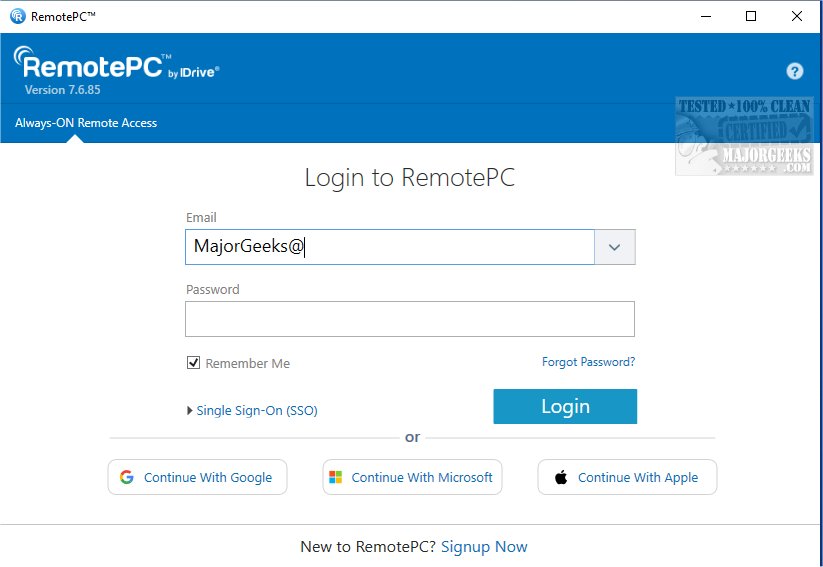
RemotePC has recently released version 7.7.14.6, enhancing its secure remote desktop access capabilities, allowing users to connect to their computers from virtually anywhere, at any time. This service is particularly beneficial for individuals seeking flexible work arrangements, as it facilitates reliable access to remote devices and boosts productivity.
RemotePC is a robust tool that enables real-time connections to remote computers, provided the remote device has an active internet connection and the RemotePC application installed. Users can work effectively from various locations—be it their homes, coffee shops, or while traveling. The Always-ON Remote Access feature allows users to configure their computers for remote control via the internet, enabling them to work on emails, documents, and applications seamlessly. Additionally, users can share session codes for quick and secure access.
One of the standout features of RemotePC is its ability to manage computers that are either logged off or locked. This flexibility allows users to address urgent tasks or monitor systems on the go. Users can adjust connection settings to prioritize either visual quality or response time based on their internet speed and current needs.
RemotePC also enhances collaboration by allowing users to invite colleagues or friends to access their computers, enabling joint efforts on presentations and shared documents. The application is equipped with features like an extended keyboard for mobile devices, making it easier for users to control their remote PCs from smartphones or tablets. At the end of a session, users can remotely lock their computers from mobile devices, ensuring security.
The collaboration features are further enhanced by the Whiteboard function, which allows users to draw and annotate on the remote screen, making brainstorming sessions more interactive. For users concerned about privacy, RemotePC offers the ability to turn off the host computer's display, ensuring confidential work remains secure.
Furthermore, RemotePC adapts to various workflows by allowing screen resolution adjustments from mobile devices and enabling printing of documents from the remote computer to local printers. Effective communication is a key component of remote collaboration, and RemotePC supports real-time messaging between users to minimize misunderstandings.
To ensure security, RemotePC incorporates a 'Trusted Devices' feature that permits access only from recognized devices, enhancing account security. Users can also remotely restart their computers without needing to re-establish a connection, facilitating troubleshooting. This includes the capability to restart Windows computers in safe mode for maintenance.
In conclusion, RemotePC’s exceptional file transfer capabilities allow for seamless sharing of files between mobile devices and remote computers, greatly enhancing collaboration. With its powerful features, RemotePC stands out as a reliable solution for remote work and teamwork, making it an ideal choice for professionals seeking flexibility and efficiency in their remote working environments
RemotePC is a robust tool that enables real-time connections to remote computers, provided the remote device has an active internet connection and the RemotePC application installed. Users can work effectively from various locations—be it their homes, coffee shops, or while traveling. The Always-ON Remote Access feature allows users to configure their computers for remote control via the internet, enabling them to work on emails, documents, and applications seamlessly. Additionally, users can share session codes for quick and secure access.
One of the standout features of RemotePC is its ability to manage computers that are either logged off or locked. This flexibility allows users to address urgent tasks or monitor systems on the go. Users can adjust connection settings to prioritize either visual quality or response time based on their internet speed and current needs.
RemotePC also enhances collaboration by allowing users to invite colleagues or friends to access their computers, enabling joint efforts on presentations and shared documents. The application is equipped with features like an extended keyboard for mobile devices, making it easier for users to control their remote PCs from smartphones or tablets. At the end of a session, users can remotely lock their computers from mobile devices, ensuring security.
The collaboration features are further enhanced by the Whiteboard function, which allows users to draw and annotate on the remote screen, making brainstorming sessions more interactive. For users concerned about privacy, RemotePC offers the ability to turn off the host computer's display, ensuring confidential work remains secure.
Furthermore, RemotePC adapts to various workflows by allowing screen resolution adjustments from mobile devices and enabling printing of documents from the remote computer to local printers. Effective communication is a key component of remote collaboration, and RemotePC supports real-time messaging between users to minimize misunderstandings.
To ensure security, RemotePC incorporates a 'Trusted Devices' feature that permits access only from recognized devices, enhancing account security. Users can also remotely restart their computers without needing to re-establish a connection, facilitating troubleshooting. This includes the capability to restart Windows computers in safe mode for maintenance.
In conclusion, RemotePC’s exceptional file transfer capabilities allow for seamless sharing of files between mobile devices and remote computers, greatly enhancing collaboration. With its powerful features, RemotePC stands out as a reliable solution for remote work and teamwork, making it an ideal choice for professionals seeking flexibility and efficiency in their remote working environments
RemotePC 7.7.14.6 released
RemotePC offers secure remote desktop access, enabling users to connect to their computers anytime, anywhere, day or night. It allows for flexible work arrangements and enhances productivity by providing reliable access to your remote devices.