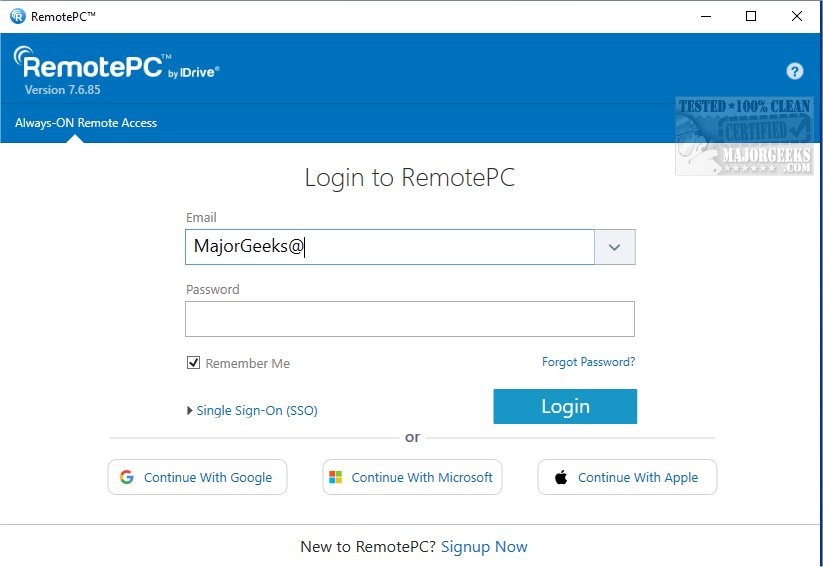
RemotePC has recently released version 7.7.14.3, further enhancing its capabilities as a secure remote desktop access tool. This application allows users to connect to their computers from virtually any location, at any time, promoting flexible work arrangements and boosting productivity.
What is RemotePC?
RemotePC is designed to facilitate real-time connections to remote computers, provided they have an active internet connection and the RemotePC application installed. This feature allows users to work efficiently from various environments, be it from home, a café, or while traveling. The platform includes an "Always-ON Remote Access" feature, which configures computers for instant remote control over the internet. Furthermore, users can generate a simple session code for secure, immediate access.
Managing Remote Access
One of the standout features of RemotePC is its ability to manage computers that are either logged off or locked. This flexibility is crucial for addressing urgent tasks or monitoring systems remotely. Users can adjust their connection settings to prioritize either visual quality or response speed, depending on their internet connection and requirements.
Collaboration Features
RemotePC enhances collaboration by enabling users to invite others to access their computers for joint projects. This includes working on presentations, sharing files, and even using a Whiteboard feature for interactive brainstorming sessions. For mobile users, the application offers an extended keyboard functionality, facilitating easier control of remote PCs from smartphones or tablets. Security is also prioritized, allowing users to lock their remote computers from their mobile devices at the end of a session.
Adaptability for Different Workflows
The application supports workflow adaptability by permitting users to adjust the screen resolution of their remote computers via their mobile devices, ensuring optimal display conditions for various tasks. Additionally, RemotePC allows printing from remote computers to local printers, streamlining file management.
Security Measures
For enhanced security, RemotePC incorporates a 'Trusted Devices' feature, which enables users to restrict access to recognized devices only. Users can also remotely restart their computers, even in safe mode, for troubleshooting purposes.
Final Thoughts
RemotePC’s exceptional file transfer capabilities streamline data sharing and collaboration, establishing it as a preferred choice for remote work solutions. With its array of powerful features, RemotePC not only simplifies remote access but also ensures that users can remain productive and secure while working from any location.
In summary, RemotePC continues to evolve, offering sophisticated tools for remote access and collaboration, making it an essential asset for individuals and teams seeking to enhance their remote work experience. As trends towards remote work persist, tools like RemotePC will become increasingly important in facilitating seamless connectivity and collaboration across distances
What is RemotePC?
RemotePC is designed to facilitate real-time connections to remote computers, provided they have an active internet connection and the RemotePC application installed. This feature allows users to work efficiently from various environments, be it from home, a café, or while traveling. The platform includes an "Always-ON Remote Access" feature, which configures computers for instant remote control over the internet. Furthermore, users can generate a simple session code for secure, immediate access.
Managing Remote Access
One of the standout features of RemotePC is its ability to manage computers that are either logged off or locked. This flexibility is crucial for addressing urgent tasks or monitoring systems remotely. Users can adjust their connection settings to prioritize either visual quality or response speed, depending on their internet connection and requirements.
Collaboration Features
RemotePC enhances collaboration by enabling users to invite others to access their computers for joint projects. This includes working on presentations, sharing files, and even using a Whiteboard feature for interactive brainstorming sessions. For mobile users, the application offers an extended keyboard functionality, facilitating easier control of remote PCs from smartphones or tablets. Security is also prioritized, allowing users to lock their remote computers from their mobile devices at the end of a session.
Adaptability for Different Workflows
The application supports workflow adaptability by permitting users to adjust the screen resolution of their remote computers via their mobile devices, ensuring optimal display conditions for various tasks. Additionally, RemotePC allows printing from remote computers to local printers, streamlining file management.
Security Measures
For enhanced security, RemotePC incorporates a 'Trusted Devices' feature, which enables users to restrict access to recognized devices only. Users can also remotely restart their computers, even in safe mode, for troubleshooting purposes.
Final Thoughts
RemotePC’s exceptional file transfer capabilities streamline data sharing and collaboration, establishing it as a preferred choice for remote work solutions. With its array of powerful features, RemotePC not only simplifies remote access but also ensures that users can remain productive and secure while working from any location.
In summary, RemotePC continues to evolve, offering sophisticated tools for remote access and collaboration, making it an essential asset for individuals and teams seeking to enhance their remote work experience. As trends towards remote work persist, tools like RemotePC will become increasingly important in facilitating seamless connectivity and collaboration across distances
RemotePC 7.7.14.3 released
RemotePC offers secure remote desktop access, enabling users to connect to their computers anytime, anywhere, day or night. It allows for flexible work arrangements and enhances productivity by providing reliable access to your remote devices.