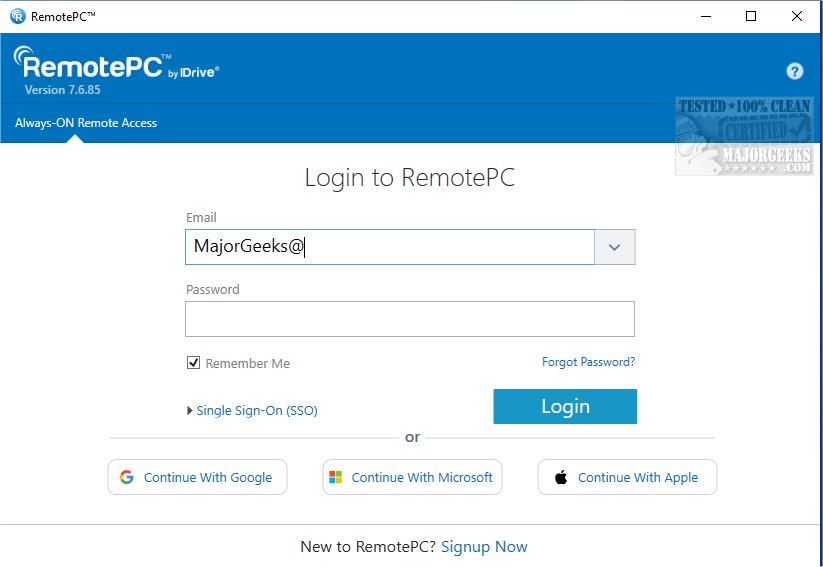
RemotePC has recently released version 7.7.12.4, which continues to provide secure and efficient remote desktop access for users. This innovative tool enables individuals to connect to their computers from virtually any location, at any time, facilitating flexible working arrangements and increasing productivity. With the RemotePC application installed on a remote computer, users can harness real-time access, making it suitable for various environments, such as home offices, cafes, or while traveling.
One of the standout features of RemotePC is its Always-ON Remote Access, which allows users to manage their PCs even if they are logged off or locked. This capability ensures that urgent tasks can be handled promptly, regardless of the user's physical location. The application also offers adjustable connection settings that allow users to prioritize either visual quality or response speed based on their internet conditions.
RemotePC enhances collaborative efforts by enabling users to easily share access with colleagues or friends, making joint projects and presentations more interactive. The inclusion of a Whiteboard feature promotes brainstorming sessions, while the ability to turn off the host computer's display ensures that sensitive information remains confidential. For mobile users, a comprehensive keyboard feature allows for seamless control of remote computers from smartphones or tablets.
Furthermore, RemotePC adapts to various workflows by permitting screen resolution adjustments and local printing of documents from the remote computer. Real-time messaging capabilities help eliminate misunderstandings during virtual collaborations, fostering effective communication among team members.
Security remains a top priority for RemotePC, and features like 'Trusted Devices' enhance account safety by restricting access to recognized devices. Additionally, the ability to remotely restart computers without needing to reconnect is beneficial for troubleshooting purposes.
In conclusion, RemotePC proves to be a robust solution for remote work and collaboration, with extensive file transfer capabilities that facilitate efficient data sharing. With its array of powerful features, it stands out as a reliable choice for individuals and teams looking to optimize remote access and teamwork.
To extend the discussion, as remote work continues to evolve, tools like RemotePC will likely incorporate even more advanced features such as AI-assisted management, enhanced security protocols, and integrations with popular productivity applications. As businesses increasingly adopt hybrid work models, the demand for such versatile remote access solutions will likely grow, prompting developers to innovate further and enhance user experiences
One of the standout features of RemotePC is its Always-ON Remote Access, which allows users to manage their PCs even if they are logged off or locked. This capability ensures that urgent tasks can be handled promptly, regardless of the user's physical location. The application also offers adjustable connection settings that allow users to prioritize either visual quality or response speed based on their internet conditions.
RemotePC enhances collaborative efforts by enabling users to easily share access with colleagues or friends, making joint projects and presentations more interactive. The inclusion of a Whiteboard feature promotes brainstorming sessions, while the ability to turn off the host computer's display ensures that sensitive information remains confidential. For mobile users, a comprehensive keyboard feature allows for seamless control of remote computers from smartphones or tablets.
Furthermore, RemotePC adapts to various workflows by permitting screen resolution adjustments and local printing of documents from the remote computer. Real-time messaging capabilities help eliminate misunderstandings during virtual collaborations, fostering effective communication among team members.
Security remains a top priority for RemotePC, and features like 'Trusted Devices' enhance account safety by restricting access to recognized devices. Additionally, the ability to remotely restart computers without needing to reconnect is beneficial for troubleshooting purposes.
In conclusion, RemotePC proves to be a robust solution for remote work and collaboration, with extensive file transfer capabilities that facilitate efficient data sharing. With its array of powerful features, it stands out as a reliable choice for individuals and teams looking to optimize remote access and teamwork.
To extend the discussion, as remote work continues to evolve, tools like RemotePC will likely incorporate even more advanced features such as AI-assisted management, enhanced security protocols, and integrations with popular productivity applications. As businesses increasingly adopt hybrid work models, the demand for such versatile remote access solutions will likely grow, prompting developers to innovate further and enhance user experiences
RemotePC 7.7.12.4 released
RemotePC offers secure remote desktop access, enabling users to connect to their computers anytime, anywhere, day or night. It allows for flexible work arrangements and enhances productivity by providing reliable access to your remote devices.