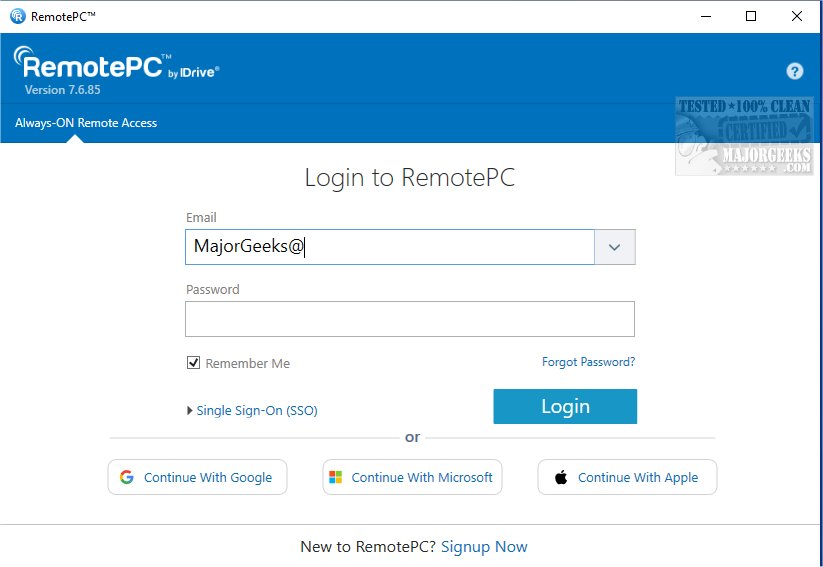
RemotePC has released version 7.6.100, enhancing its capabilities for secure remote desktop access. This tool enables users to connect to their computers from anywhere at any time, promoting flexible work arrangements and increasing productivity. With RemotePC, users can work efficiently whether they are at home, in cafes, or on the go, as long as they have an internet connection and the application installed.
A standout feature is the Always-ON Remote Access, which allows users to configure their computers for remote control, facilitating access to documents, emails, and applications. Moreover, users can manage remote computers even when they are logged off or locked, providing the ability to handle urgent tasks and monitor systems remotely.
RemotePC also enhances collaboration by permitting users to invite others to access their computers. This feature is beneficial for joint projects, as it allows for seamless sharing of presentations and documents. Additionally, the mobile app includes an extended keyboard with function keys for easier navigation and control of remote PCs.
The Whiteboard feature further enriches collaboration, enabling interactive brainstorming sessions. For users concerned about privacy, RemotePC allows them to turn off the host computer's display during sessions. The adaptability of the tool is evident in its ability to adjust screen resolutions from mobile devices and print documents stored on remote computers using local printers.
Security is a priority for RemotePC, which offers a "Trusted Devices" feature to ensure that only recognized devices can access the remote computers. Users can also restart their remote Windows machines without needing to reconnect, streamlining troubleshooting processes.
In conclusion, RemotePC 7.6.100 stands out for its robust file transfer capabilities, making it an excellent choice for remote work and collaboration. With its array of features tailored for flexibility, security, and productivity, RemotePC continues to be a top contender in the remote access software market.
Extension: Future Developments and Use Cases
Looking ahead, RemotePC may explore further integration with cloud services and advanced AI-driven features to enhance user experience. Potential developments could include improved virtual reality (VR) capabilities for immersive collaboration or more sophisticated security measures to protect sensitive data.
Moreover, various use cases for RemotePC can be identified across different industries. For instance, IT support teams can utilize RemotePC for troubleshooting issues remotely, while educators can leverage it for virtual classrooms. Businesses can also adopt RemotePC for remote workforce management, allowing employees to work effectively from any location. As remote work continues to evolve, tools like RemotePC will remain essential in facilitating seamless digital interactions and maintaining productivity
A standout feature is the Always-ON Remote Access, which allows users to configure their computers for remote control, facilitating access to documents, emails, and applications. Moreover, users can manage remote computers even when they are logged off or locked, providing the ability to handle urgent tasks and monitor systems remotely.
RemotePC also enhances collaboration by permitting users to invite others to access their computers. This feature is beneficial for joint projects, as it allows for seamless sharing of presentations and documents. Additionally, the mobile app includes an extended keyboard with function keys for easier navigation and control of remote PCs.
The Whiteboard feature further enriches collaboration, enabling interactive brainstorming sessions. For users concerned about privacy, RemotePC allows them to turn off the host computer's display during sessions. The adaptability of the tool is evident in its ability to adjust screen resolutions from mobile devices and print documents stored on remote computers using local printers.
Security is a priority for RemotePC, which offers a "Trusted Devices" feature to ensure that only recognized devices can access the remote computers. Users can also restart their remote Windows machines without needing to reconnect, streamlining troubleshooting processes.
In conclusion, RemotePC 7.6.100 stands out for its robust file transfer capabilities, making it an excellent choice for remote work and collaboration. With its array of features tailored for flexibility, security, and productivity, RemotePC continues to be a top contender in the remote access software market.
Extension: Future Developments and Use Cases
Looking ahead, RemotePC may explore further integration with cloud services and advanced AI-driven features to enhance user experience. Potential developments could include improved virtual reality (VR) capabilities for immersive collaboration or more sophisticated security measures to protect sensitive data.
Moreover, various use cases for RemotePC can be identified across different industries. For instance, IT support teams can utilize RemotePC for troubleshooting issues remotely, while educators can leverage it for virtual classrooms. Businesses can also adopt RemotePC for remote workforce management, allowing employees to work effectively from any location. As remote work continues to evolve, tools like RemotePC will remain essential in facilitating seamless digital interactions and maintaining productivity
RemotePC 7.6.100 released
RemotePC offers secure remote desktop access, enabling users to connect to their computers anytime, anywhere, day or night. It allows for flexible work arrangements and enhances productivity by providing reliable access to your remote devices.