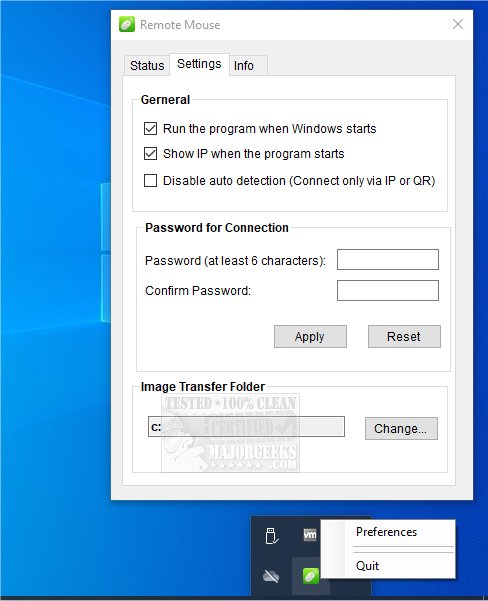
Remote Mouse has released version 4.723, enhancing its functionality as a versatile multiplatform application that allows users to turn their smartphones or tablets into a Wi-Fi-connected mouse, touchpad, and keyboard. This innovative app is designed for devices running on Android, iPhone, iPad, Windows, Mac, and Linux, requiring users to download the mobile app first, followed by the server for their PC.
The key features of Remote Mouse include a fully simulated mouse function, a gyro mouse that utilizes the device's gyro sensor for cursor movement, and a left-handed mode for improved accessibility. The keyboard functionality integrates seamlessly with both system and third-party keyboards, allowing typing in multiple languages and voice-to-text capabilities, provided the soft keyboard supports voice recognition.
Remote Mouse also offers various connection methods, including auto-connect, IP address, QR code, and connection history, ensuring easy and flexible usage on both Wi-Fi and 3G/4G networks. This makes it particularly useful in scenarios like when a physical mouse is unavailable during a presentation, for streaming movies, or for remotely shutting down a computer.
Additionally, the app boasts specialty control panels such as the Media Remote (which supports various media applications), Web Remote (compatible with popular browsers), and Application Switcher for quickly navigating between programs. Users can also manage power options like remote shutdown, sleep, restart, and logoff.
Other notable features include the ability to use the mobile device's physical volume buttons for remote control, setting a connection password for security, and customizing the app's wallpaper for a personalized experience.
With the consistent updates and improvements in Remote Mouse, it continues to provide users with a practical solution for controlling their computers effortlessly from their mobile devices.
Extension:
As technology evolves, Remote Mouse could potentially expand its features further by integrating advanced functionalities, such as voice command capabilities for hands-free operation, enhanced customization options for the user interface, and even support for additional connectivity methods, such as Bluetooth. Moreover, incorporating AI-driven features could enable smarter application switching based on user behavior and preferences. The future iterations of Remote Mouse might also consider cross-platform synchronization, allowing users to maintain their settings and preferences across multiple devices seamlessly, thereby improving the overall user experience
The key features of Remote Mouse include a fully simulated mouse function, a gyro mouse that utilizes the device's gyro sensor for cursor movement, and a left-handed mode for improved accessibility. The keyboard functionality integrates seamlessly with both system and third-party keyboards, allowing typing in multiple languages and voice-to-text capabilities, provided the soft keyboard supports voice recognition.
Remote Mouse also offers various connection methods, including auto-connect, IP address, QR code, and connection history, ensuring easy and flexible usage on both Wi-Fi and 3G/4G networks. This makes it particularly useful in scenarios like when a physical mouse is unavailable during a presentation, for streaming movies, or for remotely shutting down a computer.
Additionally, the app boasts specialty control panels such as the Media Remote (which supports various media applications), Web Remote (compatible with popular browsers), and Application Switcher for quickly navigating between programs. Users can also manage power options like remote shutdown, sleep, restart, and logoff.
Other notable features include the ability to use the mobile device's physical volume buttons for remote control, setting a connection password for security, and customizing the app's wallpaper for a personalized experience.
With the consistent updates and improvements in Remote Mouse, it continues to provide users with a practical solution for controlling their computers effortlessly from their mobile devices.
Extension:
As technology evolves, Remote Mouse could potentially expand its features further by integrating advanced functionalities, such as voice command capabilities for hands-free operation, enhanced customization options for the user interface, and even support for additional connectivity methods, such as Bluetooth. Moreover, incorporating AI-driven features could enable smarter application switching based on user behavior and preferences. The future iterations of Remote Mouse might also consider cross-platform synchronization, allowing users to maintain their settings and preferences across multiple devices seamlessly, thereby improving the overall user experience
Remote Mouse 4.723 released
Remote Mouse is a multiplatform app that transforms your smartphone or tablet into a Wi-Fi-connected mouse, touchpad, and keyboard.