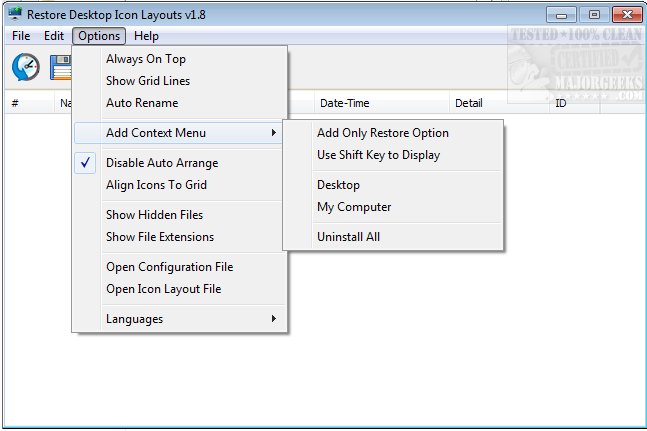
ReIcon 2.3 has been released, enhancing desktop organization by enabling users to save and restore their desktop icon layouts effortlessly. This tool is particularly useful for individuals who frequently adjust their screen resolution, such as gamers or those using specific applications, as it allows them to maintain a tidy desktop regardless of resolution changes. Users can set up their preferred icon arrangement and save that layout for easy restoration later, either with a simple click or through the right-click context menu.
Key features and benefits of ReIcon include:
- The ability to save multiple icon layouts tailored for different screen resolutions.
- No installation required, making it user-friendly and accessible.
- Support for Unicode, enhancing language compatibility.
- The option to add a "Save/restore Icon’s Layout" feature directly to the context menu for quick access.
- Command line support for more advanced users.
- An "Align icons to Grid" feature that helps position icons neatly, akin to Windows' auto-arranging.
In addition to its primary functionality, ReIcon helps address common desktop icon issues, such as slow loading times and icons jumping back to their original locations when moved. This makes it a valuable tool for anyone looking to streamline their desktop experience.
As the software continues to evolve, future updates may include even more features, such as customization options for different desktop environments or enhanced integration with popular productivity applications. Additionally, users could benefit from community-driven suggestions for icon layout preferences or potential integration with cloud services for backing up layouts
Key features and benefits of ReIcon include:
- The ability to save multiple icon layouts tailored for different screen resolutions.
- No installation required, making it user-friendly and accessible.
- Support for Unicode, enhancing language compatibility.
- The option to add a "Save/restore Icon’s Layout" feature directly to the context menu for quick access.
- Command line support for more advanced users.
- An "Align icons to Grid" feature that helps position icons neatly, akin to Windows' auto-arranging.
In addition to its primary functionality, ReIcon helps address common desktop icon issues, such as slow loading times and icons jumping back to their original locations when moved. This makes it a valuable tool for anyone looking to streamline their desktop experience.
As the software continues to evolve, future updates may include even more features, such as customization options for different desktop environments or enhanced integration with popular productivity applications. Additionally, users could benefit from community-driven suggestions for icon layout preferences or potential integration with cloud services for backing up layouts
ReIcon 2.3 released
ReIcon will save and restore your desktop icon layouts by allowing you to save your desktop layout and restore it with the click of a button.