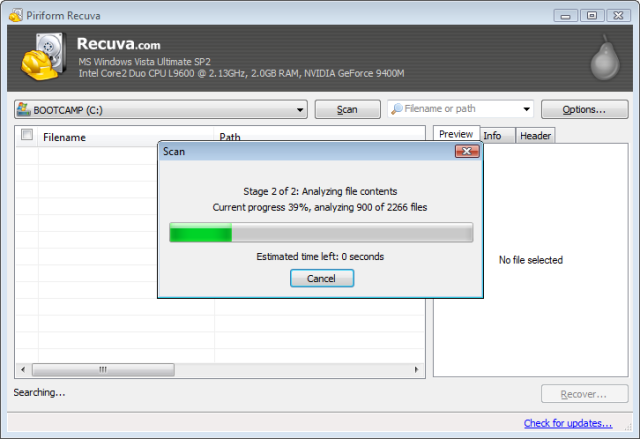
Recuva version 1.55.133 has been released, enhancing its capabilities to recover lost files from a variety of storage sources, including Windows computers, the recycle bin, digital camera cards, and other attached devices. The software is particularly versatile, allowing users to retrieve various file types such as pictures, music, documents, videos, and emails, from a range of rewriteable media like memory cards, external hard drives, and USB sticks.
One of Recuva's standout features is its ability to recover files from damaged or newly formatted drives, offering a higher chance of recovery compared to many other file recovery tools. For users seeking to recover particularly elusive files, the program includes an advanced deep scan mode that thoroughly searches drives for remnants of deleted files. Conversely, if you wish to permanently erase files, Recuva's secure overwrite feature employs industry and military-standard deletion techniques to ensure that files cannot be recovered.
In addition to these features, users may find interest in similar topics, such as securely deleting files in Windows 10 using PowerShell and Cipher, comparing drive cleaning tools like CCleaner, Wise Disk Cleaner, and PrivaZer, utilizing Storage Sense to automatically delete junk files, or managing Storage Sense and Task Scheduler settings in Windows 10 and 11.
Overall, Recuva stands out as a robust solution for data recovery, catering to both casual users and those requiring advanced file management techniques. It is essential for anyone looking to safeguard their digital files and recover lost data effectively
One of Recuva's standout features is its ability to recover files from damaged or newly formatted drives, offering a higher chance of recovery compared to many other file recovery tools. For users seeking to recover particularly elusive files, the program includes an advanced deep scan mode that thoroughly searches drives for remnants of deleted files. Conversely, if you wish to permanently erase files, Recuva's secure overwrite feature employs industry and military-standard deletion techniques to ensure that files cannot be recovered.
In addition to these features, users may find interest in similar topics, such as securely deleting files in Windows 10 using PowerShell and Cipher, comparing drive cleaning tools like CCleaner, Wise Disk Cleaner, and PrivaZer, utilizing Storage Sense to automatically delete junk files, or managing Storage Sense and Task Scheduler settings in Windows 10 and 11.
Overall, Recuva stands out as a robust solution for data recovery, catering to both casual users and those requiring advanced file management techniques. It is essential for anyone looking to safeguard their digital files and recover lost data effectively
Recuva 1.55.133 released
Recuva recovers files from your Windows computer, recycle bin, digital camera card, or any attached storage devices. RcvPortable is also available.