ImgDrive version 2.2.7 has been released, enhancing its capabilities as a versatile tool for mounting and browsing disc image files. This software allows users to create up to seven virtual drives, streamlining the process of accessing various disc images without the need for physical media.
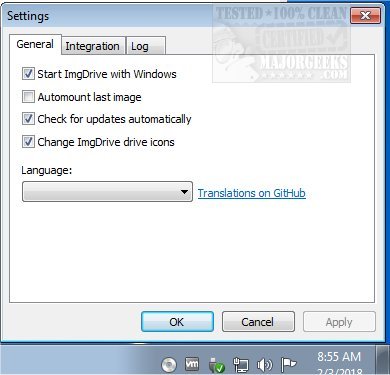
With its user-friendly interface, ImgDrive simplifies the mounting process through straightforward checkmark selections. Upon installation, a virtual drive is automatically created and remains accessible in the system tray, allowing for quick deployment through a right-click on the tray icon. This makes it convenient for users to explore disc images on-the-fly.
ImgDrive supports a wide range of image formats, including CCD, CUE, ISO, ISZ, MDS/MDF, and NRG, enabling one-click mounting. It can also handle audio files like APE, FLAC, WAV, WavPack, and TTA as AUDIO CDs, while offering the capability to work with multi-session disc images such as CCD, MDS, and NRG. With impressive speed, ImgDrive can emulate BD/CD/DVD images at 200x, making it a powerful tool for anyone needing to access disc content efficiently.
In addition to its primary functionalities, ImgDrive could potentially benefit from further enhancements, such as integration with cloud storage solutions for easier access to disc images or additional support for emerging file formats. Regular updates could also include improved performance metrics and compatibility with the latest operating systems, ensuring users have the best experience possible
With its user-friendly interface, ImgDrive simplifies the mounting process through straightforward checkmark selections. Upon installation, a virtual drive is automatically created and remains accessible in the system tray, allowing for quick deployment through a right-click on the tray icon. This makes it convenient for users to explore disc images on-the-fly.
ImgDrive supports a wide range of image formats, including CCD, CUE, ISO, ISZ, MDS/MDF, and NRG, enabling one-click mounting. It can also handle audio files like APE, FLAC, WAV, WavPack, and TTA as AUDIO CDs, while offering the capability to work with multi-session disc images such as CCD, MDS, and NRG. With impressive speed, ImgDrive can emulate BD/CD/DVD images at 200x, making it a powerful tool for anyone needing to access disc content efficiently.
In addition to its primary functionalities, ImgDrive could potentially benefit from further enhancements, such as integration with cloud storage solutions for easier access to disc images or additional support for emerging file formats. Regular updates could also include improved performance metrics and compatibility with the latest operating systems, ensuring users have the best experience possible
ImgDrive 2.2.7 released
ImgDrive enables you to mount and browse disc image files; it also includes the ability to create seven virtual drives.