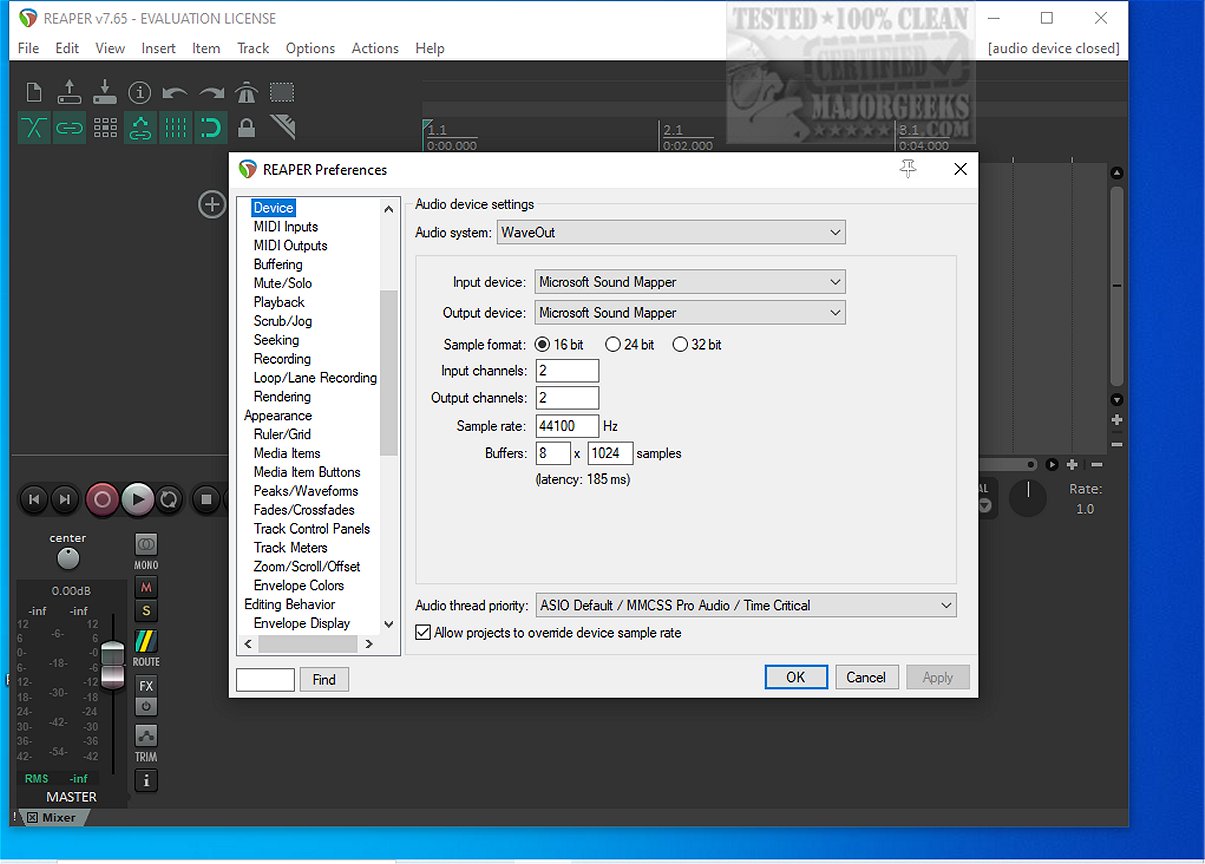
Reaper is a versatile digital audio workstation (DAW) designed for recording, arranging, editing, and rendering multi-track waveform audio. The latest version, Reaper 7.86, continues to support a range of essential audio features while also being the last available freeware version.
Why Choose Reaper?
Reaper stands out as an ideal choice for users seeking a lightweight and efficient DAW. Unlike larger competitors, it boots quickly, runs smoothly on various systems, and does not require extensive sample libraries. This makes it particularly appealing to audio professionals and enthusiasts who prioritize performance without unnecessary bloat.
Core Features of Reaper:
1. Driver Support: Reaper supports multiple audio drivers, including ASIO, Kernel Streaming, WaveOut, and DirectSound. This flexibility allows users to switch drivers seamlessly, ensuring uninterrupted sessions even if system settings change unexpectedly.
2. File Compatibility: The application supports common audio formats such as WAV, OGG, MP3, and MIDI, making it easy to work with various audio files while maintaining high-quality recordings.
3. Unlimited Tracks: Users can arrange an unlimited number of items across as many tracks as needed, allowing for extensive vocal stacks or complex arrangements without restrictions.
4. Plugin Compatibility: Reaper supports a wide range of plugin formats, including DirectX, VST, and Jesusonic, all of which can be fully automated. This guarantees that users have access to a plethora of tools to enhance their audio projects.
5. User-Friendly Automation: The automation features are straightforward, providing reliable control over volume, pan, and envelope settings without the frustration of erratic behavior.
6. Customizable Interface: While the default interface may appear outdated, Reaper offers extensive customization options, allowing users to create a workspace that suits their preferences.
Who Should Use Reaper?
Reaper is ideal for:
- Users looking for a lightweight and efficient DAW.
- Those who prioritize system stability over extensive built-in features.
- Individuals who utilize older hardware but still desire a reliable audio editing experience.
- Audio engineers who enjoy fine-tuning their software settings.
However, it may not appeal to those seeking pre-loaded synths and loops or users who prefer a polished interface without the need for customization.
Is Reaper Suitable for Beginners?
Yes, Reaper can be an excellent choice for beginners. Despite its seemingly complex menus, the workflow becomes intuitive once the basics are grasped. Its lightweight design means beginners can experiment without overwhelming their systems.
Conclusion: The Geek Verdict
Overall, Reaper is a robust digital audio workstation that prioritizes speed and stability over unnecessary complexities. Its ability to run on various systems, coupled with extensive plugin support, makes it a favored choice among audio professionals. However, users should be prepared to invest time in customizing their interface for optimal use. For assistance during setup or scripting, resources like the MajorGeeks forums can provide valuable support.
Future Enhancements and Community Engagement
As the audio production landscape evolves, Reaper is likely to continue receiving updates that enhance user experience and functionality. The active community surrounding Reaper also plays a crucial role in sharing themes, plugins, and troubleshooting advice, ensuring users can make the most of their audio production endeavors
Why Choose Reaper?
Reaper stands out as an ideal choice for users seeking a lightweight and efficient DAW. Unlike larger competitors, it boots quickly, runs smoothly on various systems, and does not require extensive sample libraries. This makes it particularly appealing to audio professionals and enthusiasts who prioritize performance without unnecessary bloat.
Core Features of Reaper:
1. Driver Support: Reaper supports multiple audio drivers, including ASIO, Kernel Streaming, WaveOut, and DirectSound. This flexibility allows users to switch drivers seamlessly, ensuring uninterrupted sessions even if system settings change unexpectedly.
2. File Compatibility: The application supports common audio formats such as WAV, OGG, MP3, and MIDI, making it easy to work with various audio files while maintaining high-quality recordings.
3. Unlimited Tracks: Users can arrange an unlimited number of items across as many tracks as needed, allowing for extensive vocal stacks or complex arrangements without restrictions.
4. Plugin Compatibility: Reaper supports a wide range of plugin formats, including DirectX, VST, and Jesusonic, all of which can be fully automated. This guarantees that users have access to a plethora of tools to enhance their audio projects.
5. User-Friendly Automation: The automation features are straightforward, providing reliable control over volume, pan, and envelope settings without the frustration of erratic behavior.
6. Customizable Interface: While the default interface may appear outdated, Reaper offers extensive customization options, allowing users to create a workspace that suits their preferences.
Who Should Use Reaper?
Reaper is ideal for:
- Users looking for a lightweight and efficient DAW.
- Those who prioritize system stability over extensive built-in features.
- Individuals who utilize older hardware but still desire a reliable audio editing experience.
- Audio engineers who enjoy fine-tuning their software settings.
However, it may not appeal to those seeking pre-loaded synths and loops or users who prefer a polished interface without the need for customization.
Is Reaper Suitable for Beginners?
Yes, Reaper can be an excellent choice for beginners. Despite its seemingly complex menus, the workflow becomes intuitive once the basics are grasped. Its lightweight design means beginners can experiment without overwhelming their systems.
Conclusion: The Geek Verdict
Overall, Reaper is a robust digital audio workstation that prioritizes speed and stability over unnecessary complexities. Its ability to run on various systems, coupled with extensive plugin support, makes it a favored choice among audio professionals. However, users should be prepared to invest time in customizing their interface for optimal use. For assistance during setup or scripting, resources like the MajorGeeks forums can provide valuable support.
Future Enhancements and Community Engagement
As the audio production landscape evolves, Reaper is likely to continue receiving updates that enhance user experience and functionality. The active community surrounding Reaper also plays a crucial role in sharing themes, plugins, and troubleshooting advice, ensuring users can make the most of their audio production endeavors
Reaper 7.86 released
REAPER is an application that lets you record, arrange, edit, and render multi-track waveform audio. The last freeware version also available.