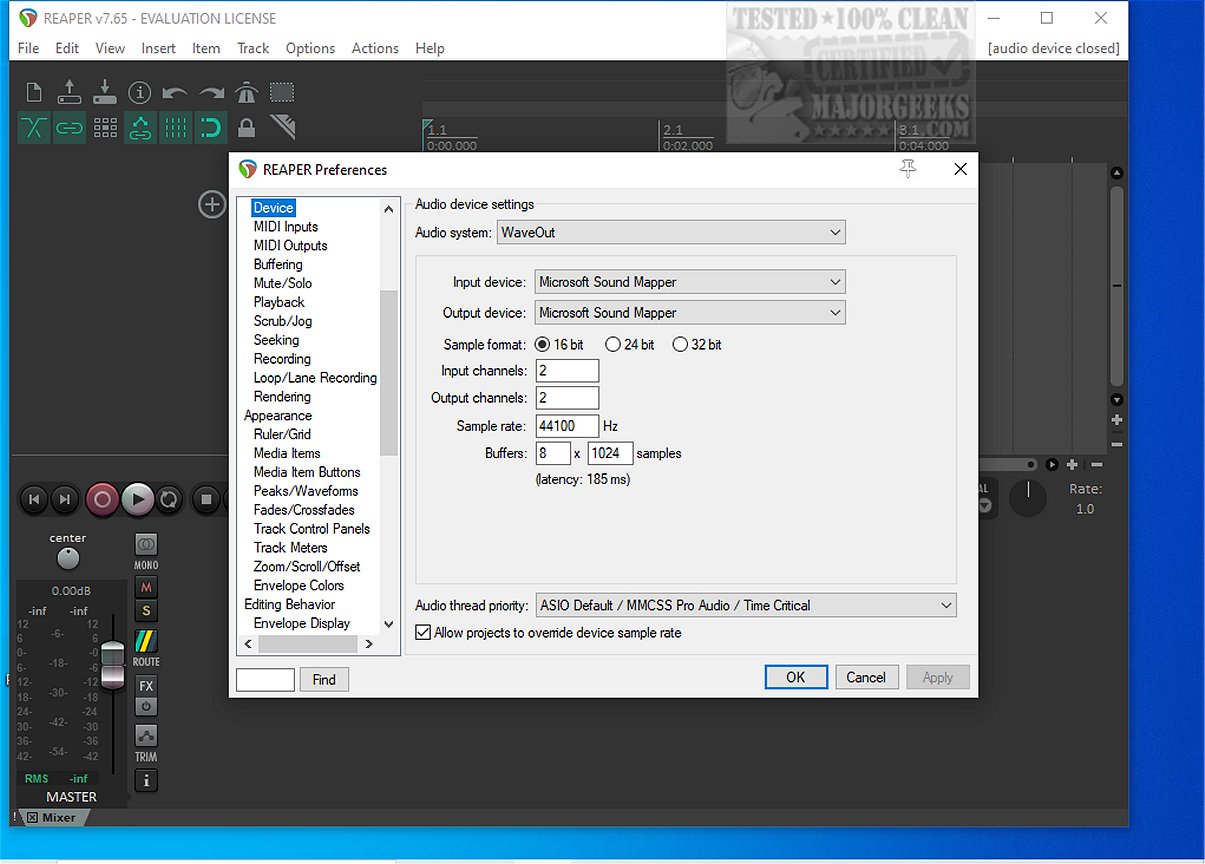
REAPER is a powerful digital audio workstation (DAW) designed for recording, arranging, editing, and rendering multi-track waveform audio. The latest release, version 7.75, continues to uphold the software's reputation as a leading choice for audio professionals and enthusiasts alike. Notably, it remains one of the few audio applications that offers a last freeware version, making it accessible for users who want to explore its features before committing financially.
Key Features of REAPER
1. Efficient Performance: REAPER is known for its quick boot time and low resource consumption. Unlike heavier DAWs such as Studio One, REAPER operates smoothly without requiring excessive amounts of sample content.
2. Driver Support: The software supports various audio drivers, including ASIO, Kernel Streaming, WaveOut, and DirectSound. This flexibility allows users to switch drivers seamlessly, which is crucial during crucial mixing sessions when unexpected changes might occur.
3. File Compatibility: REAPER supports a variety of audio formats, including WAV, OGG, MP3, and MIDI, ensuring straightforward file handling without unnecessary complexities.
4. Unlimited Tracks: Users can arrange an unlimited number of items across an unlimited number of tracks, making it easy to handle complex projects, such as extensive vocal arrangements.
5. Extensive Plugin Support: The DAW is compatible with a wide range of plugins, including DirectX, VST, and Jesusonic plugins, all of which are fully automatable. The bundled JSFX tools offer quick solutions for audio editing.
6. User-Friendly Automation: Automation in REAPER is designed to be intuitive, allowing for consistent control over per-track volume, pan, and envelope adjustments without the frustrations seen in some other DAWs.
7. Customizable User Interface: While the default interface may seem outdated, REAPER allows users to customize its appearance extensively, creating a workspace that suits individual preferences.
Who Should Use REAPER?
REAPER is ideal for those who seek a lightweight, stable, and efficient audio workstation, particularly those who appreciate the ability to fine-tune settings. It is suitable for both professionals and beginners, as its logical workflow becomes more intuitive with practice. However, users looking for an abundance of pre-loaded synths and loops may find REAPER lacking.
Considerations for Beginners
New users may initially find the interface overwhelming due to its numerous options. However, the lightweight nature of REAPER ensures that beginners can experiment without the software lagging or crashing, even with multiple plugins in use.
Final Thoughts
Overall, REAPER 7.75 is celebrated for its speed, stability, and extensive plugin support, making it a reliable choice for audio production. While the default interface may require customization to enhance aesthetics, the software's functionality and performance are hard to beat. For users needing assistance with setup or scripting, community forums like MajorGeeks are available for support.
Looking Ahead
As the audio production landscape continues to evolve, it will be interesting to see how REAPER adapts and expands its offerings in future updates. With ongoing improvements and a supportive user community, REAPER is poised to maintain its status as a go-to DAW for both seasoned professionals and newcomers to the audio world
Key Features of REAPER
1. Efficient Performance: REAPER is known for its quick boot time and low resource consumption. Unlike heavier DAWs such as Studio One, REAPER operates smoothly without requiring excessive amounts of sample content.
2. Driver Support: The software supports various audio drivers, including ASIO, Kernel Streaming, WaveOut, and DirectSound. This flexibility allows users to switch drivers seamlessly, which is crucial during crucial mixing sessions when unexpected changes might occur.
3. File Compatibility: REAPER supports a variety of audio formats, including WAV, OGG, MP3, and MIDI, ensuring straightforward file handling without unnecessary complexities.
4. Unlimited Tracks: Users can arrange an unlimited number of items across an unlimited number of tracks, making it easy to handle complex projects, such as extensive vocal arrangements.
5. Extensive Plugin Support: The DAW is compatible with a wide range of plugins, including DirectX, VST, and Jesusonic plugins, all of which are fully automatable. The bundled JSFX tools offer quick solutions for audio editing.
6. User-Friendly Automation: Automation in REAPER is designed to be intuitive, allowing for consistent control over per-track volume, pan, and envelope adjustments without the frustrations seen in some other DAWs.
7. Customizable User Interface: While the default interface may seem outdated, REAPER allows users to customize its appearance extensively, creating a workspace that suits individual preferences.
Who Should Use REAPER?
REAPER is ideal for those who seek a lightweight, stable, and efficient audio workstation, particularly those who appreciate the ability to fine-tune settings. It is suitable for both professionals and beginners, as its logical workflow becomes more intuitive with practice. However, users looking for an abundance of pre-loaded synths and loops may find REAPER lacking.
Considerations for Beginners
New users may initially find the interface overwhelming due to its numerous options. However, the lightweight nature of REAPER ensures that beginners can experiment without the software lagging or crashing, even with multiple plugins in use.
Final Thoughts
Overall, REAPER 7.75 is celebrated for its speed, stability, and extensive plugin support, making it a reliable choice for audio production. While the default interface may require customization to enhance aesthetics, the software's functionality and performance are hard to beat. For users needing assistance with setup or scripting, community forums like MajorGeeks are available for support.
Looking Ahead
As the audio production landscape continues to evolve, it will be interesting to see how REAPER adapts and expands its offerings in future updates. With ongoing improvements and a supportive user community, REAPER is poised to maintain its status as a go-to DAW for both seasoned professionals and newcomers to the audio world
Reaper 7.75 released
REAPER is an application that lets you record, arrange, edit, and render multi-track waveform audio. The last freeware version also available.