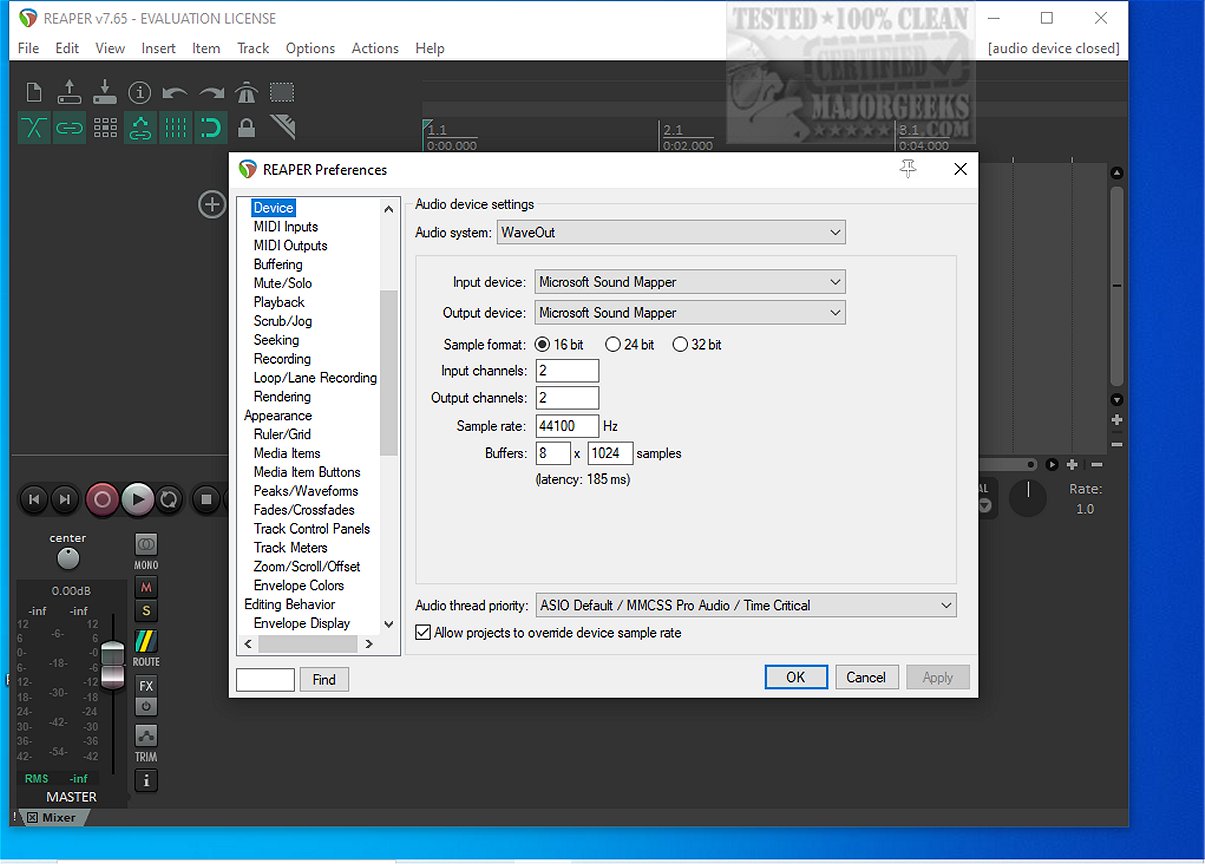
Reaper, a versatile digital audio workstation (DAW), has just launched its latest version, 7.72. This application excels in recording, arranging, editing, and rendering multi-track waveform audio. As one of the few DAWs that offers a freeware version, Reaper has garnered a loyal following among audio enthusiasts for its efficiency and user-friendly design.
Key Features of Reaper
Reaper stands out for several reasons:
1. Driver Support: It supports multiple drivers including ASIO, Kernel Streaming, WaveOut, and DirectSound. This flexibility allows users to switch drivers mid-session if issues arise, ensuring uninterrupted workflow.
2. File Compatibility: The software can read common audio formats like WAV, OGG, MP3, and MIDI, making it straightforward for users to handle their audio files without unnecessary complications.
3. Unlimited Tracks: Users can arrange an unlimited number of items across tracks without facing artificial restrictions. This feature is particularly beneficial when dealing with extensive vocal stacks or complex arrangements.
4. Comprehensive Plugin Support: Reaper supports DirectX, VST, and Jesusonic plugins, which can be fully automated. Its bundled JSFX tools are efficient for quick fixes.
5. User-Friendly Automation: The automation lanes are designed for consistency, allowing for per-track volume, pan, and envelope control without unexpected behaviors.
6. Customizable Interface: While the default interface may seem outdated, users have the option to customize color themes, enhancing their overall experience.
Who Should Use Reaper?
Reaper is ideal for users seeking a lightweight audio workstation that prioritizes stability and performance, even on older machines. It caters to those who enjoy fine-tuning their settings. However, it may not appeal to users looking for extensive built-in synthesizers or who prefer a polished interface without customization.
Beginner-Friendly?
Reaper is surprisingly suitable for beginners. Its logical workflow and stability help prevent the frustration of lag or crashes, even when multiple plugins are in use. Despite an initially dense menu, users can quickly familiarize themselves with the software’s functionalities.
Conclusion
In summary, Reaper is a robust DAW that combines speed, stability, and extensive feature support without the bloat of larger competitors. While its default interface may require theming for a modern look, its powerful capabilities and customization options position it as a favored choice among audio professionals and enthusiasts alike. For those who might face challenges during setup, community forums like MajorGeeks provide valuable assistance.
Extension: Future Prospects for Reaper
As Reaper continues to evolve, there is potential for further enhancements, such as integrating more advanced built-in instruments and loops to attract a wider audience. Additionally, ongoing user feedback can lead to improvements in the user interface, making it more visually appealing while retaining its customizable nature. As the audio landscape shifts towards collaboration and remote production, Reaper may also expand its features to support cloud-based sessions and real-time collaboration, keeping it relevant in a rapidly changing industry
Key Features of Reaper
Reaper stands out for several reasons:
1. Driver Support: It supports multiple drivers including ASIO, Kernel Streaming, WaveOut, and DirectSound. This flexibility allows users to switch drivers mid-session if issues arise, ensuring uninterrupted workflow.
2. File Compatibility: The software can read common audio formats like WAV, OGG, MP3, and MIDI, making it straightforward for users to handle their audio files without unnecessary complications.
3. Unlimited Tracks: Users can arrange an unlimited number of items across tracks without facing artificial restrictions. This feature is particularly beneficial when dealing with extensive vocal stacks or complex arrangements.
4. Comprehensive Plugin Support: Reaper supports DirectX, VST, and Jesusonic plugins, which can be fully automated. Its bundled JSFX tools are efficient for quick fixes.
5. User-Friendly Automation: The automation lanes are designed for consistency, allowing for per-track volume, pan, and envelope control without unexpected behaviors.
6. Customizable Interface: While the default interface may seem outdated, users have the option to customize color themes, enhancing their overall experience.
Who Should Use Reaper?
Reaper is ideal for users seeking a lightweight audio workstation that prioritizes stability and performance, even on older machines. It caters to those who enjoy fine-tuning their settings. However, it may not appeal to users looking for extensive built-in synthesizers or who prefer a polished interface without customization.
Beginner-Friendly?
Reaper is surprisingly suitable for beginners. Its logical workflow and stability help prevent the frustration of lag or crashes, even when multiple plugins are in use. Despite an initially dense menu, users can quickly familiarize themselves with the software’s functionalities.
Conclusion
In summary, Reaper is a robust DAW that combines speed, stability, and extensive feature support without the bloat of larger competitors. While its default interface may require theming for a modern look, its powerful capabilities and customization options position it as a favored choice among audio professionals and enthusiasts alike. For those who might face challenges during setup, community forums like MajorGeeks provide valuable assistance.
Extension: Future Prospects for Reaper
As Reaper continues to evolve, there is potential for further enhancements, such as integrating more advanced built-in instruments and loops to attract a wider audience. Additionally, ongoing user feedback can lead to improvements in the user interface, making it more visually appealing while retaining its customizable nature. As the audio landscape shifts towards collaboration and remote production, Reaper may also expand its features to support cloud-based sessions and real-time collaboration, keeping it relevant in a rapidly changing industry
Reaper 7.72 released
REAPER is an application that lets you record, arrange, edit, and render multi-track waveform audio. The last freeware version also available.