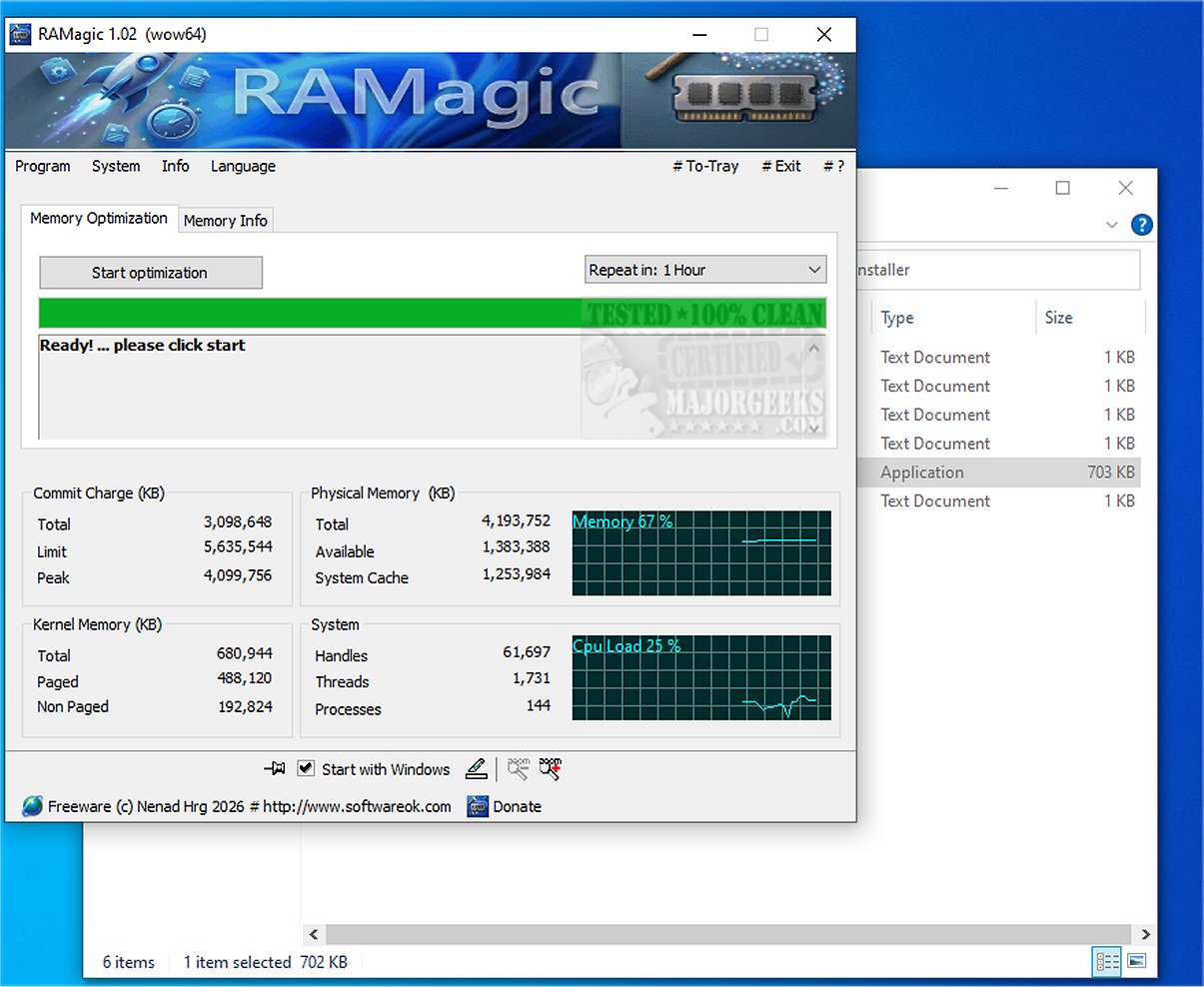
RAMagic has recently launched version 1.36, presenting an efficient and intelligent solution for RAM optimization. This lightweight application allows users to easily enhance their system's performance, improving functionality and responsiveness without burdening system resources.
Addressing Current Memory Management Limitations
Despite the considerable advancements in RAM capacities—ranging from 16 GB to 128 GB on personal computers—the Windows operating systems often manage memory inefficiently. Users frequently contend with fragmented memory, outdated working sets, and excess cached data, which can hinder system performance. Such inefficiencies can prevent high-performance PCs from reaching their full potential. RAMagic is designed to tackle these issues head-on.
How RAMagic Operates
RAMagic operates by analyzing all active processes on the system to identify and eliminate unnecessary working sets. It also cleans the standby cache, reclaiming "forgotten" memory to make it accessible again. This intelligent optimization ensures that RAM is used efficiently, allowing the system to run smoothly and effectively. By addressing these common issues, RAMagic empowers users to unlock the complete capabilities of their computer's memory, enhancing overall performance and productivity.
Key Features of RAMagic:
- Intelligent Working Set Optimization: Eliminates outdated process data effortlessly.
- Clear Standby Cache: Reclaims reserved memory for active use.
- Live Memory Monitoring: Provides real-time comparisons of memory usage before and after optimization.
- Clear Memory Overview: Displays total, available, and used memory at a glance.
- Administrator Mode: Offers deeper system optimization capabilities.
- Extremely Small Footprint: Only a few kilobytes in size, making it a non-intrusive application.
- Minimal CPU Usage: Operates invisibly in the background.
- User-Friendly Interface: Features clear fonts and adjustable sizes for accessibility.
Geek Verdict on RAMagic
RAMagic is expected to deliver substantial improvements in multitasking capabilities, faster application launches, and reduced loading times. These benefits are especially pronounced on older systems with numerous installed applications. Regular optimization with RAMagic can yield significant performance enhancements.
Related Topics:
- Windows Repair: Free Memory Cleaner Options
- Solutions for Low or Out of Memory Errors on Windows 10 & 11
- Management of Virtual Memory (Pagefile) in Windows 10 & 11
In conclusion, RAMagic 1.36 stands out as a practical tool for users looking to optimize their computer's RAM usage, maximize performance, and ensure a smoother computing experience
RAMagic 1.36 released
RAMagic offers an efficient and intelligent solution for RAM optimization. Its lightweight design ensures you can effortlessly enhance your system's performance, resulting in improved functionality and responsiveness.