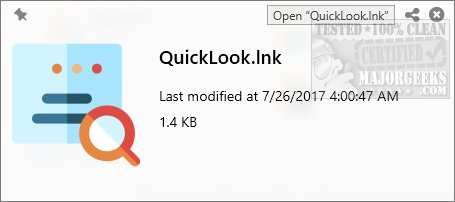
QuickLook is a background application designed to emulate the macOS "Quick Look" feature on Windows systems. By simply pressing the Spacebar, users can instantly preview a variety of file types without the need to open them in their respective applications. This utility is particularly beneficial for those who frequently find themselves opening files merely to check their contents, only to close them moments later.
Why You Need QuickLook
While Windows Explorer is functional, it often lacks the efficiency required for quick file previews. QuickLook addresses this limitation, enabling users to quickly view images, PDFs, Office documents, archives, and media files without launching heavier software programs.
Ideal Uses
- File Organization: Quickly assess file contents before taking actions like renaming, moving, or deleting.
- Photography & Design: Preview images, PSDs, and PDFs instantly without needing Photoshop.
- Office Tasks: View Word, Excel, and PowerPoint documents without opening Microsoft Office.
- Coding & Development: Check scripts and code files (like JSON, XML, HTML) on the go.
- Email Attachments: Preview ZIP and RAR files without extraction.
How It Works
Using QuickLook is simple: highlight any file and press the Spacebar to view an instant preview. Users can navigate through files using arrow keys without closing the preview window. The application also allows for zooming, scrolling, copying text from documents, and playing media files directly from the preview.
Supported File Types
- Images: PNG, JPG, GIF, BMP, PSD
- Documents: PDF, DOCX, XLSX, PPTX, TXT, RTF
- Archives: ZIP, RAR, 7z, TAR
- Code & Scripts: JSON, XML, HTML, JS, PY, PHP
- Media Files: MP4, MP3, MKV, AVI, FLAC
Extra Features
QuickLook also boasts several handy features:
- Drag & Drop: Move files directly from the preview window.
- Copy & Paste: Easily copy text from documents and PDFs.
- Quick Actions: Perform tasks like opening files in their default applications, sharing, or deleting right from the preview.
- Plugin Support: Expand compatibility with additional file types through plugins.
Geek Verdict
QuickLook is a must-have utility that significantly improves file navigation on Windows. Many users may not realize how essential it is until they try it. It streamlines the process of accessing documents, media, and code, making it faster and more enjoyable. The app is efficient, free, and user-friendly, offering a frustration-free experience.
Get QuickLook Today!
Download QuickLook now and experience the convenience of macOS-style file previews on your Windows device, enhancing your workflow and productivity
Why You Need QuickLook
While Windows Explorer is functional, it often lacks the efficiency required for quick file previews. QuickLook addresses this limitation, enabling users to quickly view images, PDFs, Office documents, archives, and media files without launching heavier software programs.
Ideal Uses
- File Organization: Quickly assess file contents before taking actions like renaming, moving, or deleting.
- Photography & Design: Preview images, PSDs, and PDFs instantly without needing Photoshop.
- Office Tasks: View Word, Excel, and PowerPoint documents without opening Microsoft Office.
- Coding & Development: Check scripts and code files (like JSON, XML, HTML) on the go.
- Email Attachments: Preview ZIP and RAR files without extraction.
How It Works
Using QuickLook is simple: highlight any file and press the Spacebar to view an instant preview. Users can navigate through files using arrow keys without closing the preview window. The application also allows for zooming, scrolling, copying text from documents, and playing media files directly from the preview.
Supported File Types
- Images: PNG, JPG, GIF, BMP, PSD
- Documents: PDF, DOCX, XLSX, PPTX, TXT, RTF
- Archives: ZIP, RAR, 7z, TAR
- Code & Scripts: JSON, XML, HTML, JS, PY, PHP
- Media Files: MP4, MP3, MKV, AVI, FLAC
Extra Features
QuickLook also boasts several handy features:
- Drag & Drop: Move files directly from the preview window.
- Copy & Paste: Easily copy text from documents and PDFs.
- Quick Actions: Perform tasks like opening files in their default applications, sharing, or deleting right from the preview.
- Plugin Support: Expand compatibility with additional file types through plugins.
Geek Verdict
QuickLook is a must-have utility that significantly improves file navigation on Windows. Many users may not realize how essential it is until they try it. It streamlines the process of accessing documents, media, and code, making it faster and more enjoyable. The app is efficient, free, and user-friendly, offering a frustration-free experience.
Get QuickLook Today!
Download QuickLook now and experience the convenience of macOS-style file previews on your Windows device, enhancing your workflow and productivity
QuickLook 4.5.0 released
QuickLook is an app that runs in the background and brings the MacOS "quick look" feature to Windows anytime you press the space bar.