Quick Clipboard Editor (QCE) has released version 3.4.0.0, enhancing its functionality as a user-friendly text editor designed for Windows users. This software enables users to efficiently edit text stored in their clipboard, making it an ideal tool for anyone who frequently handles text.
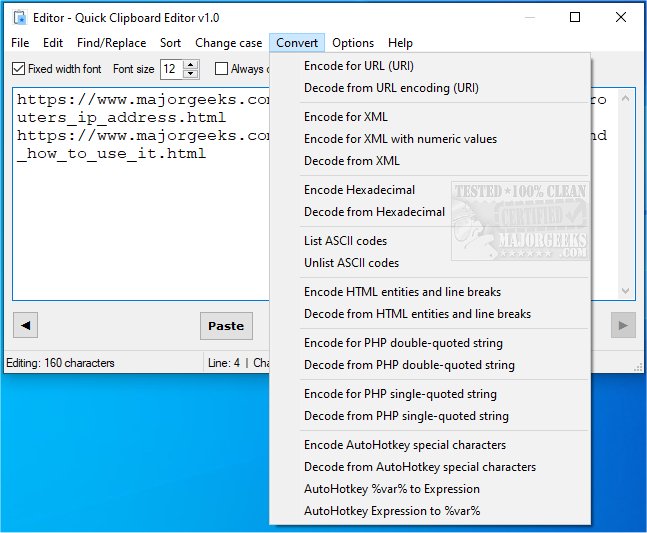
With Quick Clipboard Editor, users can swiftly access and modify their clipboard content before pasting it into other applications. The software boasts a variety of features, including the ability to retrieve previous clipboard entries, perform find-and-replace operations, insert new content, trim unnecessary text, and selectively keep or delete lines based on user-defined criteria. It also allows sorting of text, changing text case, converting text for different coding languages (such as HTML, XML, PHP, and AHK), and saving frequently used commands for streamlined workflows. All these actions are designed to be completed with just a few clicks, thanks to the program's seamless integration with the clipboard.
Quick Clipboard Editor is particularly beneficial for users looking for a straightforward yet robust solution for clipboard management and text editing. It empowers users to handle their clipboard content more effectively, saving time and enhancing productivity.
Additionally, users interested in optimizing their clipboard experience may find the following resources helpful: guides on copying file paths to the clipboard, clearing clipboard history using shortcuts, and disabling clipboard history features in Windows 10 and 11.
In conclusion, Quick Clipboard Editor 3.4.0.0 stands out as a powerful tool for text editing, providing essential features that cater to both casual users and professionals alike, all while maintaining ease of use and efficiency
With Quick Clipboard Editor, users can swiftly access and modify their clipboard content before pasting it into other applications. The software boasts a variety of features, including the ability to retrieve previous clipboard entries, perform find-and-replace operations, insert new content, trim unnecessary text, and selectively keep or delete lines based on user-defined criteria. It also allows sorting of text, changing text case, converting text for different coding languages (such as HTML, XML, PHP, and AHK), and saving frequently used commands for streamlined workflows. All these actions are designed to be completed with just a few clicks, thanks to the program's seamless integration with the clipboard.
Quick Clipboard Editor is particularly beneficial for users looking for a straightforward yet robust solution for clipboard management and text editing. It empowers users to handle their clipboard content more effectively, saving time and enhancing productivity.
Additionally, users interested in optimizing their clipboard experience may find the following resources helpful: guides on copying file paths to the clipboard, clearing clipboard history using shortcuts, and disabling clipboard history features in Windows 10 and 11.
In conclusion, Quick Clipboard Editor 3.4.0.0 stands out as a powerful tool for text editing, providing essential features that cater to both casual users and professionals alike, all while maintaining ease of use and efficiency
Quick Clipboard Editor 3.4.0.0 released
Quick Clipboard Editor gives you the ability to make a wide variety of edits to the text stored in your clipboard.