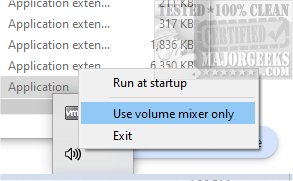
QontrolPanel version 1.20.2 has been released, bringing improved functionality to users who want an easier way to switch between audio devices on their computers. Previously known as QuickSoundSwitcher, QontrolPanel eliminates the need to navigate through complicated settings menus, allowing users to toggle between devices like headphones, speakers, and external sound systems with just one click. This enhances the overall audio experience by providing quick access to audio settings, significantly saving time and effort when adjusting audio output.
One of the standout features of QontrolPanel is its lack of a traditional user interface, which streamlines the process even further. Users can simply launch the application, and it will integrate directly into their System Tray, granting easy access to its features without a lengthy installation. The application offers three primary options accessible from the System Tray icon:
1. Input Management: Users can quickly switch between different microphone settings, ensuring they are using the appropriate mic for activities like gaming, video calls, or recording.
2. Output Switching: This feature allows for easy selection of various audio output devices, making it convenient to alternate between multiple speakers or headphones.
3. Volume Mixer: This tool provides granular control over the sound levels of individual applications, allowing users to adjust volumes independently and tailor their audio experience.
QontrolPanel also includes a capability to manage the sound levels of different applications, showcasing a list of active audio apps with individual volume sliders and mute options. This allows for precise adjustments without affecting the overall system audio.
In conclusion, QontrolPanel is a highly effective solution for managing audio settings effortlessly. Its streamlined design caters to users who frequently switch between various audio devices, making it an indispensable tool for anyone looking to enhance their audio management experience. With its user-friendly features and seamless integration, it's a must-have for those who value convenience in audio control.
One of the standout features of QontrolPanel is its lack of a traditional user interface, which streamlines the process even further. Users can simply launch the application, and it will integrate directly into their System Tray, granting easy access to its features without a lengthy installation. The application offers three primary options accessible from the System Tray icon:
1. Input Management: Users can quickly switch between different microphone settings, ensuring they are using the appropriate mic for activities like gaming, video calls, or recording.
2. Output Switching: This feature allows for easy selection of various audio output devices, making it convenient to alternate between multiple speakers or headphones.
3. Volume Mixer: This tool provides granular control over the sound levels of individual applications, allowing users to adjust volumes independently and tailor their audio experience.
QontrolPanel also includes a capability to manage the sound levels of different applications, showcasing a list of active audio apps with individual volume sliders and mute options. This allows for precise adjustments without affecting the overall system audio.
In conclusion, QontrolPanel is a highly effective solution for managing audio settings effortlessly. Its streamlined design caters to users who frequently switch between various audio devices, making it an indispensable tool for anyone looking to enhance their audio management experience. With its user-friendly features and seamless integration, it's a must-have for those who value convenience in audio control.
Additional Insights
For those interested in maximizing their audio experience, QontrolPanel can be complemented by other resources, such as guides on enabling Windows Sonic Surround Sound or adjusting key sounds in Windows 10 & 11. These additional tools can provide an even richer sound experience, making it worthwhile to explore the broader audio capabilities within your operating systemQontrolPanel 1.20.2 released
QontrolPanel (formerly QuickSoundSwitcher) simplifies the process of switching between various audio devices on your machine.