QontrolPanel version 1.18.3 has been released, enhancing the convenience of managing audio devices on your computer. Previously known as QuickSoundSwitcher, this application simplifies the often tedious process of switching between various audio outputs—like headphones, speakers, and external systems—by allowing users to make changes with just a click.
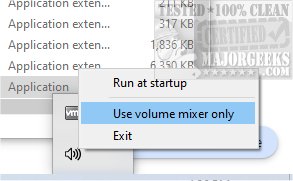
The application enhances sound control without a traditional user interface, making it quick to launch and easy to use. After installation, it integrates seamlessly into the System Tray, where users can access three main features:
1. Input Management: Easily switch between different microphone settings, ideal for gaming, video calls, or recording.
2. Output Selection: Quickly toggle between various audio output devices, which is especially beneficial for those who frequently switch between multiple connected devices.
3. Volume Mixer: Control sound levels for individual applications, allowing users to tailor their audio experience according to their preferences.
Additionally, QontrolPanel provides a list of active applications with sound capabilities, enabling users to adjust volumes for each app independently and mute them as needed.
Overall, QontrolPanel is highly recommended for anyone who seeks a straightforward, efficient way to manage their audio settings without the hassle of complicated interfaces. Its functionality is especially useful for users who often alternate between different audio devices.
The application enhances sound control without a traditional user interface, making it quick to launch and easy to use. After installation, it integrates seamlessly into the System Tray, where users can access three main features:
1. Input Management: Easily switch between different microphone settings, ideal for gaming, video calls, or recording.
2. Output Selection: Quickly toggle between various audio output devices, which is especially beneficial for those who frequently switch between multiple connected devices.
3. Volume Mixer: Control sound levels for individual applications, allowing users to tailor their audio experience according to their preferences.
Additionally, QontrolPanel provides a list of active applications with sound capabilities, enabling users to adjust volumes for each app independently and mute them as needed.
Overall, QontrolPanel is highly recommended for anyone who seeks a straightforward, efficient way to manage their audio settings without the hassle of complicated interfaces. Its functionality is especially useful for users who often alternate between different audio devices.
Extensions:
To further enhance user experience, future updates could introduce features such as customizable hotkeys for switching audio devices, a user-friendly tutorial for new users, or integration with voice assistants for hands-free control. Additionally, adding support for advanced audio configurations, such as surround sound systems, could broaden its appeal to audiophiles and gamers alikeQontrolPanel 1.18.3 released
QontrolPanel (formerly QuickSoundSwitcher) simplifies the process of switching between various audio devices on your machine.