QontrolPanel 1.16.2 has been released, continuing its mission to simplify the process of switching between various audio devices on your computer. Formerly known as QuickSoundSwitcher, QontrolPanel enhances sound control without the need for cumbersome settings menus. Users can easily toggle between different audio outputs, such as headphones, speakers, and external sound systems, all with just a click. This application is designed to improve the audio experience by providing quick access to audio settings, thus saving users time and effort when changing their listening setup.
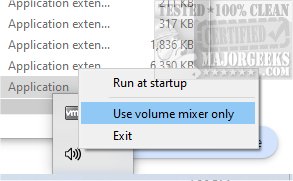
One of the notable features of QontrolPanel is its lack of a traditional user interface, which streamlines its functionality. Users can simply launch the application, and it integrates into the System Tray, offering easy access to its features. From the Systray icon, users can manage audio through three main options:
1. Input - This feature enables users to efficiently manage and switch between microphone settings, ensuring the correct mic is selected for gaming, video calls, or recording.
2. Output - Users can easily switch between connected audio output devices, making it convenient for those who frequently alternate between speakers and headphones.
3. Volume Mixer - This tool allows users to control the sound levels of individual applications, giving a tailored audio experience by letting users adjust each app's volume independently.
Additionally, QontrolPanel displays a list of active apps that can produce sound, complete with volume sliders for precise adjustments and quick mute options.
Geek Verdict: QontrolPanel is highly recommended for anyone seeking an efficient and user-friendly solution for managing audio settings. Its ability to facilitate seamless transitions between audio devices without the complexity of traditional interfaces makes it an essential tool for users who regularly need to switch their audio setups.
In summary, QontrolPanel not only enhances audio management but also caters to users' specific needs by providing flexibility and control over their sound experience. Whether you're gaming, attending video calls, or simply enjoying music, QontrolPanel can significantly streamline your audio management process. For those looking for similar resources, guides on enabling Windows Sonic Surround Sound and toggling key sounds on Windows 10 and 11 are also available
One of the notable features of QontrolPanel is its lack of a traditional user interface, which streamlines its functionality. Users can simply launch the application, and it integrates into the System Tray, offering easy access to its features. From the Systray icon, users can manage audio through three main options:
1. Input - This feature enables users to efficiently manage and switch between microphone settings, ensuring the correct mic is selected for gaming, video calls, or recording.
2. Output - Users can easily switch between connected audio output devices, making it convenient for those who frequently alternate between speakers and headphones.
3. Volume Mixer - This tool allows users to control the sound levels of individual applications, giving a tailored audio experience by letting users adjust each app's volume independently.
Additionally, QontrolPanel displays a list of active apps that can produce sound, complete with volume sliders for precise adjustments and quick mute options.
Geek Verdict: QontrolPanel is highly recommended for anyone seeking an efficient and user-friendly solution for managing audio settings. Its ability to facilitate seamless transitions between audio devices without the complexity of traditional interfaces makes it an essential tool for users who regularly need to switch their audio setups.
In summary, QontrolPanel not only enhances audio management but also caters to users' specific needs by providing flexibility and control over their sound experience. Whether you're gaming, attending video calls, or simply enjoying music, QontrolPanel can significantly streamline your audio management process. For those looking for similar resources, guides on enabling Windows Sonic Surround Sound and toggling key sounds on Windows 10 and 11 are also available
QontrolPanel 1.16.2 released
QontrolPanel (formerly QuickSoundSwitcher) simplifies the process of switching between various audio devices on your machine.