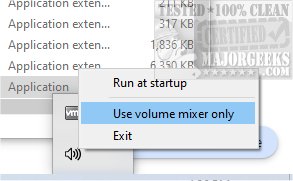
QontrolPanel, previously known as QuickSoundSwitcher, has launched its version 1.15.1, offering an enhanced way to manage audio devices on your computer. This application simplifies the process of switching between various audio outputs like headphones, speakers, and external sound systems, allowing users to toggle between devices effortlessly with just a click.
Enhanced Sound Control for Users
Instead of navigating through convoluted settings menus, QontrolPanel provides immediate access to audio settings, thereby improving the user experience and saving valuable time. The application operates without a traditional user interface, which contributes to its streamlined functionality. Users can launch it quickly and have it integrate seamlessly into the System Tray for quick access.
Key Features of QontrolPanel
From the System Tray icon, users can access three essential features:
1. Input Management: This feature allows users to select and manage their microphone settings quickly. It supports switching between various input devices, making it ideal for gaming, video conferencing, or recording tasks.
2. Output Switching: Users can conveniently switch between different audio output devices, making it easier to select the appropriate device without hassle, especially when multiple options are available.
3. Volume Mixer: The Volume Mixer enables precise control over the sound levels of individual applications. Users can adjust the volume independently for each app, allowing for a customized audio experience tailored to their preferences.
Individual App Volume Control
One of the standout features of QontrolPanel is its ability to control sound levels for different applications. It displays a list of active apps that produce sound, complete with volume sliders and quick mute buttons for each app. This feature allows users to fine-tune their audio experience without altering the overall system volume.
Conclusion: A Must-Have Tool for Audio Management
In summary, QontrolPanel is an exceptional tool for anyone looking to manage their audio settings with ease. Its user-friendly design makes it an indispensable resource for those who frequently switch between different audio devices. Whether you're a gamer, a remote worker, or someone who enjoys media consumption, QontrolPanel simplifies audio management, ensuring a more enjoyable listening experience.
Related Resources:
- How to Enable Windows Sonic Surround Sound on Windows 10 & 11
- How to Toggle Key Sounds on or off in Windows 10 & 11
As users continue to seek efficient solutions for audio management, QontrolPanel stands out as a practical and reliable option
Enhanced Sound Control for Users
Instead of navigating through convoluted settings menus, QontrolPanel provides immediate access to audio settings, thereby improving the user experience and saving valuable time. The application operates without a traditional user interface, which contributes to its streamlined functionality. Users can launch it quickly and have it integrate seamlessly into the System Tray for quick access.
Key Features of QontrolPanel
From the System Tray icon, users can access three essential features:
1. Input Management: This feature allows users to select and manage their microphone settings quickly. It supports switching between various input devices, making it ideal for gaming, video conferencing, or recording tasks.
2. Output Switching: Users can conveniently switch between different audio output devices, making it easier to select the appropriate device without hassle, especially when multiple options are available.
3. Volume Mixer: The Volume Mixer enables precise control over the sound levels of individual applications. Users can adjust the volume independently for each app, allowing for a customized audio experience tailored to their preferences.
Individual App Volume Control
One of the standout features of QontrolPanel is its ability to control sound levels for different applications. It displays a list of active apps that produce sound, complete with volume sliders and quick mute buttons for each app. This feature allows users to fine-tune their audio experience without altering the overall system volume.
Conclusion: A Must-Have Tool for Audio Management
In summary, QontrolPanel is an exceptional tool for anyone looking to manage their audio settings with ease. Its user-friendly design makes it an indispensable resource for those who frequently switch between different audio devices. Whether you're a gamer, a remote worker, or someone who enjoys media consumption, QontrolPanel simplifies audio management, ensuring a more enjoyable listening experience.
Related Resources:
- How to Enable Windows Sonic Surround Sound on Windows 10 & 11
- How to Toggle Key Sounds on or off in Windows 10 & 11
As users continue to seek efficient solutions for audio management, QontrolPanel stands out as a practical and reliable option
QontrolPanel 1.15.1 released
QontrolPanel (formerly QuickSoundSwitcher) simplifies the process of switching between various audio devices on your machine.