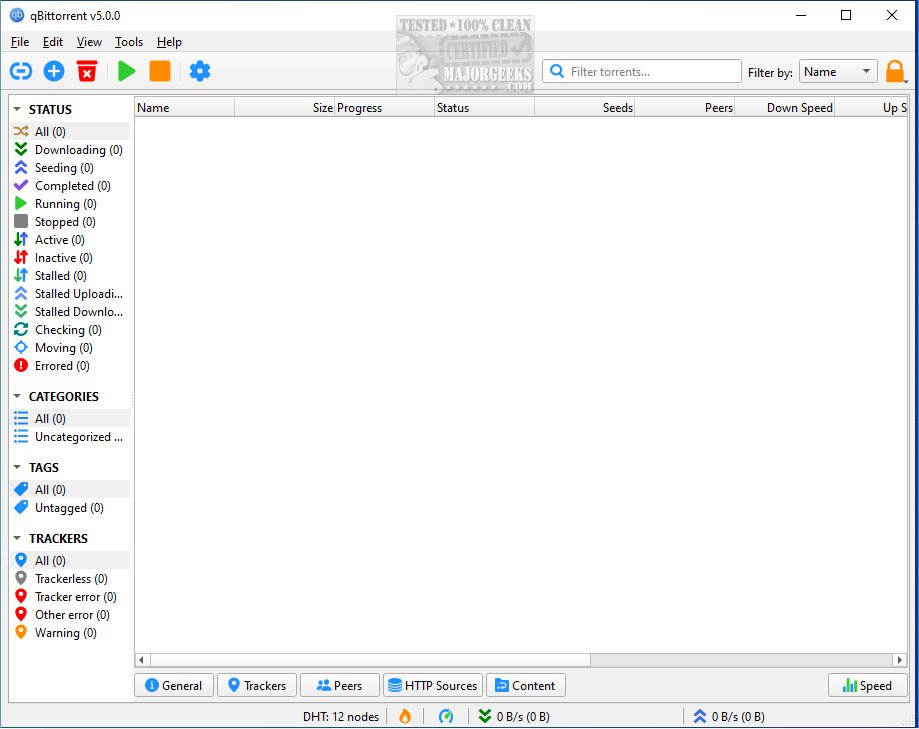
qBittorrent is a highly regarded BitTorrent client designed to provide a superior alternative to other clients in the market. It is available in both a 32-bit version (which is no longer updated) and a portable version, making it versatile for different user needs.
Why Choose qBittorrent?
qBittorrent stands out as a lightweight, ad-free torrent client that is both fast and feature-rich. It caters to both novice and advanced users, offering a simple interface for beginners while providing extensive customization options for power users. Unlike other clients that may bombard users with ads and premium features, qBittorrent maintains a clean and straightforward experience.
Key Features:
1. Built-in Search Engine: Users can find torrents directly within the app for movies, music, software, and more, eliminating the need to visit multiple websites.
2. RSS Feed Support: For those who prefer automation, qBittorrent allows users to subscribe to RSS feeds for automatic downloads, especially useful for legal torrents like Linux ISOs.
3. Remote Control Functionality: Manage your downloads from any device with a web browser, enabling you to start, pause, and monitor torrents remotely.
4. Bandwidth Scheduling: Users can schedule bandwidth usage to avoid slow speeds during peak hours, optimizing their internet connection.
5. Sequential Downloading: This feature allows users to begin watching videos before the entire file is downloaded, a rarity among torrent clients.
6. Advanced Customization: qBittorrent grants users full control over settings, enabling them to optimize speeds and enhance privacy through encryption.
Torrenting Essentials:
While torrenting itself is legal, the content downloaded is of utmost importance. Many legal torrents exist, such as public domain media and open-source software, but users should be cautious of copyrighted material and potential malware. It is advisable to use trusted sources and consider additional privacy measures like VPNs.
Integration with Other Tools:
To enhance the torrenting experience, qBittorrent works well with various software:
- VLC Media Player: Ideal for viewing partially downloaded videos.
- 7-Zip: Useful for extracting compressed files.
- VPN Services: Tools like Mullvad VPN or SurfShark can protect user privacy.
- Antivirus Software: Keeping antivirus programs like Windows Defender or Bitdefender active is crucial for safety.
For automated media management, tools such as Sonarr, Radarr, and Jackett are compatible with qBittorrent.
Conclusion:
qBittorrent is an excellent choice for anyone seeking a fast, efficient, and completely free torrent client devoid of ads and unnecessary bloat. Whether for casual users or torrenting enthusiasts, it provides essential tools without complicating the user experience. Users are encouraged to download responsibly, avoid questionable content, and prioritize their privacy, making qBittorrent one of the best options available on the market.
Next Steps: Download qBittorrent and enjoy a seamless torrenting experience
Why Choose qBittorrent?
qBittorrent stands out as a lightweight, ad-free torrent client that is both fast and feature-rich. It caters to both novice and advanced users, offering a simple interface for beginners while providing extensive customization options for power users. Unlike other clients that may bombard users with ads and premium features, qBittorrent maintains a clean and straightforward experience.
Key Features:
1. Built-in Search Engine: Users can find torrents directly within the app for movies, music, software, and more, eliminating the need to visit multiple websites.
2. RSS Feed Support: For those who prefer automation, qBittorrent allows users to subscribe to RSS feeds for automatic downloads, especially useful for legal torrents like Linux ISOs.
3. Remote Control Functionality: Manage your downloads from any device with a web browser, enabling you to start, pause, and monitor torrents remotely.
4. Bandwidth Scheduling: Users can schedule bandwidth usage to avoid slow speeds during peak hours, optimizing their internet connection.
5. Sequential Downloading: This feature allows users to begin watching videos before the entire file is downloaded, a rarity among torrent clients.
6. Advanced Customization: qBittorrent grants users full control over settings, enabling them to optimize speeds and enhance privacy through encryption.
Torrenting Essentials:
While torrenting itself is legal, the content downloaded is of utmost importance. Many legal torrents exist, such as public domain media and open-source software, but users should be cautious of copyrighted material and potential malware. It is advisable to use trusted sources and consider additional privacy measures like VPNs.
Integration with Other Tools:
To enhance the torrenting experience, qBittorrent works well with various software:
- VLC Media Player: Ideal for viewing partially downloaded videos.
- 7-Zip: Useful for extracting compressed files.
- VPN Services: Tools like Mullvad VPN or SurfShark can protect user privacy.
- Antivirus Software: Keeping antivirus programs like Windows Defender or Bitdefender active is crucial for safety.
For automated media management, tools such as Sonarr, Radarr, and Jackett are compatible with qBittorrent.
Conclusion:
qBittorrent is an excellent choice for anyone seeking a fast, efficient, and completely free torrent client devoid of ads and unnecessary bloat. Whether for casual users or torrenting enthusiasts, it provides essential tools without complicating the user experience. Users are encouraged to download responsibly, avoid questionable content, and prioritize their privacy, making qBittorrent one of the best options available on the market.
Next Steps: Download qBittorrent and enjoy a seamless torrenting experience
qBittorrent 5.2.0 released
qBittorrent is a BitTorrent client that aims to be a superior alternative to other BitTorrent clients. Available for 32-bit (no longer updated), and a portable version is also available.