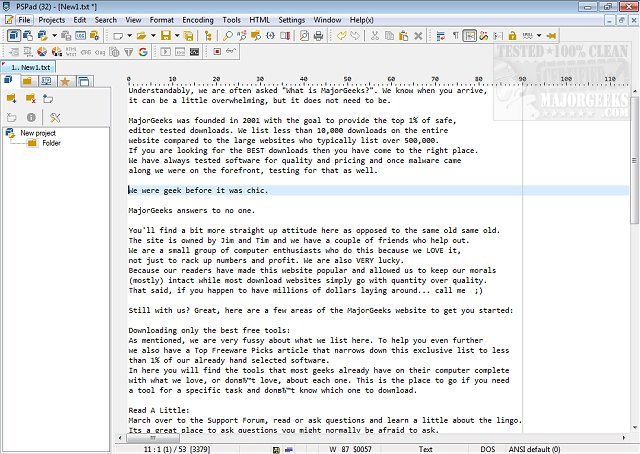
PSPad Editor has recently released version 5.5.2.851, enhancing its capabilities as a versatile text editor for plain text files. This software is packed with features including a spell checker, web page creator, and extensive formatting tools. It supports various file types and programming languages, offering syntax highlighting that aids in code readability. Users can take advantage of its macros, clip files, and templates for automating repetitive tasks, significantly improving productivity.
Moreover, PSPad includes a range of advanced features like an integrated HEX editor, project support, an FTP client, a macro recorder, and powerful file search and replace functionalities. The editor also supports code exploration and code page conversion, making it a comprehensive tool for developers and writers alike.
In addition to these features, users may find interest in related topics such as how to customize the Notepad context menu, automate date and time insertion in documents, adjust zoom settings, and modify font attributes in Notepad on Windows 10 and 11. Overall, PSPad Editor continues to be a robust solution for anyone needing a reliable text editing tool.
As we look to the future, further updates may enhance PSPad's capabilities, potentially incorporating more advanced features like collaboration tools for online editing, cloud integration for saving documents, and improved support for additional programming languages and frameworks, ensuring it remains competitive in the ever-evolving landscape of text editors
Moreover, PSPad includes a range of advanced features like an integrated HEX editor, project support, an FTP client, a macro recorder, and powerful file search and replace functionalities. The editor also supports code exploration and code page conversion, making it a comprehensive tool for developers and writers alike.
In addition to these features, users may find interest in related topics such as how to customize the Notepad context menu, automate date and time insertion in documents, adjust zoom settings, and modify font attributes in Notepad on Windows 10 and 11. Overall, PSPad Editor continues to be a robust solution for anyone needing a reliable text editing tool.
As we look to the future, further updates may enhance PSPad's capabilities, potentially incorporating more advanced features like collaboration tools for online editing, cloud integration for saving documents, and improved support for additional programming languages and frameworks, ensuring it remains competitive in the ever-evolving landscape of text editors
PSPad Editor 5.5.2.851 released
PSPad editor is a universal text editor for working with plain text. It has a wealth of formatting functions, including a spell checker, web page creator, and more.