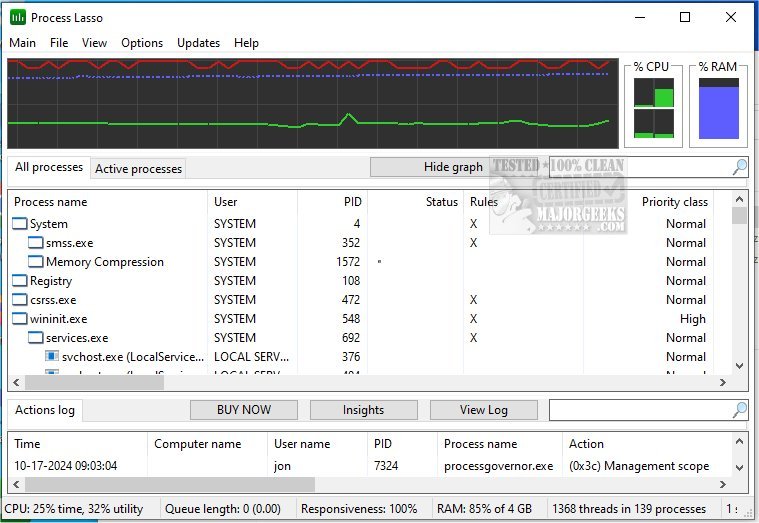
Process Lasso has recently released version 18.3.0.19 Beta and a stable version 18.2.3.42. This powerful, free tool is designed to optimize the management and operation of processes and services on your computer, enhancing overall system performance.
Process Lasso includes a wide range of features aimed at improving process handling. Key functionalities consist of ProBalance, which dynamically adjusts process priorities to ensure system responsiveness, persistent priorities and CPU affinities for selected processes, and the ability to impose limits on the number of instances that can run simultaneously. Additionally, it can terminate disallowed processes, keep essential processes running through an auto-restart feature, and provide a unique system responsiveness graph to monitor performance.
Other notable features include the prevention of PC sleep for designated processes, differentiation between instances of svchost.exe, and a minimal resource footprint, utilizing as little as 1MB of RAM. The tool also includes an event logging feature to keep track of process activities.
For users looking to deepen their understanding of system processes, related resources include guides on identifying processes, saving text files of running processes, customizing Task Manager views, and managing startup applications in Windows 10 and 11.
As technology advances, tools like Process Lasso will continue to evolve, potentially integrating more automation and AI capabilities to further streamline process management and enhance user experience. Future versions may also introduce additional features aimed at improving security and efficiency, ensuring users can optimize their systems with ease
Process Lasso includes a wide range of features aimed at improving process handling. Key functionalities consist of ProBalance, which dynamically adjusts process priorities to ensure system responsiveness, persistent priorities and CPU affinities for selected processes, and the ability to impose limits on the number of instances that can run simultaneously. Additionally, it can terminate disallowed processes, keep essential processes running through an auto-restart feature, and provide a unique system responsiveness graph to monitor performance.
Other notable features include the prevention of PC sleep for designated processes, differentiation between instances of svchost.exe, and a minimal resource footprint, utilizing as little as 1MB of RAM. The tool also includes an event logging feature to keep track of process activities.
For users looking to deepen their understanding of system processes, related resources include guides on identifying processes, saving text files of running processes, customizing Task Manager views, and managing startup applications in Windows 10 and 11.
As technology advances, tools like Process Lasso will continue to evolve, potentially integrating more automation and AI capabilities to further streamline process management and enhance user experience. Future versions may also introduce additional features aimed at improving security and efficiency, ensuring users can optimize their systems with ease
Process Lasso 18.3.0.19 Beta / 18.2.3.42 released
Process Lasso is a free tool designed to manage and edit how your processes and services run.
Process Lasso 18.3.0.19 Beta / 18.2.3.42 released @ MajorGeeks