PrivaZer has recently released version 4.0.125, a robust tool designed to enhance computer performance and security by cleaning old files, internet activity, software usage traces, and the registry. This software is particularly useful for individuals looking to protect their privacy while using their PCs at home or work. It also helps in freeing up disk space.
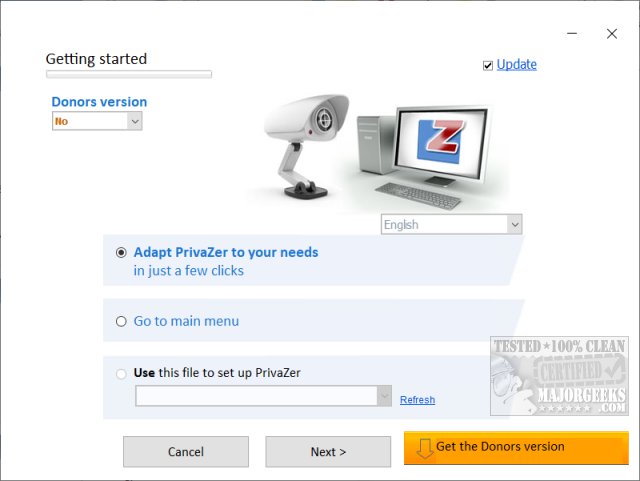
PrivaZer is available as both an installer and a portable application. Upon the first launch, users are encouraged to spend five minutes on a step-by-step setup process to customize their deletion preferences. The initial run may take longer than subsequent ones, as the software creates registry backups automatically stored in a subdirectory. Users can choose between Basic and Advanced modes, with 12 steps for Basic users and 14 for Advanced users to navigate through.
The cleaning capabilities of PrivaZer cover a wide range of areas, including:
- Pre-analysis
- Traces in MFT, free space, USN Journal, and $LogFile
- Internet browsing histories, cookies, Super/Evercookies
- Windows history and registry cleaning
- Memory optimization
- Software-specific traces, including messengers, media, and photo/web software
PrivaZer is regarded as one of the top drive cleaners, with comparative reviews against other tools like CCleaner and Wise Disk Cleaner available through video tutorials. The software is offered for free, but users have the option to upgrade to a Donors Version for early access to updates and additional features, with donations starting at just $10.
For users looking to optimize their computer's storage, PrivaZer is an excellent resource. In addition to its cleaning capabilities, users may also explore related articles and guides on using Windows storage tools and managing files effectively. These resources can further enhance the user experience and provide valuable tips for maintaining a clean and efficient PC
PrivaZer is available as both an installer and a portable application. Upon the first launch, users are encouraged to spend five minutes on a step-by-step setup process to customize their deletion preferences. The initial run may take longer than subsequent ones, as the software creates registry backups automatically stored in a subdirectory. Users can choose between Basic and Advanced modes, with 12 steps for Basic users and 14 for Advanced users to navigate through.
The cleaning capabilities of PrivaZer cover a wide range of areas, including:
- Pre-analysis
- Traces in MFT, free space, USN Journal, and $LogFile
- Internet browsing histories, cookies, Super/Evercookies
- Windows history and registry cleaning
- Memory optimization
- Software-specific traces, including messengers, media, and photo/web software
PrivaZer is regarded as one of the top drive cleaners, with comparative reviews against other tools like CCleaner and Wise Disk Cleaner available through video tutorials. The software is offered for free, but users have the option to upgrade to a Donors Version for early access to updates and additional features, with donations starting at just $10.
For users looking to optimize their computer's storage, PrivaZer is an excellent resource. In addition to its cleaning capabilities, users may also explore related articles and guides on using Windows storage tools and managing files effectively. These resources can further enhance the user experience and provide valuable tips for maintaining a clean and efficient PC
PrivaZer 4.0.125 released
PrivaZer can clean old files, internet activity, traces of software use, gain free space, clean the registry keeping your computer clean and secure.