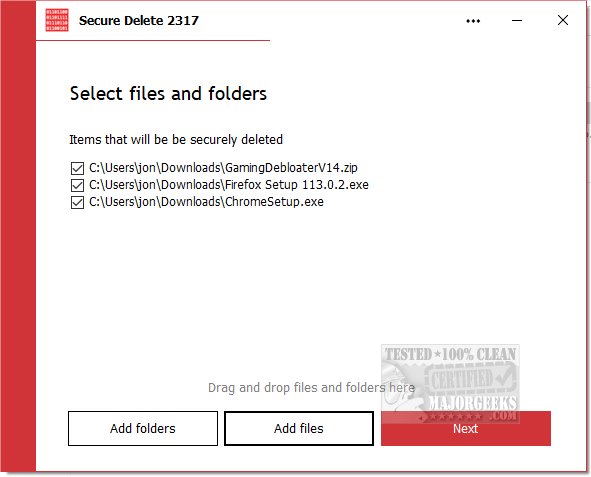
PrivacyRoot has announced the release of Secure Delete 220, a powerful tool designed for the permanent erasure of files and folders from your computer, bypassing the recycle bin entirely. This software offers a variety of security options, allowing users to select their preferred level of deletion security. As the security level increases, the time required for the deletion process also extends.
Users can utilize Secure Delete in three main ways: by dragging and dropping files or folders into the program's interface, by clicking "Add Files" to choose files directly, or by using the "Send To" option in Windows Explorer to send files for deletion. The software operates through a user-friendly, step-by-step process, enabling users to halt the deletion if necessary. Once the deletion is finalized, the files and folders are permanently gone, making it crucial to have backups of important data.
The interface is designed to be simple and intuitive, making it accessible for novice users without sacrificing the software's effectiveness. Secure Delete employs advanced algorithms to ensure secure data destruction, so users can confidently delete sensitive information.
In addition to Secure Delete, users may find related resources helpful, such as guides on using Storage Sense for automatic junk file deletion in Windows 10 and 11, securely deleting files with PowerShell and Cipher, troubleshooting access denied errors during deletion, and permanently disabling activity history in Windows 10 and 11.
As digital privacy becomes increasingly important, tools like PrivacyRoot Secure Delete are essential for anyone looking to manage their data securely and ensure that sensitive information does not fall into the wrong hands. Users are encouraged to explore these options to enhance their data security practices
Users can utilize Secure Delete in three main ways: by dragging and dropping files or folders into the program's interface, by clicking "Add Files" to choose files directly, or by using the "Send To" option in Windows Explorer to send files for deletion. The software operates through a user-friendly, step-by-step process, enabling users to halt the deletion if necessary. Once the deletion is finalized, the files and folders are permanently gone, making it crucial to have backups of important data.
The interface is designed to be simple and intuitive, making it accessible for novice users without sacrificing the software's effectiveness. Secure Delete employs advanced algorithms to ensure secure data destruction, so users can confidently delete sensitive information.
In addition to Secure Delete, users may find related resources helpful, such as guides on using Storage Sense for automatic junk file deletion in Windows 10 and 11, securely deleting files with PowerShell and Cipher, troubleshooting access denied errors during deletion, and permanently disabling activity history in Windows 10 and 11.
As digital privacy becomes increasingly important, tools like PrivacyRoot Secure Delete are essential for anyone looking to manage their data securely and ensure that sensitive information does not fall into the wrong hands. Users are encouraged to explore these options to enhance their data security practices
PrivacyRoot Secure Delete 220 released
PrivacyRoot Secure Delete lets you securely erase files and folders permanently from your machine without going to the recycle bin.