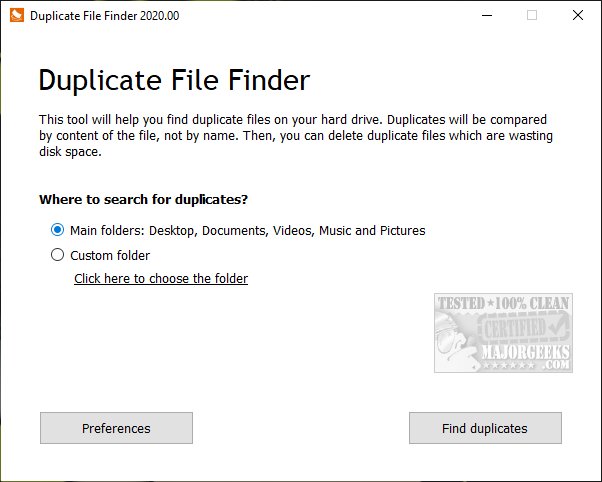
PrivacyRoot has released version 419 of its Duplicate Finder software, which is designed to help users identify and eliminate duplicate files on their computers. By removing these duplicates, users can free up valuable disk space. The software primarily scans the main directories such as Documents, Desktop, Video, Music, and Pictures, but it also offers the flexibility to conduct custom scans on any specified drive or folder. However, caution is advised when scanning entire drives, as Windows typically contains many duplicate files by default.
The software includes various options, including professional features that may be subject to limitations. After completing a scan, users can select specific files or opt to remove all duplicates at once. Additionally, the program allows users to designate certain files to be excluded from future scans. It provides sorting options based on file size, location, and the number of duplicate copies detected. A reset option is also available for users who wish to restart the scanning process.
In testing the software's efficiency, the results were satisfactory, demonstrating its capability in managing duplicate files effectively. The release of this software is timely, as it addresses the common issue of disk space management, which is crucial for maintaining an optimized computer performance.
To further enhance user experience, PrivacyRoot Duplicate Finder could consider implementing additional features such as cloud integration, allowing users to manage duplicates stored in cloud services. Moreover, incorporating advanced AI algorithms could improve the accuracy of duplicate detection, reducing false positives and enhancing the overall scanning speed. Additionally, offering a user-friendly interface with detailed tutorials could make the software more accessible to a broader audience, including those with less technical expertise
The software includes various options, including professional features that may be subject to limitations. After completing a scan, users can select specific files or opt to remove all duplicates at once. Additionally, the program allows users to designate certain files to be excluded from future scans. It provides sorting options based on file size, location, and the number of duplicate copies detected. A reset option is also available for users who wish to restart the scanning process.
In testing the software's efficiency, the results were satisfactory, demonstrating its capability in managing duplicate files effectively. The release of this software is timely, as it addresses the common issue of disk space management, which is crucial for maintaining an optimized computer performance.
To further enhance user experience, PrivacyRoot Duplicate Finder could consider implementing additional features such as cloud integration, allowing users to manage duplicates stored in cloud services. Moreover, incorporating advanced AI algorithms could improve the accuracy of duplicate detection, reducing false positives and enhancing the overall scanning speed. Additionally, offering a user-friendly interface with detailed tutorials could make the software more accessible to a broader audience, including those with less technical expertise
PrivacyRoot Duplicate Finder 419 released
PrivacyRoot Duplicate Finder is designed to scan your machine, searching out duplicate files so that you can remove them, freeing up some disk space.