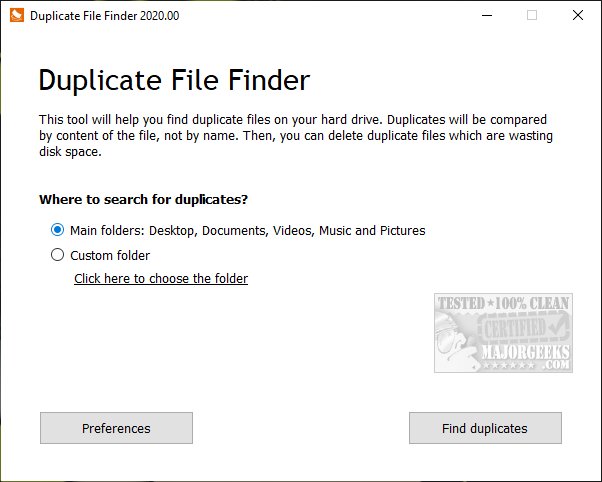
PrivacyRoot Duplicate Finder has recently released version 416, a tool specifically designed to help users identify and eliminate duplicate files on their machines. The primary purpose of this software is to declutter your storage and free up disk space by scanning for duplicate files across various directories. By default, the program targets key folders like Documents, Desktop, Videos, Music, and Pictures, but it also allows users the flexibility to perform custom scans on any specific drive or folder. However, caution is advised when scanning entire drives since Windows systems often contain numerous default duplicate files.
The software offers a variety of features, including the ability to manage duplicates effectively. Users can select individual files or opt to select all duplicates for removal. Additionally, it provides functionalities to exclude certain files from future scans, and it can display duplicates based on criteria such as file size, path, or the number of copies found. After testing the program's effectiveness with a comprehensive drive scan, users reported satisfactory results.
In terms of enhancements, the latest version may include improved scanning algorithms for faster performance, a more user-friendly interface, or expanded options for file management. Users looking to optimize their disk space further can also explore other tools and methods, such as using storage management features in Windows 10 and 11, or comparing PrivacyRoot Duplicate Finder with other popular disk cleaning software like CCleaner, Wise Disk Cleaner, and PrivaZer.
As users increasingly prioritize digital organization and storage efficiency, tools like PrivacyRoot Duplicate Finder play a vital role in maintaining a clutter-free computing experience
The software offers a variety of features, including the ability to manage duplicates effectively. Users can select individual files or opt to select all duplicates for removal. Additionally, it provides functionalities to exclude certain files from future scans, and it can display duplicates based on criteria such as file size, path, or the number of copies found. After testing the program's effectiveness with a comprehensive drive scan, users reported satisfactory results.
In terms of enhancements, the latest version may include improved scanning algorithms for faster performance, a more user-friendly interface, or expanded options for file management. Users looking to optimize their disk space further can also explore other tools and methods, such as using storage management features in Windows 10 and 11, or comparing PrivacyRoot Duplicate Finder with other popular disk cleaning software like CCleaner, Wise Disk Cleaner, and PrivaZer.
As users increasingly prioritize digital organization and storage efficiency, tools like PrivacyRoot Duplicate Finder play a vital role in maintaining a clutter-free computing experience
PrivacyRoot Duplicate Finder 416 released
PrivacyRoot Duplicate Finder is designed to scan your machine, searching out duplicate files so that you can remove them, freeing up some disk space.