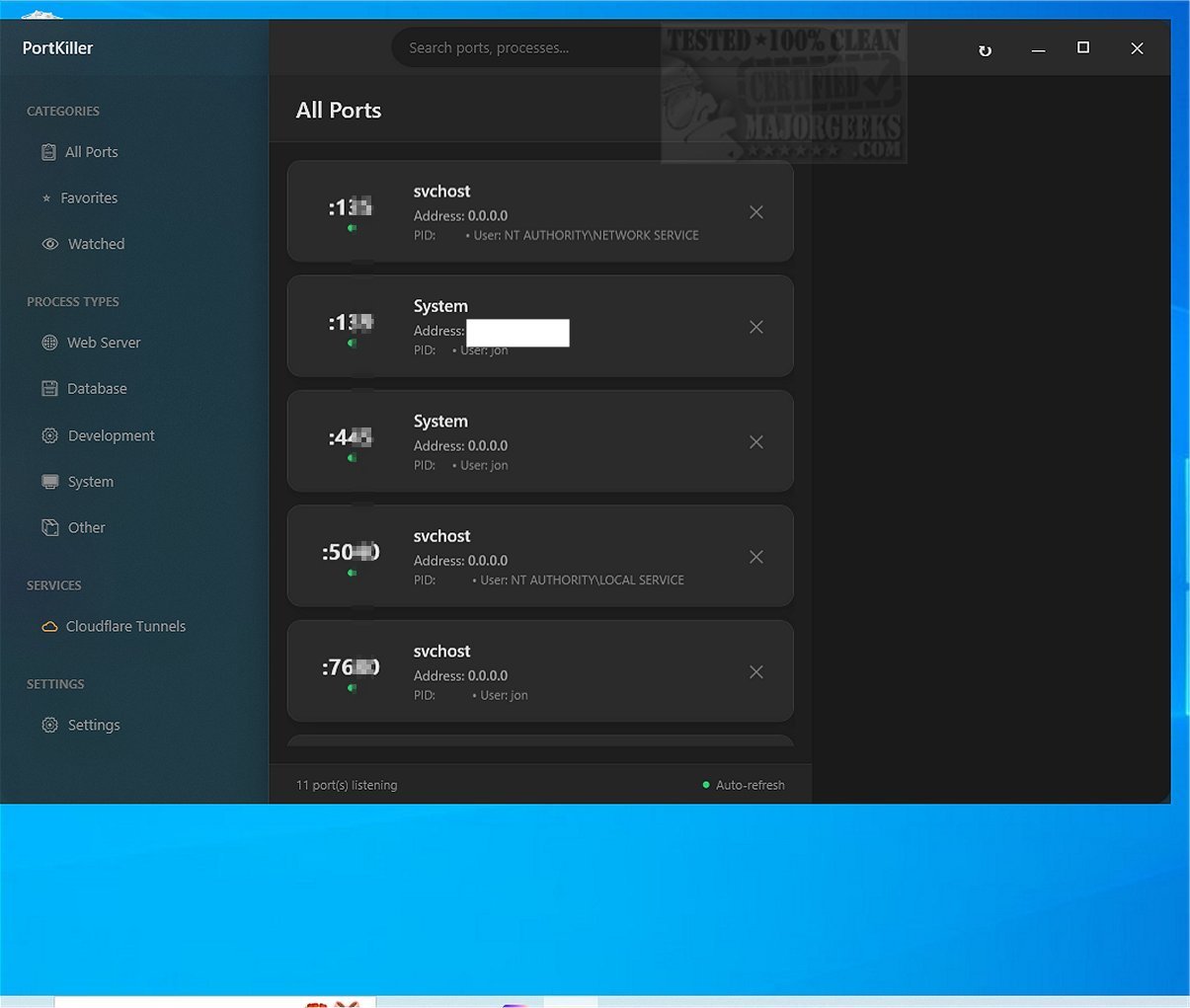
PortKiller is a powerful, cross-platform application aimed at effective port monitoring and management. The latest version, 3.3.2, enhances its functionality beyond simply closing ports, offering features such as live listening on all TCP ports, process checking, and detailed connection information. This tool is especially beneficial for software developers and network administrators due to its comprehensive capabilities.
Key Features:
- Port Management: Automatically discovers all listening TCP ports, allows for one-click process termination (both graceful and forceful), and includes auto-refresh with configurable intervals. Users can search and filter by port numbers or process names, and maintain a favorites list for quick access to essential ports. Notifications for watched ports and smart categorization (like Web Server, Database, Development, System) enhance usability.
- Kubernetes Port Forwarding: Facilitates the creation and management of kubectl port-forward sessions, with features like auto-reconnect on connection loss and connection logging. Users receive notifications on connect/disconnect events.
- Cloudflare Tunnels Management: Requires the installation of Cloudflared, enabling users to view and manage active Cloudflare Tunnel connections efficiently.
Usability Enhancements:
PortKiller’s interface is user-friendly, allowing users to monitor connections immediately upon launching the executable, without the need for installation. The application features a Favorites list and a Watched section, enabling users to easily track important ports and connections. Processes can be sorted by predefined categories, giving a clearer overview of open connections.
Conclusion:
PortKiller stands out as a robust port management tool, especially for users with advanced networking skills. Its capabilities, including support for Cloudflare Tunnel sharing and Kubernetes port-forward sessions, make it a valuable asset for developers and network professionals. Given its open-source nature, it encourages community contribution and continuous improvement.
Extension:
In addition to its current features, future updates of PortKiller could include enhanced security measures such as encryption for connections, customizable user roles for multi-user environments, and integration with other cloud service providers beyond Cloudflare. Additionally, a web-based interface could make it easier for remote monitoring and management, while mobile app compatibility could further enhance accessibility for users on the go
Key Features:
- Port Management: Automatically discovers all listening TCP ports, allows for one-click process termination (both graceful and forceful), and includes auto-refresh with configurable intervals. Users can search and filter by port numbers or process names, and maintain a favorites list for quick access to essential ports. Notifications for watched ports and smart categorization (like Web Server, Database, Development, System) enhance usability.
- Kubernetes Port Forwarding: Facilitates the creation and management of kubectl port-forward sessions, with features like auto-reconnect on connection loss and connection logging. Users receive notifications on connect/disconnect events.
- Cloudflare Tunnels Management: Requires the installation of Cloudflared, enabling users to view and manage active Cloudflare Tunnel connections efficiently.
Usability Enhancements:
PortKiller’s interface is user-friendly, allowing users to monitor connections immediately upon launching the executable, without the need for installation. The application features a Favorites list and a Watched section, enabling users to easily track important ports and connections. Processes can be sorted by predefined categories, giving a clearer overview of open connections.
Conclusion:
PortKiller stands out as a robust port management tool, especially for users with advanced networking skills. Its capabilities, including support for Cloudflare Tunnel sharing and Kubernetes port-forward sessions, make it a valuable asset for developers and network professionals. Given its open-source nature, it encourages community contribution and continuous improvement.
Extension:
In addition to its current features, future updates of PortKiller could include enhanced security measures such as encryption for connections, customizable user roles for multi-user environments, and integration with other cloud service providers beyond Cloudflare. Additionally, a web-based interface could make it easier for remote monitoring and management, while mobile app compatibility could further enhance accessibility for users on the go
PortKiller 3.3.2 released
PortKiller is a versatile cross-platform tool designed for port monitoring and management. It goes beyond the basic function of simply closing a port; it also allows listening on all TCP ports, checking running processes, and presenting detailed information about each connection.