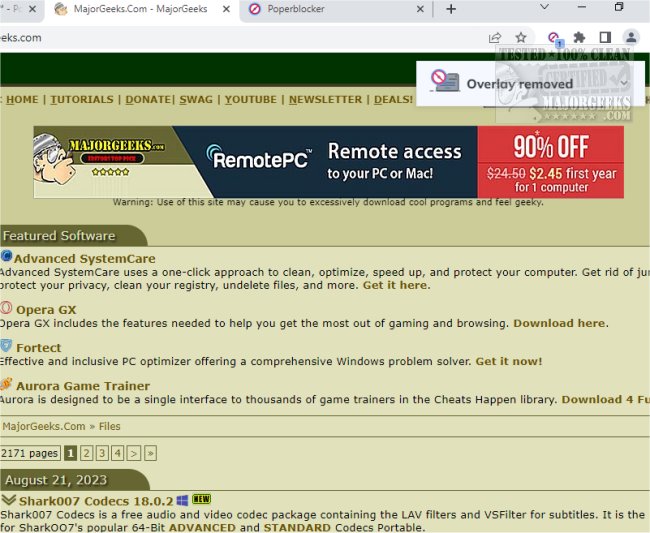
Poper Blocker for Chrome has released version 8.7.0, a powerful tool designed to eliminate distractions such as popups, ads, cookie requests, trackers, notifications, and social media advertisements. This extension is particularly useful for users who wish to enhance their browsing experience by blocking various forms of digital clutter.
One of the standout features of Poper Blocker is its ability to manage social media feeds on platforms like Facebook, LinkedIn, Instagram, and Twitter. Users can customize their experience by hiding posts containing specific keywords, allowing for a more tailored and distraction-free social media experience. The extension automatically remembers which popups have been blocked, ensuring they remain hidden in future browsing sessions.
Poper Blocker also extends its functionality to YouTube, enabling users to watch videos without interruptions from ads. Additionally, it promises ad-free browsing across all websites, excluding only video ads. This not only enhances the user experience but can also contribute to improved system performance by reducing the load caused by unwanted ads and popups.
For those seeking a reliable solution to maintain a streamlined and enjoyable online experience, Poper Blocker emerges as a robust option. With its ability to operate seamlessly in the background, users can focus on their favorite activities—be it watching shows, playing games, or browsing content—without the interference of distracting advertisements.
In summary, Poper Blocker for Chrome 8.7.0 offers an effective way to reclaim your online space from annoying ads and popups, ensuring a smoother, more enjoyable browsing experience across various platforms. Whether you're looking to enhance your social media interaction or simply enjoy uninterrupted video viewing, this extension is a valuable addition to your browser toolkit.
Furthermore, users may explore similar tools and guides, such as methods for deleting YouTube watch history, disabling advertising in Windows 10 and 11, and enabling Heavy Ad Intervention in Google Chrome, to further optimize their online experiences
One of the standout features of Poper Blocker is its ability to manage social media feeds on platforms like Facebook, LinkedIn, Instagram, and Twitter. Users can customize their experience by hiding posts containing specific keywords, allowing for a more tailored and distraction-free social media experience. The extension automatically remembers which popups have been blocked, ensuring they remain hidden in future browsing sessions.
Poper Blocker also extends its functionality to YouTube, enabling users to watch videos without interruptions from ads. Additionally, it promises ad-free browsing across all websites, excluding only video ads. This not only enhances the user experience but can also contribute to improved system performance by reducing the load caused by unwanted ads and popups.
For those seeking a reliable solution to maintain a streamlined and enjoyable online experience, Poper Blocker emerges as a robust option. With its ability to operate seamlessly in the background, users can focus on their favorite activities—be it watching shows, playing games, or browsing content—without the interference of distracting advertisements.
In summary, Poper Blocker for Chrome 8.7.0 offers an effective way to reclaim your online space from annoying ads and popups, ensuring a smoother, more enjoyable browsing experience across various platforms. Whether you're looking to enhance your social media interaction or simply enjoy uninterrupted video viewing, this extension is a valuable addition to your browser toolkit.
Furthermore, users may explore similar tools and guides, such as methods for deleting YouTube watch history, disabling advertising in Windows 10 and 11, and enabling Heavy Ad Intervention in Google Chrome, to further optimize their online experiences
Poper Blocker for Chrome 8.7.0 released
If you're tired of annoying popups, ads, cookie requests, trackers, notifications, and social media ads, you may want to try using Poper Blocker for Chrome. This handy tool can help you block all these things and more.