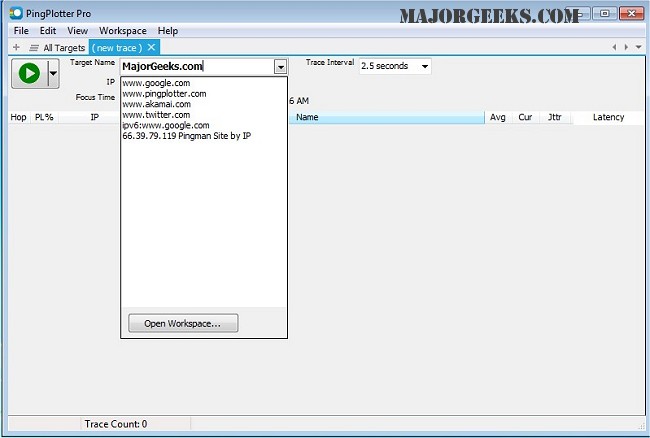
PingPlotter version 5.27.13 has been released, enhancing its capabilities in diagnosing network issues. This tool effectively maps the route from a user's computer to a designated target while calculating various performance metrics to identify the sources of potential network problems. With its user-friendly graphical interface, PingPlotter allows both casual users and networking professionals to visualize network performance intuitively.
Key features of PingPlotter include real-time and historical graphing of network data, the ability to zoom in on specific issues, customizable alerts for monitoring, and the capacity to graph multiple hops simultaneously. Additionally, it offers functionality to create images of the performance graphs that can be easily shared via email.
For users looking to improve their network performance, PingPlotter is an invaluable resource. It not only helps in pinpointing immediate problems but also allows for long-term monitoring of network connections to identify recurring issues over time.
In addition to PingPlotter, users may find related resources useful, such as guides on using the Ping command in Windows, understanding Windows Auto-Tuning, improving wireless network performance, fixing slow internet issues on Windows 10 and 11, and resetting network settings for optimal performance.
As networking challenges continue to evolve, tools like PingPlotter play a crucial role in ensuring reliable and efficient internet connectivity for all users
Key features of PingPlotter include real-time and historical graphing of network data, the ability to zoom in on specific issues, customizable alerts for monitoring, and the capacity to graph multiple hops simultaneously. Additionally, it offers functionality to create images of the performance graphs that can be easily shared via email.
For users looking to improve their network performance, PingPlotter is an invaluable resource. It not only helps in pinpointing immediate problems but also allows for long-term monitoring of network connections to identify recurring issues over time.
In addition to PingPlotter, users may find related resources useful, such as guides on using the Ping command in Windows, understanding Windows Auto-Tuning, improving wireless network performance, fixing slow internet issues on Windows 10 and 11, and resetting network settings for optimal performance.
As networking challenges continue to evolve, tools like PingPlotter play a crucial role in ensuring reliable and efficient internet connectivity for all users
PingPlotter 5.27.13 released
PingPlotter will map the route from your computer to a target and calculate performance metrics that help determine determine the origin of any network issues.