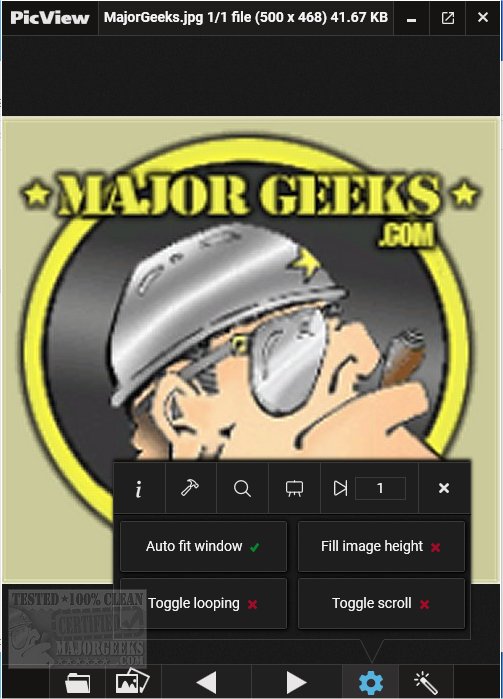
PicView 5.0.2 has been released, enhancing its reputation as a fast and efficient open-source image viewer. This latest version comes packed with a plethora of features designed to improve user experience and functionality. Key highlights include various image effects, gallery support, detailed image information, and automatic screen adjustments for optimal viewing.
The user interface of PicView is designed to be intuitive and straightforward, allowing for easy navigation. Users can toggle the UI to display images only by pressing Alt + Z, and customize the visibility of hover buttons and window borders through the settings. For images with transparent backgrounds, users can switch backgrounds to a checkerboard, dark, or white by pressing T.
PicView boasts an impressive array of 26 shader effects, such as negative colors, vintage movie styles, and pencil sketches. These effects can be previewed live on the current image before applying them, and users can easily copy or save the effects for later use, including when setting images as wallpapers or lock screens.
The software supports a wide range of file formats, making it versatile for various image types, although some less common formats may load more slowly. Supported formats include .jpg, .png, .gif, .bmp, .tif, .svg, and many more specialized formats such as .raw and .heic.
Additional features of PicView include basic editing tools (like rotate, flip, and crop), drag-and-drop support for files and folders, a scroll function, and options to open files in external applications or view their properties. Users can also utilize a color picker for precise color selections.
For users looking for alternatives or to enhance their image viewing experience, PicView is comparable to tools like Windows Photo Viewer and the Photos app in Windows 10/11, offering similar functionalities and customization options.
In conclusion, PicView 5.0.2 stands out as a robust, user-friendly image viewer that is continually evolving to meet the needs of its users. Its comprehensive feature set, along with ongoing updates, positions it as a strong choice for anyone in need of an efficient image management tool
The user interface of PicView is designed to be intuitive and straightforward, allowing for easy navigation. Users can toggle the UI to display images only by pressing Alt + Z, and customize the visibility of hover buttons and window borders through the settings. For images with transparent backgrounds, users can switch backgrounds to a checkerboard, dark, or white by pressing T.
PicView boasts an impressive array of 26 shader effects, such as negative colors, vintage movie styles, and pencil sketches. These effects can be previewed live on the current image before applying them, and users can easily copy or save the effects for later use, including when setting images as wallpapers or lock screens.
The software supports a wide range of file formats, making it versatile for various image types, although some less common formats may load more slowly. Supported formats include .jpg, .png, .gif, .bmp, .tif, .svg, and many more specialized formats such as .raw and .heic.
Additional features of PicView include basic editing tools (like rotate, flip, and crop), drag-and-drop support for files and folders, a scroll function, and options to open files in external applications or view their properties. Users can also utilize a color picker for precise color selections.
For users looking for alternatives or to enhance their image viewing experience, PicView is comparable to tools like Windows Photo Viewer and the Photos app in Windows 10/11, offering similar functionalities and customization options.
In conclusion, PicView 5.0.2 stands out as a robust, user-friendly image viewer that is continually evolving to meet the needs of its users. Its comprehensive feature set, along with ongoing updates, positions it as a strong choice for anyone in need of an efficient image management tool
PicView 5.0.2 released
PicView is an Open Source image viewer designed to be fast.