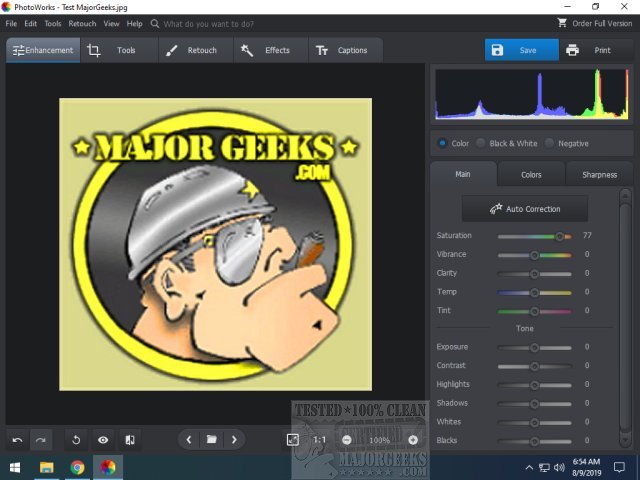
PhotoWorks 22.0 has been released, offering a comprehensive photo editing solution that caters to both beginners and seasoned photographers. This intuitive app allows users to enhance their images quickly and effectively using one-click effects designed to produce stunning portraits and landscapes. With its intelligent tools and an extensive array of presets, PhotoWorks makes the post-processing experience enjoyable and efficient.
Key features of PhotoWorks include:
- Image Quality Enhancement: Quickly fix overexposed or blurry images, eliminate lens distortions, and correct perspective issues.
- Object Removal: Effortlessly erase unwanted elements from photos using the smart Healing Brush and versatile Clone Stamp tools.
- Creative Effects: Apply a variety of popular filters such as black & white, vintage, HDR, and color splash to give photos a unique flair.
- Color Boosting: Enhance dull colors through selective color correction, ensuring landscapes are vibrant and visually appealing.
- Portrait Retouching: Achieve a professional look by smoothing skin textures, whitening teeth, and even changing eye colors in portraits.
- Stylizing: Transform ordinary images into trendy posters with a wide selection of effects and text styles.
- Body Sculpting: Easily edit photos to create a slimmer appearance, perfect for vacation shots.
The app's user-friendly interface facilitates quick navigation through its editing toolkit, built-in filters, and rich font gallery, making it accessible for users of all skill levels.
In addition to its editing capabilities, PhotoWorks also offers tools for restoring images and troubleshooting common issues with photo viewing on Windows platforms. With its robust features, PhotoWorks 22.0 is positioned as a valuable tool for anyone looking to enhance their photography effortlessly. Whether you're touching up personal photos or crafting professional images, this app provides the necessary tools and capabilities to bring your creative vision to life
Key features of PhotoWorks include:
- Image Quality Enhancement: Quickly fix overexposed or blurry images, eliminate lens distortions, and correct perspective issues.
- Object Removal: Effortlessly erase unwanted elements from photos using the smart Healing Brush and versatile Clone Stamp tools.
- Creative Effects: Apply a variety of popular filters such as black & white, vintage, HDR, and color splash to give photos a unique flair.
- Color Boosting: Enhance dull colors through selective color correction, ensuring landscapes are vibrant and visually appealing.
- Portrait Retouching: Achieve a professional look by smoothing skin textures, whitening teeth, and even changing eye colors in portraits.
- Stylizing: Transform ordinary images into trendy posters with a wide selection of effects and text styles.
- Body Sculpting: Easily edit photos to create a slimmer appearance, perfect for vacation shots.
The app's user-friendly interface facilitates quick navigation through its editing toolkit, built-in filters, and rich font gallery, making it accessible for users of all skill levels.
In addition to its editing capabilities, PhotoWorks also offers tools for restoring images and troubleshooting common issues with photo viewing on Windows platforms. With its robust features, PhotoWorks 22.0 is positioned as a valuable tool for anyone looking to enhance their photography effortlessly. Whether you're touching up personal photos or crafting professional images, this app provides the necessary tools and capabilities to bring your creative vision to life
PhotoWorks 22.0 released
PhotoWorks is a full-service photo editing app that provides instant enhancement with one-click effects to produce amazing portraits.