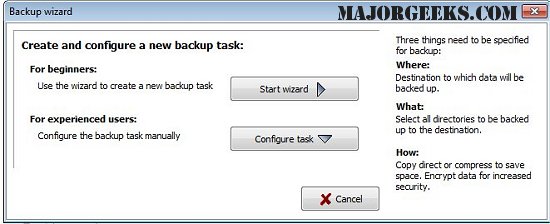
The latest version of Personal Backup, 6.4.14.0, offers enhanced capabilities for safeguarding personal data by allowing users to save their files to various destinations, including local fixed or removable drives, Windows network servers, and FTP servers.
One of the key features of Personal Backup is the ability to configure and store an unlimited number of backup tasks, which can be tailored to specific needs. Users can select files for backup on a per-folder basis, with all subfolders included by default. However, there is flexibility to exclude or include specific subdirectories or file types based on user-defined filters, including criteria such as file age and name.
The software retains the original directory structure beneath designated folders, labeled according to their original drives (e.g., LwC for drive C, LwD for drive D). Additionally, all files can be compressed using gzip, either collectively or by individual subfolders as zip files. For enhanced security, users have the option to encrypt their data using the AES algorithm.
Key Features of Personal Backup:
- A user-friendly wizard for creating new backup tasks.
- Unlimited configurable backup tasks for comprehensive data management.
- Capability to back up complete directory structures with ease.
- Options for starting backups on demand or scheduling them to run automatically.
- Support for FTP backups, including proxy and FTPS (FTP over SSL) options.
- Versatile backup options, allowing files to be copied with or without data compression, organized by directory structure or combined into zip files.
Additional Information:
For users interested in system management, the release notes also provide links to guides on resetting or reinstalling Windows 10 using the cloud, reinstalling Windows without data loss, managing system restore points, and adjusting system protection storage size in Windows 10 and 11.
As data protection continues to grow in importance, Personal Backup remains a robust solution for individuals looking to secure their personal information effectively. With its variety of features and customizable options, users can ensure their data is not only backed up but also stored securely
One of the key features of Personal Backup is the ability to configure and store an unlimited number of backup tasks, which can be tailored to specific needs. Users can select files for backup on a per-folder basis, with all subfolders included by default. However, there is flexibility to exclude or include specific subdirectories or file types based on user-defined filters, including criteria such as file age and name.
The software retains the original directory structure beneath designated folders, labeled according to their original drives (e.g., LwC for drive C, LwD for drive D). Additionally, all files can be compressed using gzip, either collectively or by individual subfolders as zip files. For enhanced security, users have the option to encrypt their data using the AES algorithm.
Key Features of Personal Backup:
- A user-friendly wizard for creating new backup tasks.
- Unlimited configurable backup tasks for comprehensive data management.
- Capability to back up complete directory structures with ease.
- Options for starting backups on demand or scheduling them to run automatically.
- Support for FTP backups, including proxy and FTPS (FTP over SSL) options.
- Versatile backup options, allowing files to be copied with or without data compression, organized by directory structure or combined into zip files.
Additional Information:
For users interested in system management, the release notes also provide links to guides on resetting or reinstalling Windows 10 using the cloud, reinstalling Windows without data loss, managing system restore points, and adjusting system protection storage size in Windows 10 and 11.
As data protection continues to grow in importance, Personal Backup remains a robust solution for individuals looking to secure their personal information effectively. With its variety of features and customizable options, users can ensure their data is not only backed up but also stored securely
Personal Backup 6.4.14.0 released
Personal Backup saves personal data to any destination folder located on a local fixed or removable drive, Windows network server, or an FTP server.