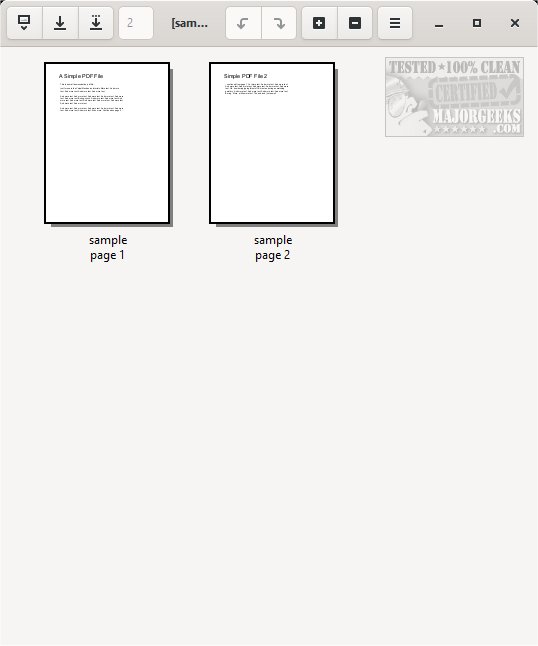
PDF Arranger has recently released version 1.14.0 of its open-source application designed for managing and modifying PDF files. The application boasts a user-friendly interface characterized by a sleek gray and white color scheme, making it visually appealing and easy to navigate. Users can conveniently open PDF files either through the menu or by dragging and dropping them directly into the application.
PDF Arranger offers a variety of features accessible via the menu or icons, including options to zoom in or out, rotate pages left or right, crop, duplicate, split pages, and edit properties. While it may appear simple, many of these functionalities are not commonly found in other PDF management tools. It's important to note that PDF Arranger is not a traditional PDF editor, but rather focuses on modifications to existing PDF files.
The source code and Linux builds for PDF Arranger are available on the developer's website, encouraging contributions and transparency in its development. This release also highlights the continuous improvement of the application, aligning with the growing demand for efficient PDF management solutions.
In addition to PDF Arranger, users may find value in related content such as guides on creating PDFs in Windows, converting PDFs to various image formats, managing Microsoft Print to PDF, understanding Adobe Acrobat Update Service, and adjusting settings for the XPS Viewer app in Windows 10. Overall, PDF Arranger provides a versatile tool for users looking to enhance their PDF handling experience
PDF Arranger offers a variety of features accessible via the menu or icons, including options to zoom in or out, rotate pages left or right, crop, duplicate, split pages, and edit properties. While it may appear simple, many of these functionalities are not commonly found in other PDF management tools. It's important to note that PDF Arranger is not a traditional PDF editor, but rather focuses on modifications to existing PDF files.
The source code and Linux builds for PDF Arranger are available on the developer's website, encouraging contributions and transparency in its development. This release also highlights the continuous improvement of the application, aligning with the growing demand for efficient PDF management solutions.
In addition to PDF Arranger, users may find value in related content such as guides on creating PDFs in Windows, converting PDFs to various image formats, managing Microsoft Print to PDF, understanding Adobe Acrobat Update Service, and adjusting settings for the XPS Viewer app in Windows 10. Overall, PDF Arranger provides a versatile tool for users looking to enhance their PDF handling experience
PDF Arranger 1.14.0 released
PDF Arranger is an Open Source app to manage and modify PDF files.