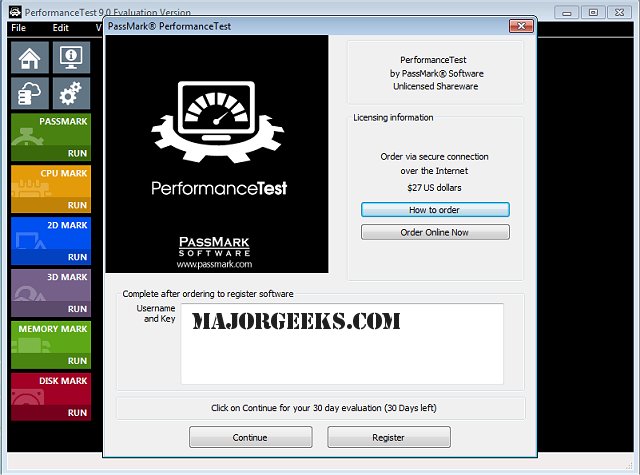
Passmark PerformanceTest is a leading benchmarking application created to assess the performance of personal computers. It offers a variety of speed tests focused on critical components such as CPU, GPU, memory, and disk performance. Users can analyze the results to compare their systems against others, providing a clear perspective on how their PC performs relative to similar machines and current technology benchmarks.
Since its inception in 1998, Passmark PerformanceTest has established itself as an industry standard across multiple platforms, including Windows, Linux, macOS, Android, and iOS. It is an invaluable tool for those looking to upgrade hardware, optimize configurations, or simply evaluate their PC's performance.
User-Friendly Interface and Features
The software is designed with ease of use in mind, featuring a user-friendly interface that allows users to access its various functionalities effortlessly. Detailed reports and graphical representations of test results can be easily viewed and exported in multiple formats. Users have the option to share their results online or upload them to the PerformanceTest website for comprehensive analysis.
PerformanceTest offers a wide array of testing suites covering essential areas such as CPU capability, memory speed, disk I/O rates, and graphics performance (both 2D and 3D). Users can choose between standard benchmark tests for a quick overview or create customized tests to focus on specific components and performance metrics that matter most to their needs.
Comparative Analysis and Rating
One of the standout features of Passmark PerformanceTest is its searchable baseline database, which allows users to compare their results with those of other users globally. This context enriches the understanding of individual scores and helps users gauge their PC’s standing against various configurations. At the conclusion of the benchmarking process, users receive an overall PassMark Rating, summarizing their system's capabilities and performance compared to others. This comprehensive assessment is beneficial for identifying both strengths and weaknesses in the computer's performance and serves as a guide for future upgrades or enhancements.
Conclusion
For anyone seeking reliable and thorough PC benchmarking software, Passmark PerformanceTest is an excellent choice. It’s a powerful tool that can assist users in optimizing their computer's performance while identifying potential issues or bottlenecks. Interested users can download a free trial version tailored to their operating system.
In addition to its benchmarking capabilities, users may also benefit from exploring related topics such as updating and finding their Windows Experience Index Score, identifying hardware components within their systems, determining CPU core counts, and checking memory (RAM) speed and capacity. These supplementary resources can further enhance users' understanding of their PCs and assist in making informed decisions regarding upgrades and configurations
Since its inception in 1998, Passmark PerformanceTest has established itself as an industry standard across multiple platforms, including Windows, Linux, macOS, Android, and iOS. It is an invaluable tool for those looking to upgrade hardware, optimize configurations, or simply evaluate their PC's performance.
User-Friendly Interface and Features
The software is designed with ease of use in mind, featuring a user-friendly interface that allows users to access its various functionalities effortlessly. Detailed reports and graphical representations of test results can be easily viewed and exported in multiple formats. Users have the option to share their results online or upload them to the PerformanceTest website for comprehensive analysis.
PerformanceTest offers a wide array of testing suites covering essential areas such as CPU capability, memory speed, disk I/O rates, and graphics performance (both 2D and 3D). Users can choose between standard benchmark tests for a quick overview or create customized tests to focus on specific components and performance metrics that matter most to their needs.
Comparative Analysis and Rating
One of the standout features of Passmark PerformanceTest is its searchable baseline database, which allows users to compare their results with those of other users globally. This context enriches the understanding of individual scores and helps users gauge their PC’s standing against various configurations. At the conclusion of the benchmarking process, users receive an overall PassMark Rating, summarizing their system's capabilities and performance compared to others. This comprehensive assessment is beneficial for identifying both strengths and weaknesses in the computer's performance and serves as a guide for future upgrades or enhancements.
Conclusion
For anyone seeking reliable and thorough PC benchmarking software, Passmark PerformanceTest is an excellent choice. It’s a powerful tool that can assist users in optimizing their computer's performance while identifying potential issues or bottlenecks. Interested users can download a free trial version tailored to their operating system.
In addition to its benchmarking capabilities, users may also benefit from exploring related topics such as updating and finding their Windows Experience Index Score, identifying hardware components within their systems, determining CPU core counts, and checking memory (RAM) speed and capacity. These supplementary resources can further enhance users' understanding of their PCs and assist in making informed decisions regarding upgrades and configurations
Passmark PerformanceTest 11.1 Build 1010 released
Passmark PerformanceTest is a comprehensive benchmarking tool designed to evaluate the performance of a personal computer.
Passmark PerformanceTest 11.1 Build 1010 released @ MajorGeeks