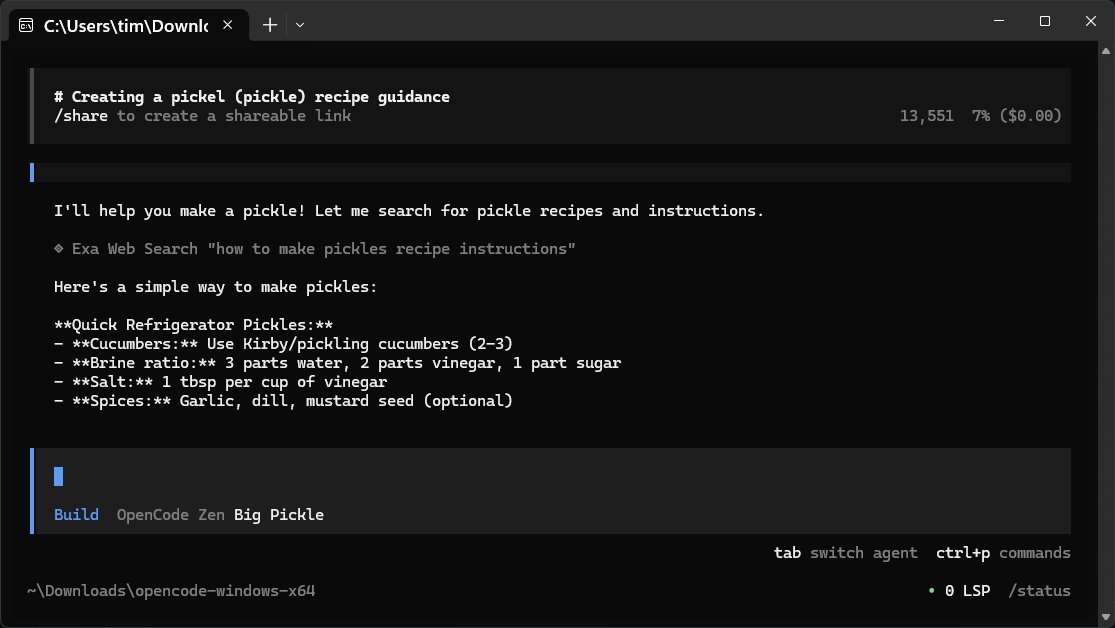
OpenCode 1.17.12 has been released as a free, open-source AI assistant designed to streamline coding tasks. It operates locally on your computer, allowing developers to write code, troubleshoot bugs, and gain insights into their files without the need for cloud services, ensuring privacy and security. OpenCode acts as a command-line companion, interpreting natural language queries and executing commands in various programming languages like HTML, Python, and PowerShell.
The primary appeal of OpenCode lies in its simplicity and efficiency, as it does not require users to create accounts, sync data to the cloud, or navigate complex interfaces, making it accessible for those who prefer terminal-based work environments. However, it still provides functionalities beyond coding, such as answering general questions or sharing recipes.
OpenCode operates by connecting to external online repositories rather than relying on an internal knowledge base, which keeps the software lightweight. Users can integrate over 75 different language models, including those from OpenAI and Anthropic, by configuring API keys.
Key features include:
- Local operation, ensuring data privacy.
- Flexibility in model choice and IDE compatibility.
- A streamlined interface with no unnecessary bloat.
To maximize its functionality, users are encouraged to familiarize themselves with documentation, securely manage API keys, and utilize built-in export features for session management. OpenCode also supports local models, giving users the option to run models entirely on their hardware.
In summary, OpenCode is an efficient, customizable coding assistant that prioritizes user control and privacy. While it might lack some graphical features, it remains an excellent choice for developers comfortable with command-line interfaces and looking for a straightforward coding tool. For further assistance or troubleshooting, users can engage with the community on forums like MajorGeeks.
In future updates, the development team might consider enhancing the user interface for those who prefer a more visual approach, as well as exploring offline capabilities for users with limited internet access, to broaden its appeal and usability
The primary appeal of OpenCode lies in its simplicity and efficiency, as it does not require users to create accounts, sync data to the cloud, or navigate complex interfaces, making it accessible for those who prefer terminal-based work environments. However, it still provides functionalities beyond coding, such as answering general questions or sharing recipes.
OpenCode operates by connecting to external online repositories rather than relying on an internal knowledge base, which keeps the software lightweight. Users can integrate over 75 different language models, including those from OpenAI and Anthropic, by configuring API keys.
Key features include:
- Local operation, ensuring data privacy.
- Flexibility in model choice and IDE compatibility.
- A streamlined interface with no unnecessary bloat.
To maximize its functionality, users are encouraged to familiarize themselves with documentation, securely manage API keys, and utilize built-in export features for session management. OpenCode also supports local models, giving users the option to run models entirely on their hardware.
In summary, OpenCode is an efficient, customizable coding assistant that prioritizes user control and privacy. While it might lack some graphical features, it remains an excellent choice for developers comfortable with command-line interfaces and looking for a straightforward coding tool. For further assistance or troubleshooting, users can engage with the community on forums like MajorGeeks.
In future updates, the development team might consider enhancing the user interface for those who prefer a more visual approach, as well as exploring offline capabilities for users with limited internet access, to broaden its appeal and usability
OpenCode 1.17.12 released
OpenCode is a free, Open Source AI assistant that runs on your computer and helps you write code, fix bugs, and understand what your files are doing.